Scan to Download
Brickster Events is a lightweight event management app that helps organizers design, schedule, and promote gatherings with integrated invitations, ticketing, and attendee tracking. It centralizes tasks like agenda building, venue details, and reminders so small teams can manage events from planning through post-event follow-up.
At its heart, Brickster Events bundles the essentials for running events of varying sizes. Create multi-day agendas, assign speakers or hosts to time slots, and publish a shareable schedule. The app supports digital ticketing and payment links, QR code check-ins, and guest list imports from CSV or contacts. Built-in templates speed up recurring tasks so organizers can reuse layout, pricing, and notification settings for similar events.
Scheduling tools in Brickster Events let you block time, set buffer periods between sessions, and manage room assignments. Automatic reminders are customizable by channel: push notifications, email, or SMS depending on attendee preference. Communication templates simplify outreach, and a central message log keeps a running history of invitations, RSVPs, and follow-ups. Real-time updates sync across devices so staff always see the latest changes.
Brickster Events adapts to different workflows through visual customization and third-party integrations. Customize registration forms with optional fields, promo codes, and tiered ticketing. Connect to calendar services to export event entries or import important dates. Integrations with popular payment processors and analytics platforms provide financial tracking and attendee behavior insights without extra manual work.
The interface focuses on clarity: a dashboard highlights upcoming events, recent registrations, and revenue snapshots. Drag-and-drop schedule editing streamlines rearranging sessions, while context menus expose common actions like duplicating events or exporting attendee lists. For teams, role-based access controls limit who can change settings versus who can check in guests, reducing accidental changes during live events.
On the day of an event, Brickster Events switches to an operations mode optimized for check-in and monitoring. Staff can scan QR codes, mark arrivals, issue refunds, or reassign tickets. Attendees receive a polished experience with mobile-ready agendas, location maps, and push notifications for last-minute updates. Feedback tools enable quick surveys after sessions to capture satisfaction metrics and suggestions for future improvements.
Brickster Events is designed to perform on a wide range of Android devices; the core app is lightweight so it runs smoothly on mid-range phones and tablets. Offline check-in caching ensures guest lists remain available without constant connectivity, syncing changes once a network returns. Cloud-based backups protect event data, and periodic updates keep security and performance tuned.
After the event, built-in reports summarize attendance, ticket sales, and engagement metrics. Exportable CSVs and PDF summaries speed up financial reconciliation and post-mortem reviews. Use the attendee segmentation tools to identify repeat guests, high-value purchasers, or low-engagement groups for targeted marketing in future cycles.
New users can begin by creating an account, adding basic event details, and choosing a template from the library. For most teams the initial setup takes minutes: set venue and ticket parameters, invite a small test group, and run a trial check-in to confirm workflows. The app includes guided setup hints and a help section for common scenarios.
Brickster Events is well suited for community organizers, small businesses, and campus groups that need a compact but capable toolset for recurring and one-off events. Its balance of automation, customization, and on-the-ground tools reduces administrative overhead while delivering a clear attendee experience. For teams that need simple scalability and easy integrations, it offers an approachable path from first event to ongoing program management.
File size: 88.86 M Latest Version: 4.29.9
Requirements: Android Language: English
Votes: 448 Package ID: com.amego.app81ro0ntj6hpfxxuustsd
Developer: Databricks, Inc.
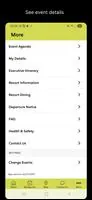
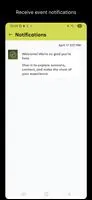
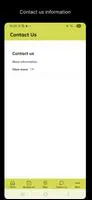

Top Events Free Apps for Android
Discover and share the hottest events around with our intuitive apps. Find local concerts, festivals, shows, and more based on your unique interests. Create customizable calendars of upcoming events to coordinate schedules with friends. Purchase tickets seamlessly from our integrated platforms. Check real-time transit schedules to plan your trip. Access maps, directions, and parking information for any venue.






LIVE A HERO
Retro Hero Mr Kim
Empire of Passion
Arcane Quest Legends
Magic Snap: Momotaro
AllStar Manga Heroes
Lunescape
ONE PIECE Thousand Storm JP
Tap Titans 2