Category: Finance Date:2026-10-15 22:36:01
Rating: 4.1 Tags: Business
Scan to Download
7punches: Simple Time Clocking helps small teams and freelancers track work hours quickly with an uncomplicated punch-in/punch-out workflow. It stores shifts locally, summarizes weekly totals, and exports CSV files for payroll, making clocking in reliable and low-overhead for everyday use.
At its core, 7punches: Simple Time Clocking is a focused time-tracking tool without distracting extras. Users tap to record start and end times, assign tags or projects, and review totals by day or week. The app is designed for people who need dependable records rather than feature-heavy enterprise platforms.
For freelancers, contractors, and small teams, a compact app that minimizes setup is a major time saver. 7punches: Simple Time Clocking removes barriers to consistent tracking: no mandatory accounts, no subscription walls, and a straightforward log view that makes it easy to reconcile time entries at the end of the week.
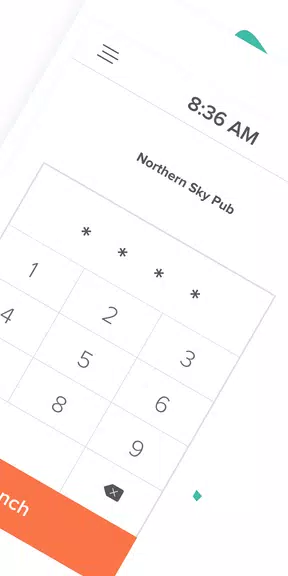
The interface favors clarity over decoration. Primary actions are large buttons for punching in and out, while past shifts are listed with timestamps, duration, and optional tags. Color cues and simple icons make scanning a day’s activity immediate. The app’s lightweight visuals help it run smoothly on a wide range of Android devices.
Although intentionally minimal, the app allows useful adjustments. You can customize project names, set default rounding rules for entries, and choose a preferred CSV delimiter. Those small options let teams align exported data with their payroll process without adding configuration overhead.
7punches is optimized for low battery impact and quick launch. Because data is stored locally, the app performs consistently offline and sync-free. That makes it a good fit for users who often work in areas with limited connectivity or who prefer to retain direct control over their time logs.
Exporting via CSV is the primary integration path. Exports can be opened in Excel, Google Sheets, or imported into accounting software that accepts delimited text. The straightforward file format means managers can automate payroll imports or run quick checks without learning a new system.
If you’re seeking a no-friction way to capture working time, 7punches: Simple Time Clocking is a smart choice. It’s most valuable for independent workers, small business owners, and teams that need accurate logs without administrative complexity. Larger organizations that require centralized user management or advanced reporting may find it intentionally limited.
Reliable, simple, and fast to use: the app does what it promises and keeps the focus on accurate timekeeping. The learning curve is negligible, and the export-first approach makes it easy to slot into existing payroll routines. For anyone tired of bulky tools, this is a pragmatic alternative for everyday time tracking.
File size: 26.70 M Latest Version: 2025.14.3
Requirements: Android Language: English
Votes: 277 Package ID: com.sevenshifts.android.sevenpunches
Developer: 7shifts, Inc.



Top Free Business Necessary Apps for Android
Streamline operations and maximize productivity with our innovative business apps. Manage contacts, schedule meetings, and route calls seamlessly. Collaborate on documents and projects in real-time. Track inventory, finances, and analytics to inform smart decisions. Build customized proposals, invoices, and contracts to win clients. Stay on top of emails, tasks, and passwords for efficient work.






LIVE A HERO
Retro Hero Mr Kim
Empire of Passion
Arcane Quest Legends
Magic Snap: Momotaro
AllStar Manga Heroes
Lunescape
ONE PIECE Thousand Storm JP
Tap Titans 2