Scan to Download
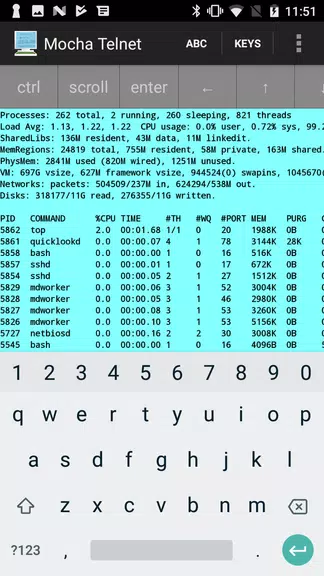
Mocha Telnet Lite provides a compact telnet client for Android that connects to remote servers and network devices with minimal setup. Designed for quick sessions and lightweight use, Mocha Telnet Lite balances essential terminal functions with a straightforward interface, making remote shell access practical for administrators and hobbyists on the go.
At its core, the app acts as a simple, reliable Telnet terminal. It creates TCP connections to specified hosts and ports, presents an interactive terminal, and supports basic keyboard input and display options. The emphasis is on low overhead and fast connections rather than advanced scripting or automation features.
The interface focuses on clarity: a single-screen terminal with a top bar for connection controls and a simple menu for settings. Performance is light — the app minimizes background processes, so it starts quickly and keeps battery use low. Rendering is optimized for plain-text output; ANSI escape codes are handled in a straightforward way, which is sufficient for most administrative tasks.
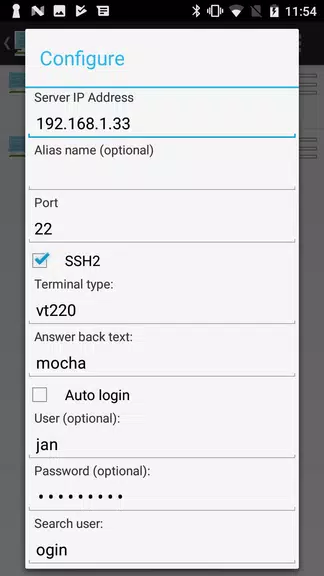
Using the app is a matter of entering a hostname (or IP) and port, then tapping connect. Once linked, you type commands and receive output like in any telnet session. There are no layers of abstraction: what you send is what the remote service receives. That transparency can be valuable when diagnosing network devices that expect raw Telnet traffic.
Mocha Telnet Lite includes several practical options that help in real-world usage:
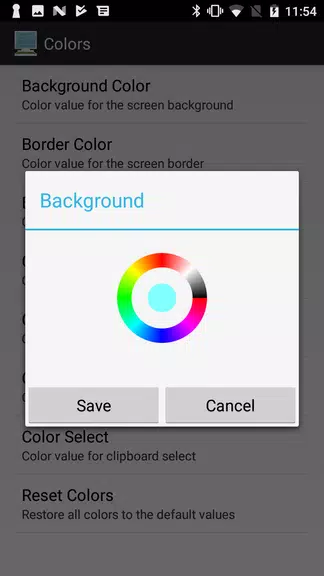
Although it remains lightweight, the app supports basic customization. You can change font size and color schemes for better contrast, and toggle vibration or sound feedback on connection events. These tweaks improve accessibility for extended sessions and help tailor the terminal to different lighting conditions.
Network technicians, field engineers, and hobbyists who need immediate Telnet access will find this app useful. Its simplicity makes it a convenient secondary tool for on-the-spot diagnostics and configuration when a laptop isn't available. It is not intended to replace more feature-rich terminal suites that include SSH, key management, or advanced scripting.
Installation is straightforward via the Android store. After granting basic network permissions, create a new session by entering the host and port, then tap connect. For repeated tasks, add the session to favorites. If you need to revoke connectivity, clear saved sessions or uninstall the app to remove stored data.
Mocha Telnet Lite delivers a focused Telnet experience for mobile users who need direct text-based access to networked equipment. With lightweight performance, clear controls, and a handful of practical settings, the app is a useful pocket tool for fieldwork and quick troubleshooting. Whether you use it as a primary mobile client or as a complement to desktop utilities, it provides predictable behavior and straightforward connectivity when Telnet is the appropriate protocol.
File size: 11.00 M Latest Version: 4.5
Requirements: Android Language: English
Votes: 116 Package ID: dk.mochasoft.telnetlite
Developer: MochaSoft


Top Events Free Apps for Android
Discover and share the hottest events around with our intuitive apps. Find local concerts, festivals, shows, and more based on your unique interests. Create customizable calendars of upcoming events to coordinate schedules with friends. Purchase tickets seamlessly from our integrated platforms. Check real-time transit schedules to plan your trip. Access maps, directions, and parking information for any venue.






LIVE A HERO
Retro Hero Mr Kim
Empire of Passion
Arcane Quest Legends
Magic Snap: Momotaro
AllStar Manga Heroes
Lunescape
ONE PIECE Thousand Storm JP
Tap Titans 2