Scan to Download
TownSq Community puts neighborhood communication and operations into a single mobile hub, designed for residents, board members and property teams who need a reliable place to post notices, manage service requests and coordinate events. TownSq Community opens quickly to announcements, direct messages, and a dashboard of tasks so users can see what matters most without hunting through email or spreadsheets. This introduction explains how the app organizes workflows, what to expect from the interface, and practical details about controls, customization and daily use.
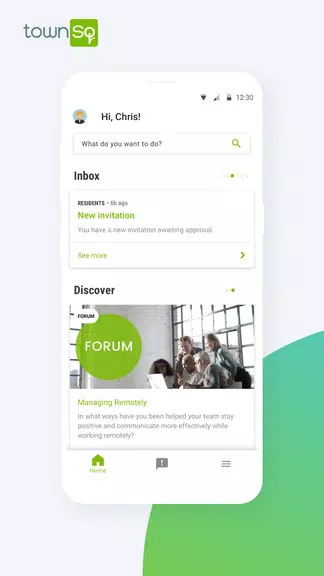
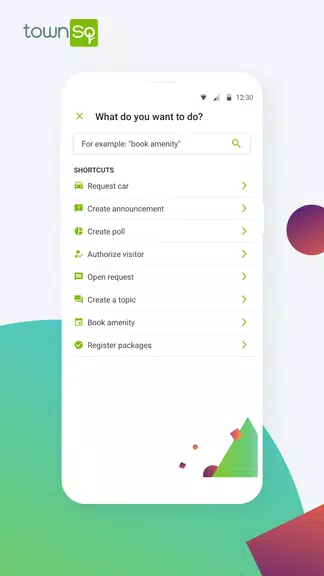
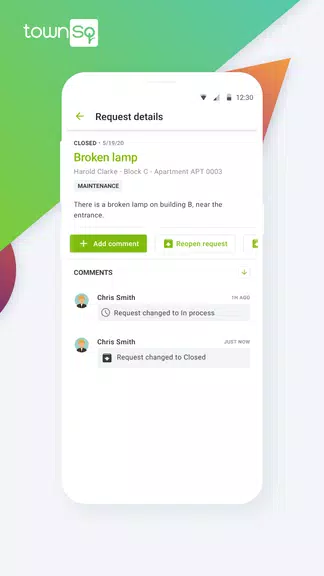
The app centers on three everyday workflows: communication, maintenance coordination, and event management. Notices and community updates are published to communal feeds where managers can pin important items and residents can review archived posts. Service requests are submitted through simple forms that attach photos and location details; managers can assign, update status, and leave follow-up comments so the lifecycle of a repair is visible to both the requester and the maintenance staff. Event tools let administrators set dates, describe activities, collect RSVPs and post logistical notes so volunteers and neighbors stay aligned.
The interface is mobile-first with tab-based navigation, so common actions are available from the home screen and message center. Controls are familiar: taps open messages, swipes archive threads, and form fields accept text, images and attachments. Notifications and push alerts keep people informed about time-sensitive updates; users can adjust notification preferences by category so they only receive what’s relevant. The design favors short, direct interactions to reduce friction when reporting an issue or confirming attendance at an event.
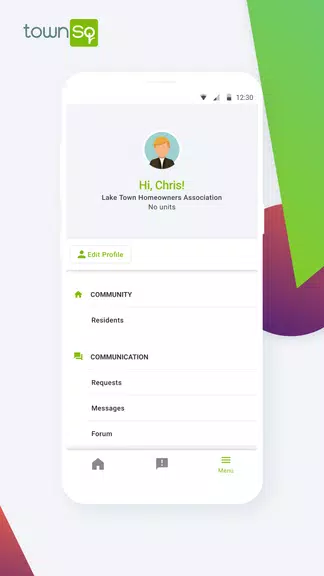
User roles mirror community responsibilities: resident, board member, and property team. Each role has an expected progression of access—residents can view community posts, submit requests and RSVP to events; board members gain additional tools to publish notices, approve budgets or coordinate committees; property teams receive work order assignment and tracking capabilities. This role-based model helps communities scale responsibilities without exposing sensitive administration controls to all users.
Administrators can tailor community pages with custom logos, contact lists and categorized noticeboards so the visual presentation matches local branding. Typography is kept clear and legible, and color contrasts follow accessibility best practices to assist users with low vision. The app supports adjustable text sizes and straightforward navigation patterns to improve usability for a wide range of residents, including those who are less familiar with smartphones.
Adoption grows as habitual tasks move into the app: routine maintenance tracking, regular event coordination and monthly notices create an ongoing use pattern that keeps the community engaged. Progression is practical rather than gamified—residents move from occasional viewers to frequent contributors as they discover how quickly requests are handled and events are organized. That steady utility supports long-term retention because the app saves time and reduces background email traffic.
The app caches recent notices and messages for read-only access when connectivity is limited, and form submissions made while offline are queued to send automatically when the device reconnects. This behavior ensures residents can draft a maintenance request or read an announcement even in low-signal situations, with synchronization handling the rest. Reliability is emphasized through clear status indicators so users know whether an update is live or pending.
TownSq Community uses standard protections to restrict sensitive administrative actions to authorized roles and to limit public exposure of member contact details. Privacy settings let communities choose what information is shared and who can post to public feeds versus private groups. The app is intended to supplement, not replace, formal records; it centralizes everyday communication while allowing official documents and legal notices to remain under board control.
For communities that adopt both residents and management, the app reduces email chains and clarifies responsibility for service tasks. Adoption is the key practical consideration: if only one side uses the platform the benefits are limited. Communities should plan an onboarding period with clear guidance and a few trial events or requests to build familiarity. With consistent use, the app becomes the primary place to check for community life and chores.
TownSq Community is suited to homeowners associations, condominium boards and property managers who want a single source of truth for notices, operations and events. It works best in shared residential contexts where multiple parties need quick access to updates and action tracking. If your goal is to streamline communication, reduce duplicated tasks and make it easier for neighbors to engage with management, TownSq Community offers a focused toolset without unnecessary complexity.
File size: 79.60 M Latest Version: 10.1.3
Requirements: Android Language: English
Votes: 303 Package ID: br.socialcondo.app
Developer: TownSq

Must Have Home Apps for Android
Make your house a home with our suite of helpful home apps. Discover clever tools to organize closets, streamline chores, and simplify cooking. Take the stress out of cleaning and maintenance with handy checklists and schedules. Enhance security and control appliances and lighting with our smart home integrations. Design, visualize, and renovate like a pro using our 3D planning software.






LIVE A HERO
Retro Hero Mr Kim
Empire of Passion
Arcane Quest Legends
Magic Snap: Momotaro
AllStar Manga Heroes
Lunescape
ONE PIECE Thousand Storm JP
Tap Titans 2