
Scan to Download
MaaS360 MDM for Android delivers centralized mobile device management designed for enterprise environments, combining device enrollment, policy enforcement, and app control in a single console. It enables IT teams to secure corporate data, manage device fleets, and apply compliance rules across Android phones and tablets with minimal user friction.
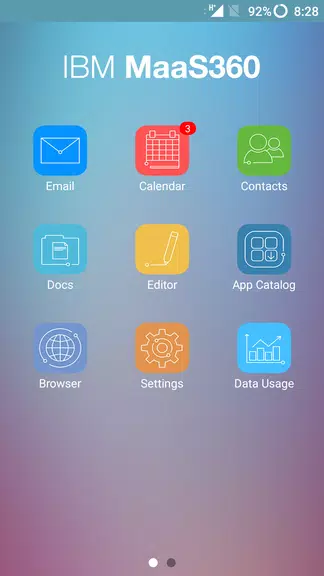
MaaS360 MDM for Android groups essential management functions into a streamlined interface. IT administrators can provision devices, distribute and whitelist apps, configure Wi‑Fi and VPN profiles, and establish password or biometric requirements. The solution supports remote actions such as wipe, lock, and locate to protect sensitive information when devices are lost or compromised.
Getting MaaS360 MDM for Android running in a corporate environment is designed to be straightforward. Administrators can import users via directory sync, define device profiles, and push initial configurations to devices before they reach employees. Integration with identity providers and mobile threat defense platforms helps enforce conditional access policies that only allow compliant devices to access company resources.
For organizations with large fleets, automated enrollment streamlines provisioning. The console enables staged rollouts and pilot groups so policies can be validated on a subset of devices prior to full deployment.
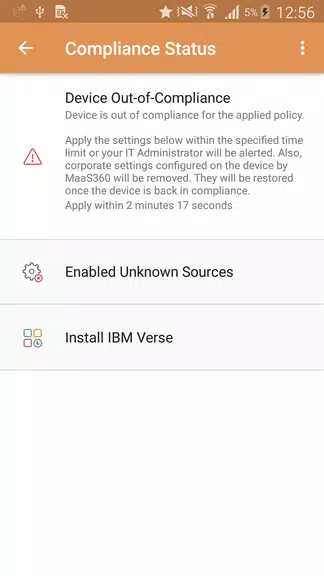
The management console centralizes monitoring and reporting in customizable dashboards. Real‑time status indicators show device health, compliance posture, and application inventory. Administrators can create scheduled reports and alerts to track jailbreak/root detection, outdated OS versions, and policy violations.
MaaS360 MDM for Android supplies role‑based access controls so different IT staff can perform specific tasks without exposing the entire environment. Audit logs help meet regulatory requirements by recording configuration changes and administrative actions.
Security is a primary focus for MaaS360 MDM for Android. The product supports containerization for separating corporate data from personal apps, encryption enforcement, and app-level controls to prevent data leakage. Conditional access integrates with cloud services to restrict access from devices that fail compliance checks.
Designed to support a wide range of Android devices, MaaS360 MDM for Android maintains compatibility across OEMs and OS versions. The agent footprint is lightweight to minimize impact on battery life and device performance. Cloud infrastructure scales to accommodate organizations from small businesses to global enterprises, and offline policies ensure baseline protections even when devices lose connectivity.
Updates to policy definitions and application bundles are pushed efficiently, reducing user disruption and ensuring devices remain secure without repeated manual intervention.
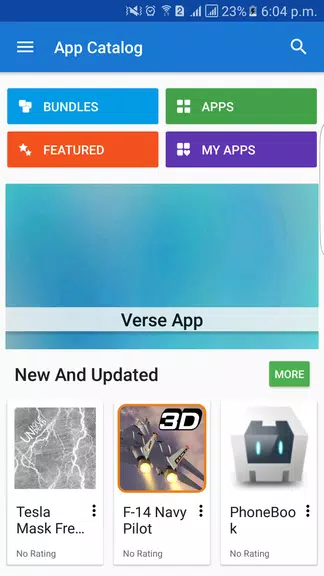
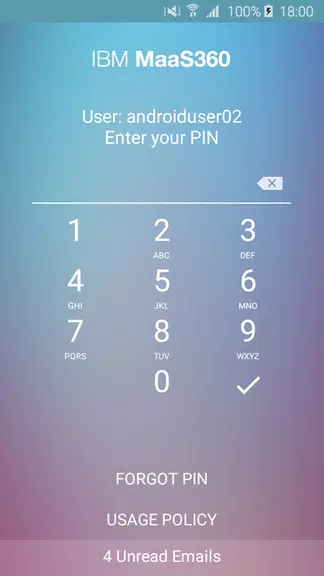
From the end‑user perspective, enrollment can be quick and guided with minimal configuration required. Self‑service app catalogs allow employees to install approved applications without contacting IT, while work profiles keep corporate data separate from personal use. This balanced approach helps maintain productivity while enforcing corporate controls.
Begin by evaluating pilot deployments to validate policies and app distribution. Use directory synchronization and identity federation to simplify user lifecycle management. MaaS360 MDM for Android offers a clear path from small trials to enterprise‑grade management, providing the tools necessary to secure mobile fleets and ensure compliance across distributed teams.
File size: 50.50 M Latest Version: 8.71
Requirements: Android Language: English
Votes: 380 Package ID: com.fiberlink.maas360.android.control
Developer: MaaS360

Top Health Free Apps for Android
Take charge of your wellbeing with our innovative health and fitness apps. Monitor your activity, sleep, nutrition and more using our advanced tracking tools. Access personalized insights to develop healthy habits. Check symptoms, manage medications, and connect with doctors through our telehealth services. Follow customized workout plans for any fitness level with our virtual coaching.






LIVE A HERO
Retro Hero Mr Kim
Empire of Passion
Arcane Quest Legends
Magic Snap: Momotaro
AllStar Manga Heroes
Lunescape
ONE PIECE Thousand Storm JP
Tap Titans 2










































