OnDjoss is an African messaging app designed to give users a simple, secure and feature-rich way to communicate with people at home and abroad. OnDjoss offers free messaging that can use airtime data, high-quality voice notes, and reliable audio and video calls while keeping the interface focused on everyday conversations and group chats. This introduction explains how the app works, what to expect from the interface and controls, and which privacy and accessibility options are available.
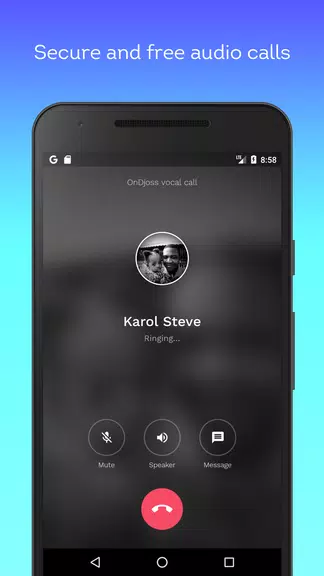
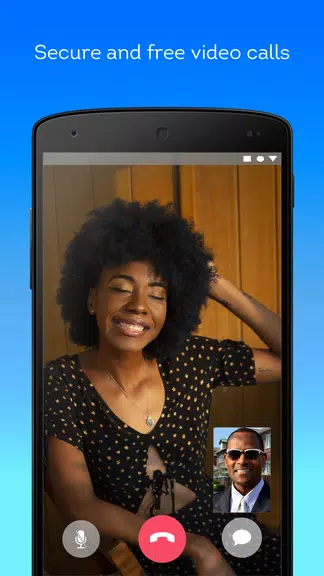
OnDjoss supports free text messaging using airtime data as an economical alternative to traditional SMS, with an option to send and receive messages while keeping your phone number private by using a pseudonym. The app includes support for high-quality voice notes that preserve tone and nuance, plus secure audio and video calls with emphasis on call clarity. Group conversations can scale up to 500 participants, and important messages and files are stored in cloud-based backup so conversations can be recovered when signing in on a new device. End-to-end protection is applied to calls and messages to help preserve privacy and integrity of conversations.
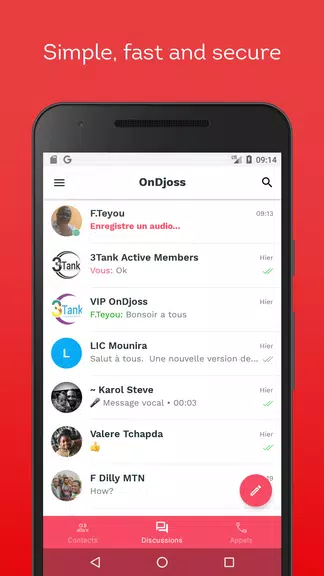
The interface emphasizes straightforward controls: a single-pane chat list for recent conversations, a clear composer that handles text, attachments and voice notes, and an easy call button that launches audio or video calls from within a chat. Message composition supports quick editing and attachments, while long-press or swipe gestures provide fast access to reply, forward or pin messages. Notifications are configurable so you can mute group chats, prioritize direct messages, or set quiet hours. Account setup focuses on essentials—create a profile name and optional avatar, choose whether to display a phone number or use a pseudonym, and configure backup and notification preferences in a compact settings area.
Rather than game-like progression, OnDjoss progresses by helping you build a more organized communication environment over time: contacts sync and group membership accumulate as you use the app, frequent chats rise to the top of the list, and search and archive tools let you manage older conversations. Conversation pinning, star or favorite markers, and basic folders or archived threads offer a lightweight progression system for users who want to keep the most important chats accessible. Replay value comes from the natural cycle of ongoing conversations: recurring group events, saved voice-note threads, and shared media that users revisit and reshare as relationships and projects evolve.
The visual design focuses on clarity and low friction: readable typography, a neutral color palette with optional accents, and compact chat bubbles that prioritize content. Customization options include changing theme accents, choosing a light or dark display mode, and setting per-chat wallpapers to help visually distinguish important groups. Users can personalize their profile with an avatar and a short status message, and choose whether to display real names or pseudonyms in conversations. These choices let OnDjoss adapt to both casual family chats and more private or anonymous interactions.
OnDjoss stores messages and media on cloud servers so conversations are synchronized across devices and recoverable after device changes. Media previews and inline playback for voice notes and video are supported to reduce the need for downloads. Automatic sync settings allow users to control whether media is downloaded only on Wi-Fi or also on mobile data to manage airtime usage. The app provides basic search for text and media inside conversations so users can find photos, files or specific messages quickly.
Privacy features let you choose a pseudonym to keep your phone number private from outsiders, control who can add you to groups, and manage blocked contacts. End-to-end protection for calls and messages helps protect content while in transit. Accessibility options include adjustable font sizes, high-contrast mode, and support for screen readers to make navigation easier for users with visual challenges. The app design minimizes clutter and keeps core functions reachable with a few taps to reduce cognitive load for new users.
When connectivity is limited, OnDjoss allows drafting of messages and queues outgoing content so it will send automatically when a connection is restored; voice notes and large files may wait until network conditions meet your sync preferences. Limitations to be aware of include dependence on airtime or data for free messaging, server-based storage for backups which some users may prefer to avoid, and the 500-participant cap for group chats which may not suit very large communities. These trade-offs balance usability, cost and recoverability for most everyday communication scenarios.
Support materials within the app cover account setup, pseudonym usage, backup options and basic troubleshooting for calls and sync issues. Regular updates aim to improve call quality and reliability, refine privacy controls, and enhance accessibility features. For users seeking a straightforward, privacy-minded messaging experience with cloud backup and strong voice and video capabilities, OnDjoss provides the core tools needed for personal and group communication across devices and regions.
File size: 15.10 M Latest Version: 4.3.0
Requirements: Android Language: English
Votes: 435 Package ID: com.steve.ondjoss
Developer: OnDjoss SARL

Must Have Home Apps for Android
Make your house a home with our suite of helpful home apps. Discover clever tools to organize closets, streamline chores, and simplify cooking. Take the stress out of cleaning and maintenance with handy checklists and schedules. Enhance security and control appliances and lighting with our smart home integrations. Design, visualize, and renovate like a pro using our 3D planning software.






LIVE A HERO
Retro Hero Mr Kim
Empire of Passion
Arcane Quest Legends
Magic Snap: Momotaro
AllStar Manga Heroes
Lunescape
ONE PIECE Thousand Storm JP
Tap Titans 2