Metrolist is a streamlined Android app designed to organize tasks, manage projects, and track daily routines with minimal friction. It brings intelligent sorting, quick reminders, and cross-device sync into a simple interface. Ideal for personal productivity and light team coordination, Metrolist keeps priorities visible and actions actionable.
Metrolist focuses on turning to-do piles into clear, manageable lists. The app blends quick entry for on-the-go notes with robust scheduling and tags so tasks can be filtered by context, deadline, or project. Whether you need a daily checklist, a shopping list, or a small project plan, Metrolist scales without adding complexity.
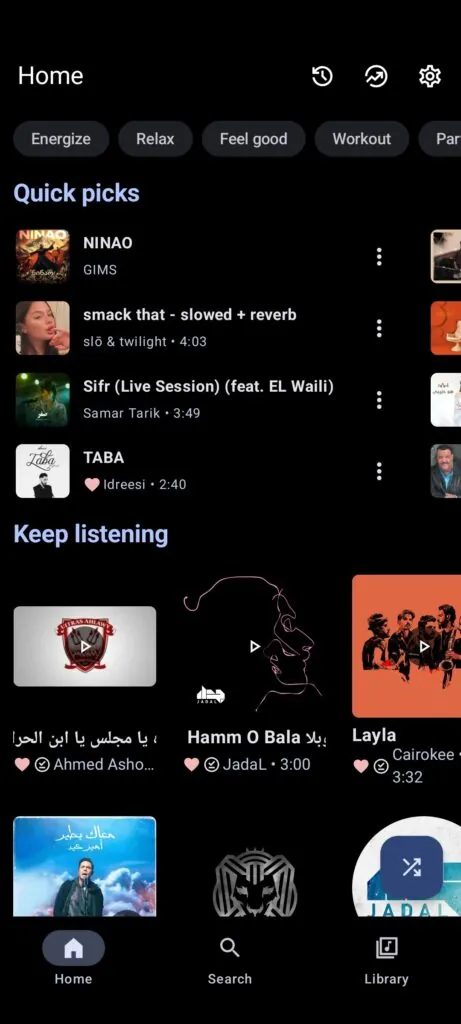
Metrolist uses a simple flow: capture, categorize, and act. Capture a task through the quick-add bar, attach a due date or reminder, assign a tag or project, then let the app present the most relevant items when you need them. The home view surfaces today’s priorities and overdue items, while archives maintain a searchable history.
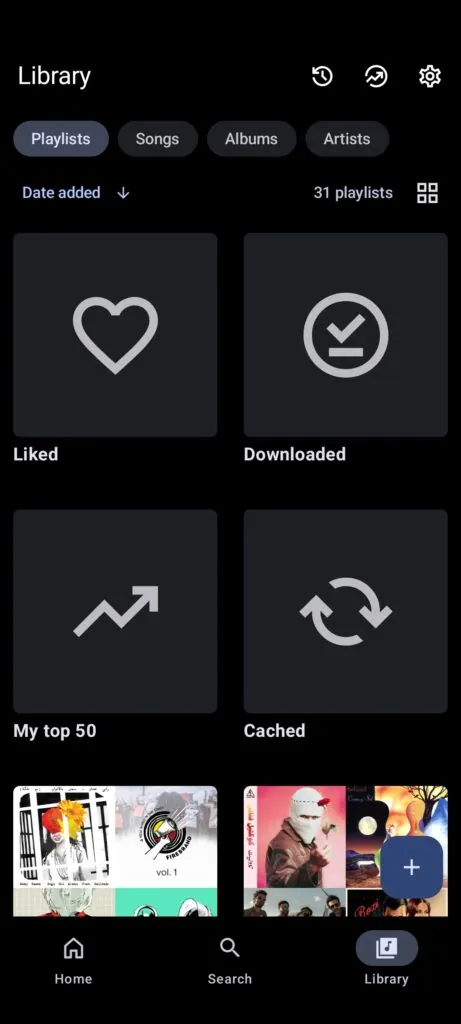
A flexible hierarchy lets you create lists inside projects or use tags for cross-project grouping. Checklists can be nested, and items support notes and file attachments. For recurring routines, Metrolist includes repetition rules that handle complex schedules like "every other week" or business-day patterns.
Customization is one of Metrolist’s strengths. You can change list views between compact and expanded modes, reorder interface elements to highlight what matters, and define color schemes for different projects. Custom reminders let you receive alerts relative to events, such as "2 hours before" or "30 minutes after" a scheduled start time.
The app balances a clean aesthetic with accessibility options. Font sizes are adjustable and user interface elements are spaced for touch accuracy. Dark and light themes reduce eye strain, and color contrast settings help visibility in varied lighting conditions.
Metrolist is engineered for speed. Lists load instantly and background sync runs efficiently to conserve battery life. Local caching means you can access tasks when offline; changes sync automatically once a connection is restored. The app also offers export options to common formats for long-term archiving.
To fit into existing workflows, Metrolist supports calendar integration and simple import/export with CSV. Notifications can be tuned to work alongside calendar alerts so you avoid duplicate reminders. For teams, lightweight sharing allows a list to be shared with collaborators without needing a full project-management account.
Users report that Metrolist cuts cognitive load by making next actions obvious. The combination of fast entry, dependable reminders, and a tidy interface helps people complete tasks rather than just track them. Casual users appreciate the simplicity, while power users value the advanced repetition and filtering controls.
Install Metrolist from your app store, grant optional sync permissions, and begin by adding a few high-priority tasks. Explore settings to set default reminder times and choose a theme. Within minutes you’ll have a working system that matches your daily rhythm.
Metrolist delivers practical task management without a steep learning curve, designed for anyone who prefers productivity tools that stay out of the way but get work done.
File size: 23.90 M Latest Version: 12.7.1
Requirements: Android Language: English
Votes: 439 Package ID: com.metrolist.music
Developer: nextmod

Must Have Home Apps for Android
Make your house a home with our suite of helpful home apps. Discover clever tools to organize closets, streamline chores, and simplify cooking. Take the stress out of cleaning and maintenance with handy checklists and schedules. Enhance security and control appliances and lighting with our smart home integrations. Design, visualize, and renovate like a pro using our 3D planning software.






LIVE A HERO
Retro Hero Mr Kim
Empire of Passion
Arcane Quest Legends
Magic Snap: Momotaro
AllStar Manga Heroes
Lunescape
ONE PIECE Thousand Storm JP
Tap Titans 2