Category: Media & Video Date:2026-10-15 22:12:01
Rating: 4.4 Tags: Dating
Scan to Download
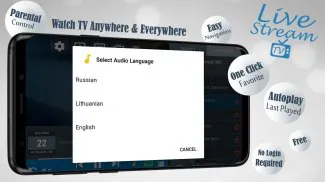
Livestream TV - M3U Stream Player IPTV is a lightweight Android player designed to organize and play M3U or IPTV streams. It lets users load playlist URLs or local files, browse channels by category, and play live or catch-up streams with minimal setup, while supporting external players and electronic program guides.
This app focuses on turning raw M3U playlists into a navigable TV experience. After adding one or more playlist sources you get channel lists, grouped categories, program metadata and fast playback. It’s aimed at users who want a no-frills player that integrates playlists, EPGs and common streaming formats.
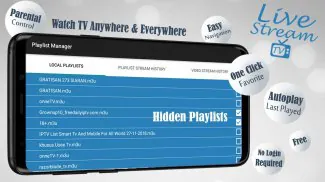
Begin by supplying a playlist URL or uploading an M3U file. The app parses entries and builds a channel index with thumbnails and names when available. If you link an EPG, channel IDs are matched to show program details. Playing a channel initiates either the internal player or routes the stream to an external one you select in settings.
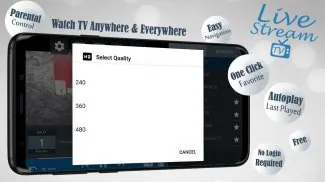
Controls are intentionally simple: channel up/down, a quick channel search, and playback options like aspect ratio, hardware acceleration toggle, and subtitle selection when supported. Buffering settings can be adjusted to optimize for slow or fast connections. For streams that offer timeshift or catch-up, the player exposes those controls when the source provides them.
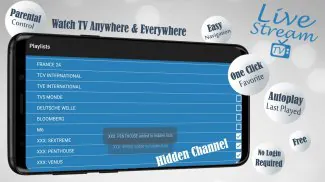
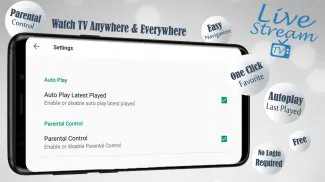
The app includes basic interface tweaks so you can tailor the experience. Pick a default player, enable or disable thumbnails, set a refresh interval for remote playlists, and organize favorite channels into a separate list. Parental PIN options are available to hide mature channels from the main listing.
Designed for Android devices, the player keeps memory footprint low and leverages hardware decoding where available. That reduces CPU load and helps smoother playback on mid-range devices. When using external players, the app hands off the stream and minimizes background processing, conserving battery life.
If a channel won’t play, test the URL in a desktop player to verify the stream. Check network permissions and confirm the playlist is properly formatted. When EPG data does not line up, try remapping channels or updating the XMLTV source. Clearing cached playlist data can resolve stale entries.
Users appreciate the focused feature set: quick playlist import, reliable EPG integration and the option to use proven external players. The app’s straightforward setup appeals to those who want to manage multiple IPTV sources without a steep learning curve. Regular updates and a small footprint also make it a practical choice for older devices.
Install the app, grant network and storage permissions, then tap Add Playlist to paste a URL or select a local M3U file. Link an EPG file if you want program schedules, pick a default player, and organize channels into favorites. With a few taps you’ll have a customizable channel lineup ready to browse.
Livestream TV - M3U Stream Player IPTV strikes a balance between simplicity and functionality, making it a useful tool for anyone who relies on M3U/IPTV streams on Android devices.
File size: 8.20 M Latest Version: 3.3.1.7c
Requirements: Android Language: English
Votes: 120 Package ID: com.onecode.livestream.iptv
Developer: Ahmad Dwi Santoso

Discover meaningful connections with our personalized dating apps. Built with modern singles in mind, our software simplifies making authentic romantic matches. Get recommended profiles based on your preferences for streamlined browsing. Showcase your personality through engaging prompts and questions. Safely video chat to pre-screen potential partners. Meet up at curated events with other relationship-minded locals.






LIVE A HERO
Retro Hero Mr Kim
Empire of Passion
Arcane Quest Legends
Magic Snap: Momotaro
AllStar Manga Heroes
Lunescape
ONE PIECE Thousand Storm JP
Tap Titans 2