
Scan to Download
Airstream Smart RV Control puts system management for your Airstream trailer at your fingertips, combining remote monitoring, appliance control, and diagnostics in a single mobile interface. Designed for convenience on the road, it simplifies climate, power, and comfort settings so owners spend less time on systems and more time enjoying travel.
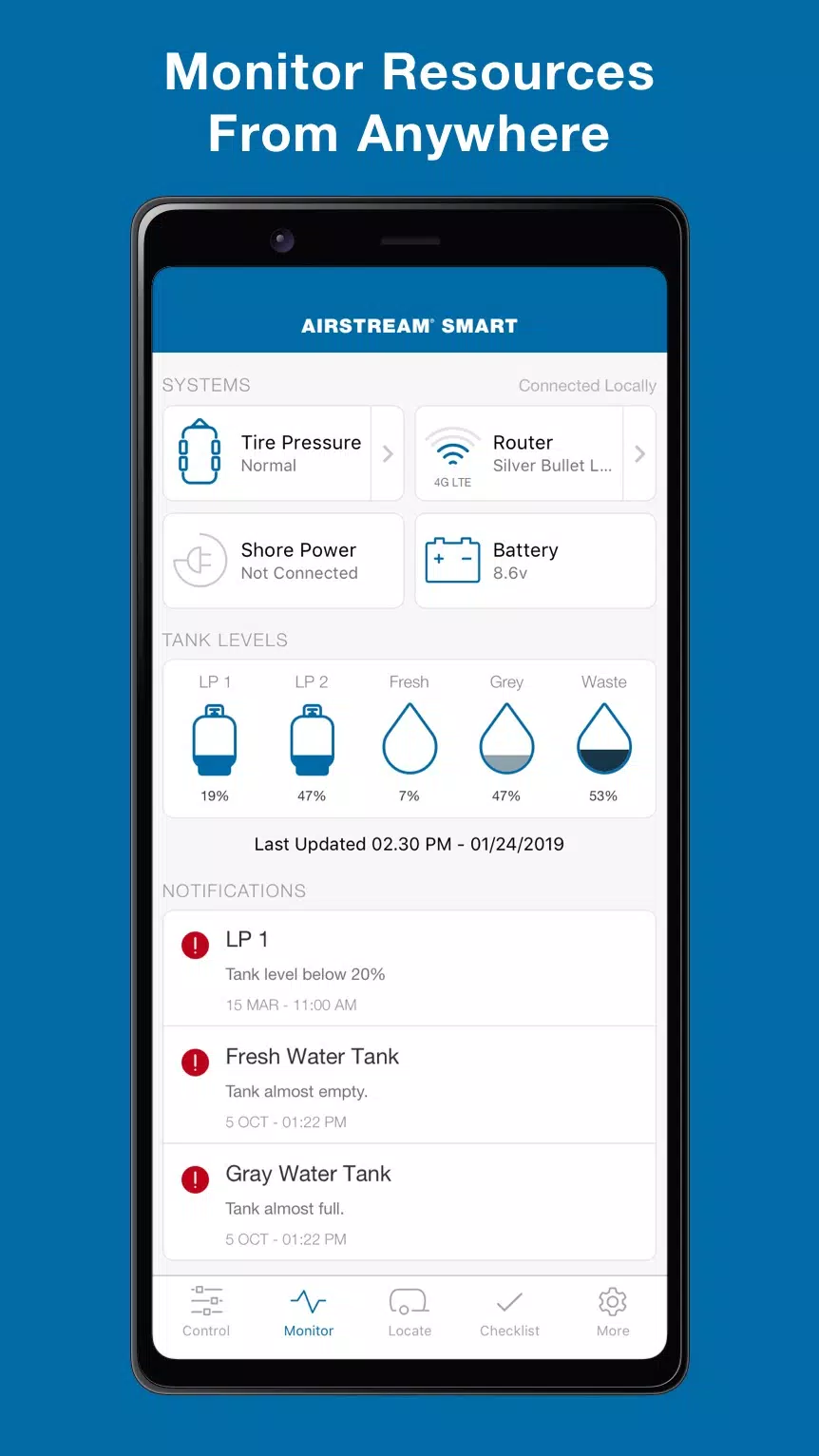
Airstream Smart RV Control links to the on-board controller to provide real-time status for core systems. Through the app you can view battery state, propane levels, water tanks, HVAC status, and slide/awning positions. It supports both manual commands and automated schedules, making routine tasks — like preheating the coach or leveling systems — quick and reliable.
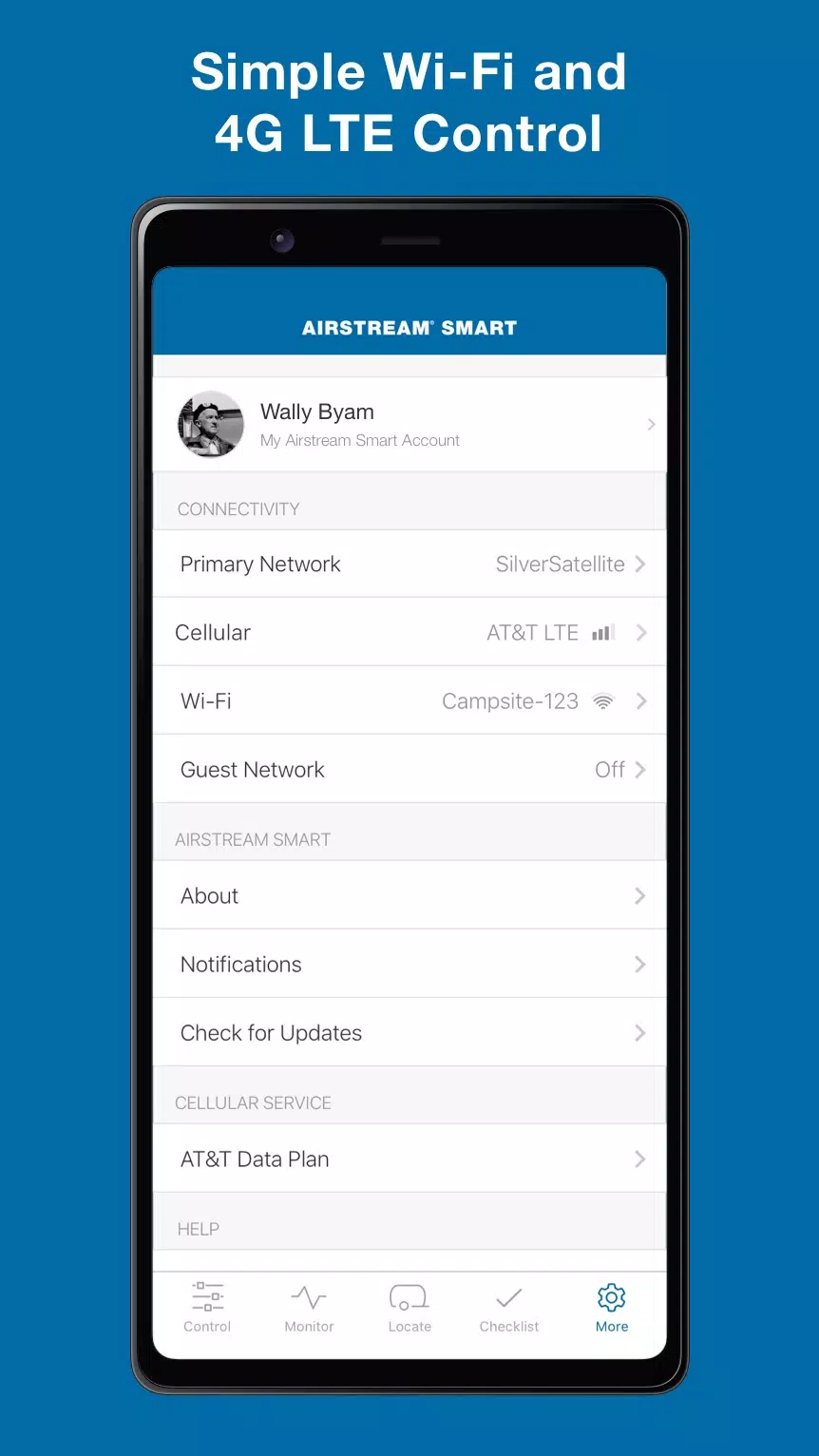
Integration relies on the factory-installed Airstream control module or an aftermarket compatible hub. The app communicates over secure local networks or cellular data when available. Pairing is straightforward: follow the in-app steps to connect to the vehicle, authorize access, and configure preferences. Once linked, status updates and command responses are delivered with minimal delay.
The layout favors clarity. A dashboard presents the most important metrics at a glance while dedicated tabs drill into specific systems. Color-coded gauges and icons minimize confusion during quick checks. The app uses readable fonts and large touch targets so you can operate controls while moving around the coach.
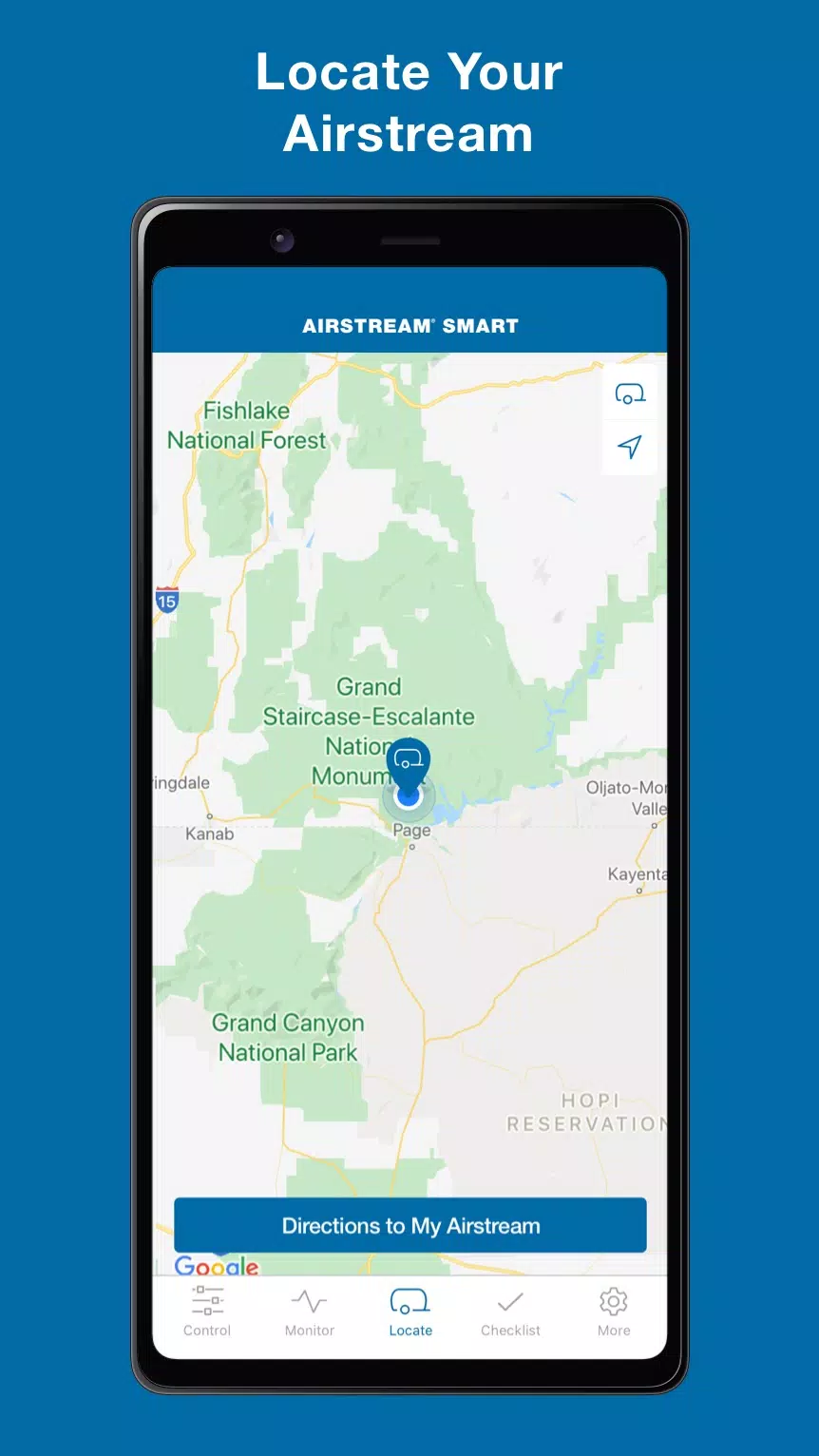
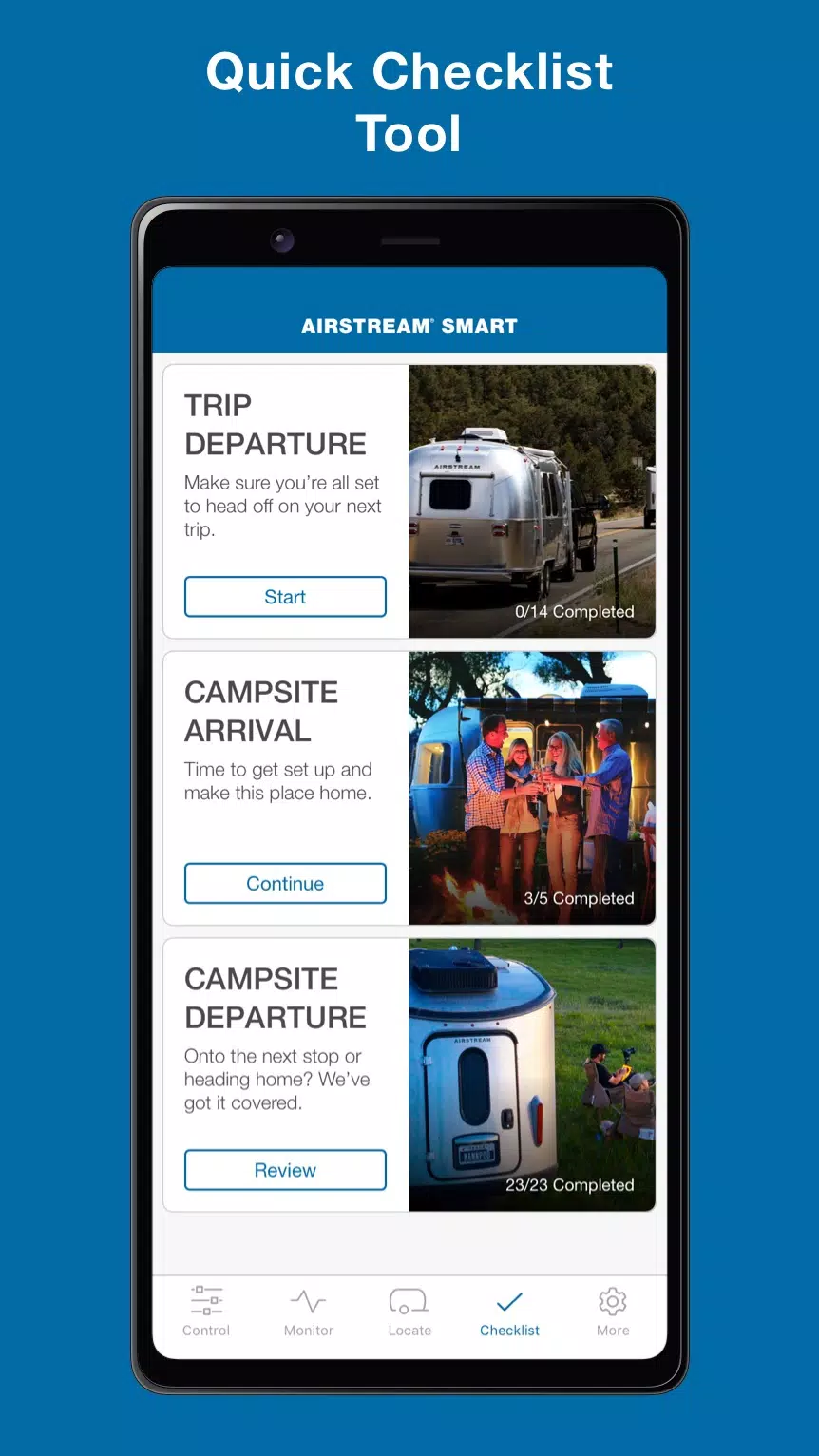
Airstream Smart RV Control includes options to create routines — for example, a "camp setup" that levels the RV, extends the awning, activates exterior lights and sets the thermostat. Geofencing can trigger actions when you arrive at a stored location. Schedules allow temperature and battery conservation modes during long stays.
Connection stability depends on the network environment and hardware generation. When on Wi-Fi or a direct connection, command latency is typically low. The app handles intermittent connectivity gracefully: commands queue and synchronize when a link is reestablished. Regular firmware updates for both app and vehicle firmware help maintain compatibility and improve responsiveness.
Secure authentication and encrypted communication protect access to vehicle controls. The app requests only the permissions needed to operate core features, such as location for geofencing and network access for remote control. For shared ownership, account management enables role-based access so multiple users can have tailored control levels.
Owners appreciate Airstream Smart RV Control for simplifying complicated systems into a single, understandable interface. The app reduces guesswork by displaying accurate telemetry and providing straightforward controls for common tasks. Whether you’re a weekend traveler or a full-timer, having a mobile control center can streamline daily operations and reduce maintenance surprises.
Download the app from official stores, sign in with your Airstream account, and follow the step-by-step pairing process. If your trailer needs a hardware module to enable connectivity, consult Airstream support or an authorized dealer. After setup, spend a few minutes personalizing scenes and notifications so the app behaves the way you want while traveling.
Airstream Smart RV Control is a practical utility for modern RV owners who value convenience and oversight. Its combination of monitoring, scheduling and direct control transforms vehicle management into a streamlined, mobile-first experience.
File size: 64.10 M Latest Version: 2.3.12
Requirements: Android Language: English
Votes: 313 Package ID: com.airstream.smartrv
Developer: Airstream, Inc.


Make your house a home with our selection of innovative apps. Discover programs to simplify cleaning, organize closets, and manage home maintenance. Take the hassle out of chores and keep your space running smoothly. Design, visualize, and renovate like a pro using our augmented reality and 3D modeling tools. Enhance security and monitor your property 24/7 with our connected home tech.






LIVE A HERO
Retro Hero Mr Kim
Empire of Passion
Arcane Quest Legends
Magic Snap: Momotaro
AllStar Manga Heroes
Lunescape
ONE PIECE Thousand Storm JP
Tap Titans 2










































