Scan to Download
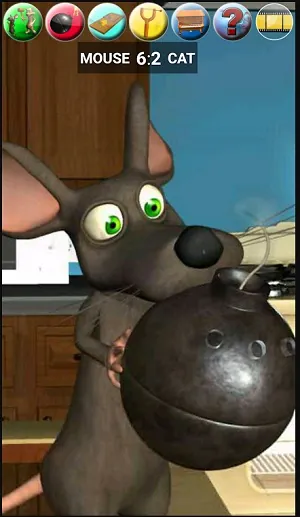
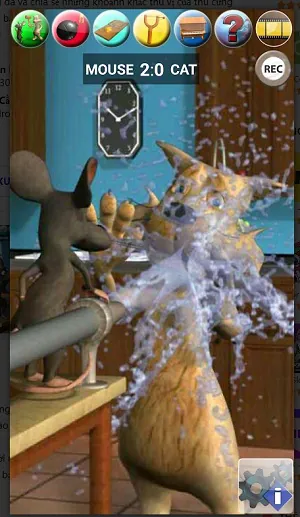
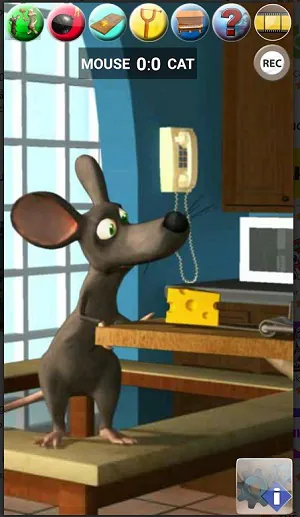
Talking Cat Vs. Mouse is a lighthearted arcade game where a clever feline and a nimble rodent face off across colorful arenas. Players pursue, trap, and outmaneuver opponents using simple taps and timely power-ups. Short matches emphasize quick decisions and playful chaos for casual or competitive sessions.
At its core, Talking Cat Vs. Mouse blends fast-paced action with approachable mechanics. Rounds typically last a few minutes, so the game fits into short play sessions while still rewarding skill and timing. The interface keeps major actions on easy-to-reach controls, letting players focus on positioning and strategy rather than complex inputs.
Rather than leaning on hyper-realism or grind-heavy progression, the title prioritizes laughs and accessibility. A mix of environmental hazards, gadget pickups, and character-specific traits creates varied encounters. Whether you prefer sneaky stealth as the mouse or bold chases as the cat, both roles feel distinct and satisfying.
Rounds open with both players choosing starting positions, then immediately moving into the chase. The mouse can use tight corridors and hiding spots to avoid detection, while the cat deploys sniff-and-flank tactics. Collectible items spawn at fixed intervals, offering risk-versus-reward moments as players contest control of the center arena.
Talking Cat Vs. Mouse features a small but varied roster of characters, each with signature abilities that subtly change how matches unfold. Maps range from kitchen countertops to backyard mazes, each with unique choke points and shortcuts. Progression awards cosmetic unlocks and incremental stat upgrades that personalize playstyle without unbalancing matches.
Cosmetic options let you decorate your cat or mouse with hats, skins, and emotes. Unlocks tie to experience and in-game achievements, giving goals to pursue beyond the immediate thrill of each round. The system rewards experimentation rather than forcing pay-to-win mechanics.
The control scheme is intuitive: directional swipes or a virtual stick for movement, and context-sensitive buttons for items and interactions. The HUD is uncluttered—mini-map, item slots, and stamina gauges remain readable even in hectic situations. Settings include sensitivity adjustments and accessibility toggles to accommodate different players.
Graphics lean into a cartoony aesthetic with high-contrast colors and exaggerated animations that communicate action clearly. The game runs smoothly on a wide range of devices thanks to optimized assets and scalable performance options. Sound design uses playful cues to signal nearby threats or item spawns, enhancing situational awareness.
Players appreciate Talking Cat Vs. Mouse for its quick loops, approachable competition, and the way matches resolve with memorable moments rather than long grinds. The blend of approachable controls and emergent tactical play keeps sessions fresh, while cosmetic goals and leaderboard challenges provide longer-term motivation.
Installation is straightforward from your device’s app store. After a brief tutorial covering movement and item use, you can jump into casual matches or local play. New players should spend time in practice arenas to get comfortable with timing and map layouts before diving into ranked modes.
File size: 159.14 M Latest Version: 240306
Requirements: Android Language: English
Votes: 449 Package ID: com.kauf.talking.talkingcatvsmouse
Developer: Kaufcom Games Apps Widgets

Best Free Media Apps for Your Android Phone
Explore an immersive world of entertainment with our media software. Watch, listen, and engage with your favorite shows, music, movies, and more. Access exclusive content, personalized recommendations, and innovative formats. Enhance your experience with our suite of cutting-edge applications. Discover hidden gems tailored to your unique tastes. Create, share, and connect over personalized playlists, reviews, and forums.






LIVE A HERO
Retro Hero Mr Kim
Empire of Passion
Arcane Quest Legends
Magic Snap: Momotaro
AllStar Manga Heroes
Lunescape
ONE PIECE Thousand Storm JP
Tap Titans 2