Scan to Download
Kaspersky Password Manager stores and organizes your passwords, personal data and payment details in one secure place, syncing across devices and autofilling login forms when needed. It uses encryption, biometric unlock and a user-friendly vault interface to simplify credential management for individuals and families.
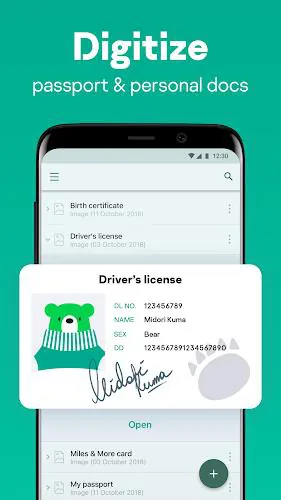
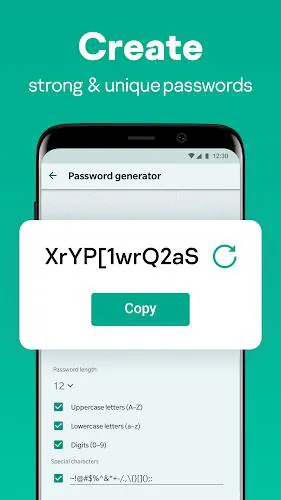
Kaspersky Password Manager delivers a compact set of tools designed to reduce friction when you sign in online. Features include an encrypted vault for passwords and notes, automatic form and payment autofill, cross-device synchronization, biometric access on supported phones, and a password generator that crafts strong, unique credentials. The app also provides secure storage for identity documents and free basic backups so you won’t lose access when you change devices.
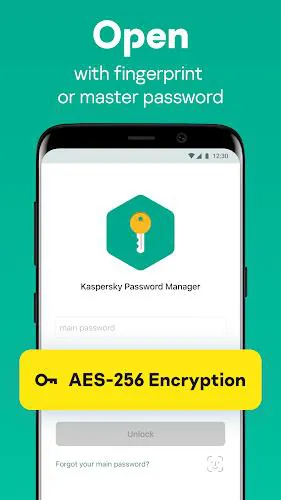
The app applies industry-standard encryption to protect your vault content at rest and during transmission. Master password protection is combined with optional biometric unlocking for day-to-day convenience while keeping recovery options under your control. Local encryption keys and zero-knowledge access mean the provider cannot read your stored credentials. Regular updates and security audits further strengthen the protection model.
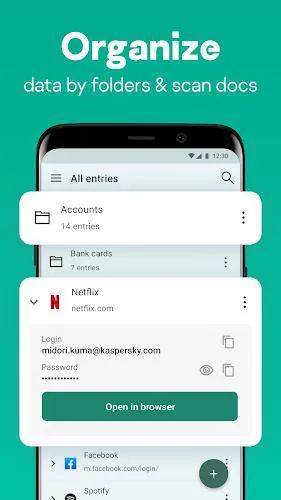
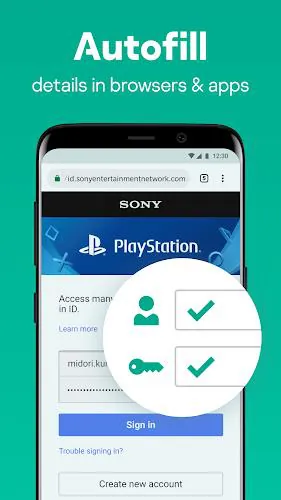
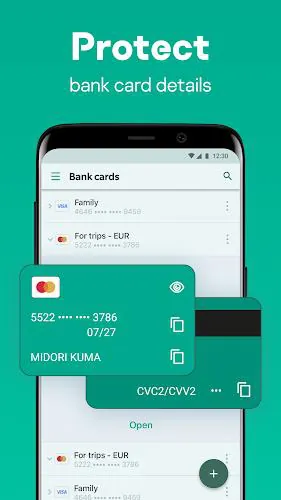
Autofill streamlines routine tasks: sign into apps and websites with a single tap, complete address forms, and enter card details without manual typing. The password generator helps replace weak or reused passwords by suggesting complex combinations, then saving them automatically. Search and organized folders let you find logins quickly, and secure notes hold license keys, Wi-Fi credentials, or other sensitive snippets you need to access across devices.
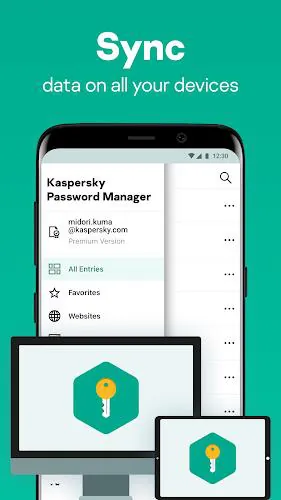
Synchronization works across Android phones and tablets, and links with desktop or browser extensions when available. That keeps your login list consistent whether you’re on mobile or at a laptop. The app supports encrypted backups to cloud storage for easy recovery if you switch devices, and it provides clear guidance to export or import data securely when necessary.
The user interface places common actions within easy reach: add, edit, and search entries from the main vault screen, organize items into categories, and adjust security settings in a central menu. Setup is straightforward: create a master password, verify biometric options, then import or add entries. New users will appreciate the guided hints and contextual help that reduce the learning curve.
Performance is tuned for mobile: the app launches quickly, responds smoothly during autofill tasks, and maintains a small battery footprint. Compatibility covers the latest Android releases and many popular browsers via companion extensions. Background synchronization is programmable so you can balance real-time updates against data usage and battery life.
For households, shared vaults or family plans allow safe credential sharing among members without exposing your master password. Administrators can grant access to specific entries while retaining audit trails. Power users will find features like secure password import, export options, and the ability to store multiple card and identity records handy for organizing finances and subscriptions.
Begin by installing the app and creating a strong master password you can remember. Use the import tool to bring in credentials from other managers or browsers, then run the password generator on weak entries. Enable biometric unlock for convenience, activate sync to keep devices aligned, and enable backups for peace of mind. Frequent checks of weak or reused passwords help maintain ongoing security hygiene.
Individuals who want a simple, secure vault and families that need shared access will find Kaspersky Password Manager practical and approachable. The combination of strong encryption, autofill convenience, and cross-device synchronization makes it suitable for everyday online security management without demanding advanced setup or maintenance.
File size: 42.22 M Latest Version: 9.2.98.28
Requirements: Android Language: English
Votes: 323 Package ID: com.kaspersky.passwordmanager


Make your house a home with our selection of innovative apps. Discover programs to simplify cleaning, organize closets, and manage home maintenance. Take the hassle out of chores and keep your space running smoothly. Design, visualize, and renovate like a pro using our augmented reality and 3D modeling tools. Enhance security and monitor your property 24/7 with our connected home tech.






LIVE A HERO
Retro Hero Mr Kim
Empire of Passion
Arcane Quest Legends
Magic Snap: Momotaro
AllStar Manga Heroes
Lunescape
ONE PIECE Thousand Storm JP
Tap Titans 2