
Scan to Download
FARRUKO puts the music and world of the Puerto Rican artist into a compact Android experience, combining track streaming, curated news, lyrics, and exclusive visuals. Fans get a centralized hub for new releases, playlists, and multimedia content, all wrapped in an interface designed for quick navigation and offline access.
This app targets listeners who want a dedicated space for artist-related content without hopping between multiple services. Inside FARRUKO you will find official audio, short-form video clips, song lyrics, tour updates, and themed playlists. The focus is on smooth access to content while keeping data usage and battery consumption in check.
FARRUKO uses a tabbed layout that separates music, videos, and updates. The main player sits at the bottom of the screen for instant control, while contextual menus reveal sharing, queue, and download options. The visual design relies on bold imagery and clear typography, so navigation feels modern and direct even on smaller screens.
Playback supports adaptive streaming to balance quality with network conditions. When connectivity drops, the app automatically switches to locally cached files if they exist. Background playback is optimized for lower CPU load, and an economical power mode reduces animations to extend battery life during long listening sessions.
Options let you tailor the experience: choose audio quality for streaming or downloads, set a sleep timer, and toggle lyric synchronization. Theme options adjust the color palette, and lock-screen widgets provide media controls without opening the full app. These tweaks help listeners shape the app to their habits.
Social features include easy sharing of tracks or clips to messaging apps and social networks, plus short-format content designed for reposting. A comments section under news items encourages conversation among other fans, while curated playlists can be exported or shared as links.
The app’s onboarding walkthrough helps you set these up on first launch, and contextual tips appear when new features are introduced.
Regular updates focus on bug fixes, streamlining playback, and improving compatibility across Android versions. The update cadence typically includes performance tweaks and occasional UX refreshes that make browsing large media collections faster and less resource intensive.
Installing FARRUKO is straightforward: download from the Android package and follow the permission prompts for storage and media access. Recommended free space depends on how many tracks you plan to download — the app itself is lightweight, but offline libraries can grow quickly.
For fans who want a single place to follow releases, watch clips, and keep lyrics at hand, FARRUKO delivers a focused experience that balances content richness with efficient performance. It’s a practical choice if you prefer a curated fan app over general-purpose streaming platforms.
File size: 2.40 M Latest Version: 1.1.2.204
Requirements: Android Language: English
Votes: 267 Package ID: com.conduit.app_8f06a749b3124f1f80715a2ff9d8cec5.a
Developer: SwaggMobile
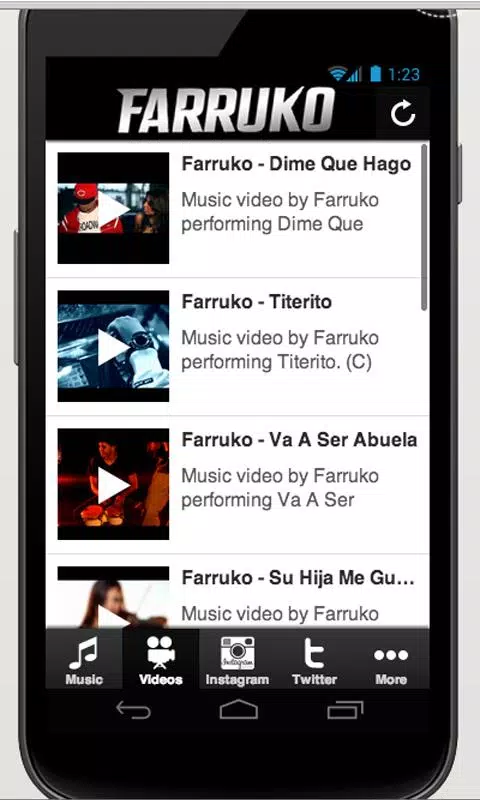
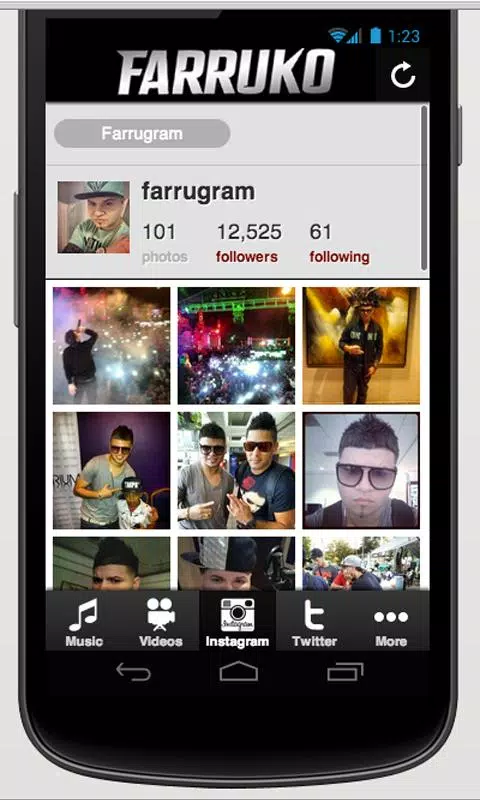

Enjoy your favorite media anywhere with our sleek new all-in-one multimedia app! Stream video, music, and podcasts online or offline, downloaded directly to your device. Customize playlists and get smart recommendations based on your tastes. Adjust audio settings and enable bass boost for the ultimate listening experience. Easily cast and share to other devices. With a gorgeous, intuitive interface, media controls at your fingertips, and no distracting ads, this is the ultimate personal media hub.






LIVE A HERO
Retro Hero Mr Kim
Empire of Passion
Arcane Quest Legends
Magic Snap: Momotaro
AllStar Manga Heroes
Lunescape
ONE PIECE Thousand Storm JP
Tap Titans 2










































