
Category: Productivity Date:2026-10-15 21:42:01
Rating: 4.1 Tags: Multimedia
Scan to Download
MX Player Codec (ARMv6) provides optimized decoding libraries designed to extend MX Player's ability to play a wider range of multimedia formats on older ARMv6-based Android devices. This lightweight codec package focuses on compatibility and smoother playback without changing the main player interface.
The MX Player Codec (ARMv6) supplies hardware-appropriate decoder binaries that enable MX Player to process legacy video and audio codecs more efficiently. It does not alter the app’s visual layout or settings; instead, it supplements the player with optimized decoding modules so users of older handsets can enjoy higher frame rates and reduced stuttering when watching local files.
Installation typically involves placing the codec package where MX Player expects external codecs or installing an additional APK that registers the new decoders. Once detected, MX Player selects the appropriate codec for each media file, falling back to software decoding only if hardware-accelerated options are incompatible. The process is transparent to most users: files start playing with improved performance without manual codec selection.
This package targets devices using ARMv6 CPUs. It’s especially useful for older phones and tablets where modern codec builds may not run correctly. Before installing, confirm that your MX Player version requires an external codec for legacy support and that your device firmware is stable. Using the wrong codec variant (such as an ARMv7 or x86 build) can prevent detection, so choose the ARMv6 edition to match your chipset.
To install the MX Player Codec (ARMv6) safely, back up important media profiles and close MX Player before beginning. If the codec is distributed as an APK, allow installations from trusted sources in your system settings and use the standard package installer. If it’s a compressed library file, follow MX Player’s documentation about the expected folder location and permissions. After installation, restart the player and test playback with several file types to confirm detection and performance gains.
After installation, users should notice smoother playback for commonly problematic formats like older MPEG variants and some DivX/XviD files. If playback issues persist, try wiping MX Player’s cache, toggling hardware acceleration options, or reinstalling a matching codec build. In cases where the device lacks sufficient RAM, the codec can reduce CPU demands but cannot compensate for extreme memory limitations.
For people maintaining media libraries on legacy devices, the MX Player Codec (ARMv6) extends the useful life of older hardware by enabling playback of a broader set of files. It allows uninterrupted viewing of archived videos without transcoding on a PC, saving time and preserving original quality. Integration with MX Player’s subtitle rendering and audio track switching remains intact, so playlists and multi-track videos behave as expected.
Only install codec packages from reputable channels and verify checksums when available. Keep MX Player updated to the latest compatible version, as codec compatibility often depends on the player’s internal APIs. Remove any outdated codec packages when switching device architectures to avoid conflicts.
Download the ARMv6 codec that matches your MX Player release, follow the installation instructions included with the package, and restart the player. Test a mix of SD and higher-bitrate files to confirm improved playback. With the MX Player Codec (ARMv6) in place, older devices can deliver a more reliable media experience without complex setup or heavy maintenance.
File size: 5.70 M Latest Version: 1.7.39
Requirements: Android Language: English
Votes: 321 Package ID: com.mxtech.ffmpeg.v6
Developer: J2 Interactive
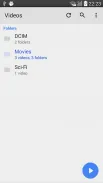


Enjoy your favorite media anywhere with our sleek new all-in-one multimedia app! Stream video, music, and podcasts online or offline, downloaded directly to your device. Customize playlists and get smart recommendations based on your tastes. Adjust audio settings and enable bass boost for the ultimate listening experience. Easily cast and share to other devices. With a gorgeous, intuitive interface, media controls at your fingertips, and no distracting ads, this is the ultimate personal media hub.






LIVE A HERO
Retro Hero Mr Kim
Empire of Passion
Arcane Quest Legends
Magic Snap: Momotaro
AllStar Manga Heroes
Lunescape
ONE PIECE Thousand Storm JP
Tap Titans 2










































