Scan to Download
TrackHub is a transport management app (app type: Transport Management) that brings live vehicle tracking and fleet oversight into one accessible interface for clients and vendors of The Transport Hub. TrackHub provides real-time location updates, instant reporting and in-app task assignment so dispatchers, site managers and service providers can monitor assets, drivers and job progress without switching between multiple tools.
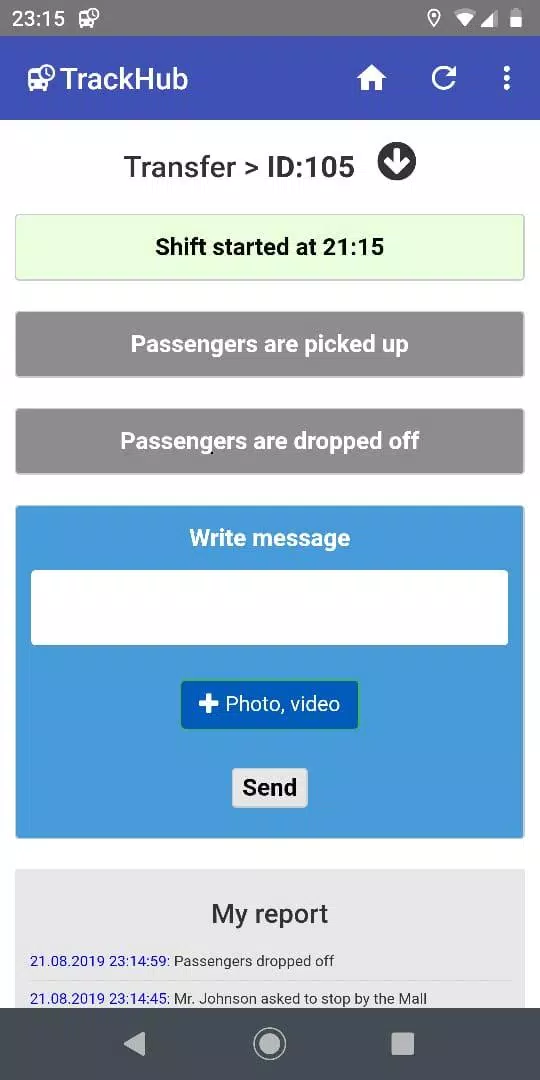
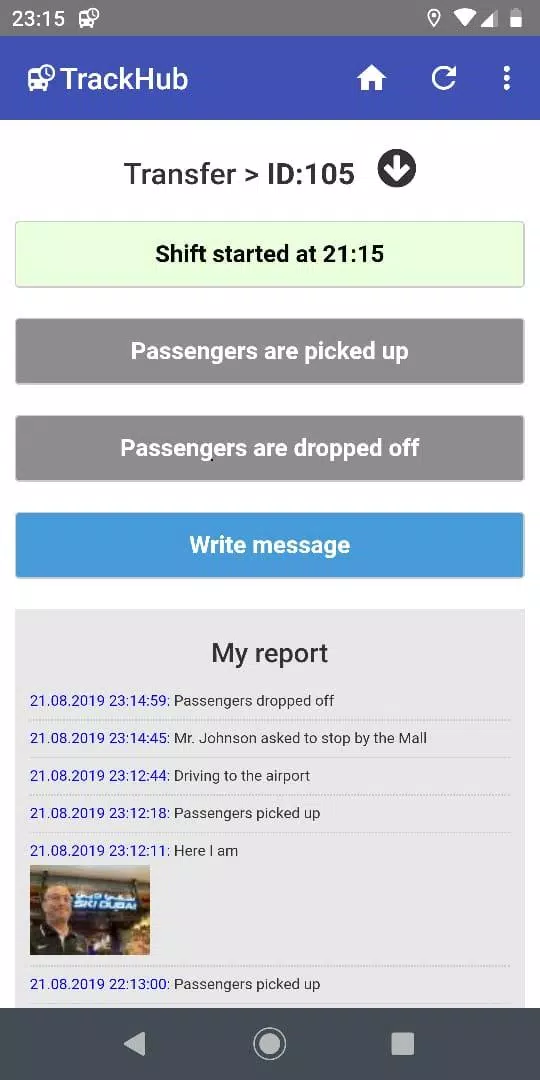
The app uses a map-first layout complemented by a synchronized list and dashboard, giving users both spatial and tabular perspectives on their fleet. Live vehicle markers refresh continuously and tapping a marker opens a vehicle card with current status, last known speed, assigned task and contact details. Dispatchers can create and assign tasks from either the map or the list view, set expected delivery windows and watch progress indicators update as drivers pass checkpoints. Practical controls include group filters, text search by driver or asset ID, time sliders to review recent activity and permission-aware export options for reports. Controls are optimized for touch: common actions are reachable in a few taps so teams can react quickly during busy shifts.
Real-time updates arrive from configured devices and are shown on both map and timeline views so staff can follow journeys and identify delays. The reporting engine compiles events such as departures, arrivals and task completions into concise notifications and structured reports; these reports include route summaries, stop durations and time-on-task metrics that support operational decisions. A trip history and replay feature lets authorized users play back vehicle movements for a chosen period to review incidents, confirm timings and support route optimization without leaving the app.
TrackHub supports gradual operational progression rather than gamification: organizations start with a single-site setup and can expand to multi-site fleets by grouping vehicles into depots or routes. Administrators assign role-based permissions for dispatchers, managers and external vendors so access is tight as the fleet scales. Admins can customize task templates, set default notification preferences and define grouping rules that reflect local workflows. This structure supports phased rollouts—admins can onboard a few users first, refine templates and then enable wider access across teams and partner organizations.
The interface favors a clean, high-contrast visual style with clear iconography and color-coded status indicators to make it easy to scan a busy fleet at a glance. Map and list views remain consistent across phones and tablets, and common touch gestures such as tapping and pinch-to-zoom are supported for quick navigation. Accessibility features include scalable text sizes, logical focus order for keyboard navigation and semantic labels that assist screen readers, helping teams with varied needs operate the system effectively in day-to-day operations.
Because live features depend on connectivity, TrackHub includes resilience measures for intermittent coverage: local caches store recent location updates and queued report actions so that when devices regain network access the app synchronizes pending information to dispatch. Administrators should ensure devices are configured with the appropriate background location permissions and power settings; without these, some live features such as continuous tracking or background sync may be limited until connectivity and device settings are corrected.
Beyond real-time monitoring, TrackHub offers tools for retrospective analysis that add lasting operational value. Trip replay and timeline views make it straightforward to investigate delays and plan route adjustments. Compact, exportable reports consolidate activity into formats that can be reviewed by operations teams or shared with partners, supporting recurring audits and schedule refinement. Over time these analytics help managers reduce idle time, improve scheduling and make targeted changes to routes or resource allocation.
TrackHub is best suited for organizations that require continuous oversight of vehicles and drivers—site logistics vendors, delivery fleets and internal transport teams operating across multiple properties. Its single-dashboard model reduces the need to switch between mapping, task management and reporting tools, helping managers respond faster during deliveries and transfers. Note that certain functionality is optimized for use within The Transport Hub ecosystem and that real-time tracking requires properly configured devices and stable network access; performance will vary in areas with poor connectivity. Administrators should plan device setup, permission policies and onboarding to ensure accurate data flow and to take full advantage of the app’s monitoring and reporting capabilities.
File size: 1.50 M Latest Version: 1.0
Requirements: Android Language: English
Votes: 356 Package ID: com.tpthub.trackhub
Developer: TPT Hub

Top Events Free Apps for Android
Discover and share the hottest events around with our intuitive apps. Find local concerts, festivals, shows, and more based on your unique interests. Create customizable calendars of upcoming events to coordinate schedules with friends. Purchase tickets seamlessly from our integrated platforms. Check real-time transit schedules to plan your trip. Access maps, directions, and parking information for any venue.






LIVE A HERO
Retro Hero Mr Kim
Empire of Passion
Arcane Quest Legends
Magic Snap: Momotaro
AllStar Manga Heroes
Lunescape
ONE PIECE Thousand Storm JP
Tap Titans 2