Vi2Go is a lightweight productivity app designed to streamline daily tasks with fast synchronization, offline access, and a clean interface. It helps professionals organize notes, schedules, and quick reminders while integrating with cloud services for seamless backups. Vi2Go focuses on speed, reliability, and an intuitive workflow for busy users.
At its core, Vi2Go combines note-taking, task management, and quick capture tools into one mobile-friendly package. The app allows you to create structured lists, tag items for easy searching, and attach photos or files when needed. It’s ideal for people who want a single hub to manage scattered information without unnecessary complexity.
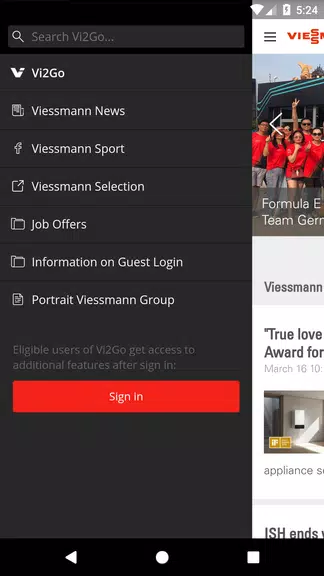
Vi2Go’s interface is purposefully minimal. Menus are uncluttered, and common actions are accessible in one or two taps. The app prioritizes responsiveness: opening a list, creating a note, or switching views feels immediate on modern devices. Animations are restrained to keep focus on content and reduce battery drain.
Vi2Go is built to slot into daily routines rather than overhaul them. Use it to capture meeting notes, track project milestones, or maintain a personal checklist. Integration with calendar apps and popular cloud drives lets you keep related files and deadlines in sync without leaving the app. For teams, shared lists and read/write permissions support light collaboration.
Stability is a strong suit for Vi2Go. The app handles large note volumes without lag, and background sync processes are optimized to avoid battery-heavy operations. Error handling is transparent: failed uploads or conflicts are surfaced with straightforward actions to resolve them. Notifications are granular so you only receive alerts that matter.
Getting the most from Vi2Go takes a few simple habits. Start by setting up a minimal tag taxonomy and a couple of default lists like "Inbox" and "Projects." Enable calendar sync and test offline mode before relying on the app for critical tasks. Regularly archive completed items to keep the main workspace uncluttered.
Users appreciate Vi2Go for its balance of simplicity and power. It avoids feature bloat while still offering enough customization to adapt to different workflows. Whether you’re managing personal errands or coordinating small projects, the app delivers a focused environment that helps maintain momentum without getting in the way.
Overall, Vi2Go stands out as a practical tool for anyone seeking an efficient, reliable way to manage notes and tasks on Android devices. Its thoughtful design, robust syncing, and attention to performance make it a solid pick for daily productivity needs.
File size: 29.40 M Latest Version: 2025.1.303119964
Requirements: Android Language: English
Votes: 287 Package ID: com.viessmann.mitarbeiter
Developer: Viessmann Climate Solutions SE


Empower learning and research with our innovative reference apps. Access dictionaries, thesauruses, encyclopedias, and more with our comprehensive databases. Get homework help, study tips, and writing guides from our academic resources. Learn new skills by browsing how-to videos and manuals. Stay up-to-date with latest news, data, and facts curated by our editors.






LIVE A HERO
Retro Hero Mr Kim
Empire of Passion
Arcane Quest Legends
Magic Snap: Momotaro
AllStar Manga Heroes
Lunescape
ONE PIECE Thousand Storm JP
Tap Titans 2