Scan to Download
TBS Shop is a mobile companion for merchants and customers that links purchases to a store-controlled web account and requires owners to approve buyers before mobile checkout is enabled. TBS Shop intentionally shifts account creation and permissioning to the store’s web dashboard so that shop owners retain control over who can place orders through the app; this design reduces anonymous transactions and creates a predictable ordering environment for curated or private storefronts.
The core progression in TBS Shop is linear and account-driven: a prospective customer registers on the store’s web dashboard, provides any required documentation or profile information, and then waits for owner approval. Once the owner grants permission on the web, the linked mobile account receives purchasing privileges and the full order flow becomes available. In-app progression follows a clear path—browse catalog, add items to cart, confirm shipping and billing tied to the web profile, submit order, and follow fulfillment updates—so users always know what steps remain before an order is completed.
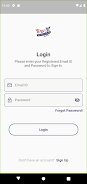
Controls are designed for touch-first mobile use with large, clearly labeled buttons and a single checkout path that references the authenticated web account. Account linking and approval forms use straightforward fields and step indicators so users understand where they are in the onboarding and approval process. The checkout flow concentrates on essential actions: select or confirm shipping address, choose payment method as configured on the web, review a concise order summary and submit. Confirmation screens display order numbers and provide next-step guidance such as expected shipping times or pickup instructions.
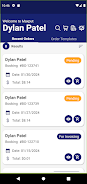
Navigation is organized into clearly named sections—home, catalog, cart, orders and account settings—so even first-time users can find functionality quickly once they have web approval. Product pages prioritize the information buyers need: item name, price, stock status and any owner-specified notes imported from the web dashboard. The app mirrors the web permissions model, ensuring that special pricing, role-based access and approvals set by the store are respected on mobile without exposing administrative controls to customers.
The visual approach is business-oriented and uncluttered to support quick decision-making: consistent typography, readable product images and clear call-to-action buttons keep focus on the purchase process. Layout adapts across phone sizes so that images and input controls remain usable at different resolutions. The styling aims to align with the store’s existing web branding where possible, preserving a consistent look and feel between the web dashboard and mobile companion.
Account settings allow users to review the web account linked to the app, update contact information where permitted, and manage notification preferences for approval and order updates. Store owners control advanced permissioning and pricing on the web dashboard; the app reflects those choices and presents only the options relevant to the customer. This separation keeps the mobile interface streamlined while preserving centralized management for administrators.
Because purchase rights are tied to web approval, some core functions require network access, but TBS Shop caches recent order confirmations, product thumbnails and basic order history so users can review past activity when connectivity is intermittent. Cached views are read-only and attempt to display the most recent synced state, while any action that changes account status or attempts to place a new order requires a live connection to ensure owner approvals and inventory are current.
Accessibility has been considered in layout and control choices: font sizes and contrast meet common readability guidelines, form fields are labeled for assistive technologies and buttons use clear, descriptive text. These choices make the app usable for a wide range of users, including those who rely on screen readers or larger text settings.
The security model links mobile sessions to authenticated web accounts and enforces owner approval before transactions proceed, which helps prevent unauthorized purchases. Privacy practices are handled by the store’s web policy; because account management and approvals happen on the web, customers should consult the store’s privacy documentation for specifics. The main limitation is intentional: only approved web accounts can place orders, so new customers must complete web registration and await approval before using purchasing features.
TBS Shop is best suited for merchants who need a controlled customer base and buyers who are comfortable registering on a web dashboard to access a curated mobile storefront. For assistance with account approval or account linkage problems, users should contact the store owner or consult the web support resources provided by the merchant. Updates to permissions and catalog offerings are performed on the web and sync to the mobile app so the store owner remains the central point of control.
File size: 20.53 M Latest Version: 2.4.2
Requirements: Android Language: English
Votes: 478 Package ID: com.maxput.mecom
Developer: Maxput

Must Have Home Apps for Android
Make your house a home with our suite of helpful home apps. Discover clever tools to organize closets, streamline chores, and simplify cooking. Take the stress out of cleaning and maintenance with handy checklists and schedules. Enhance security and control appliances and lighting with our smart home integrations. Design, visualize, and renovate like a pro using our 3D planning software.






LIVE A HERO
Retro Hero Mr Kim
Empire of Passion
Arcane Quest Legends
Magic Snap: Momotaro
AllStar Manga Heroes
Lunescape
ONE PIECE Thousand Storm JP
Tap Titans 2