
Scan to Download
Phloz is a centralized communication platform built to gather messages from customers, prospects and teammates into a single inbox while providing automation and analytics to reduce manual follow-up and improve operational clarity. Phloz streamlines everyday conversations so teams can respond faster, route requests efficiently, and measure performance without sorting through scattered threads or multiple apps. Designed for small support teams, sales outreach, and internal coordination, the app focuses on reducing friction in routine workflows and making conversational data actionable.
The core of Phloz is its unified inbox where email, chat, social messages and other customer touchpoints are consolidated into one feed. Conversations can be filtered, tagged, and assigned so the right person sees the right message at the right time. Phloz supports threaded replies and context snapshots so agents don’t need to hunt for prior interactions. Built-in routing rules and priorities let teams manage high-volume streams by setting automatic assignment criteria and escalation policies to match internal workflows.
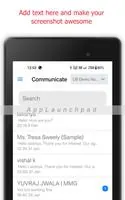
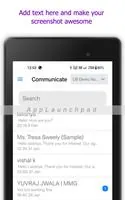
Phloz offers a simple, readable interface with familiar controls: a primary list view for conversations, a preview pane for quick reads, and a composer for replies. Keyboard shortcuts and inline actions accelerate common tasks like assigning, archiving, and applying templates. The interface emphasizes speed and clarity, with customizable columns and view presets so users can tailor what matters to their role. Navigation is intentionally shallow to reduce clicks and help new users learn the layout quickly.
Automation in Phloz reduces repetitive work by allowing templated replies, canned responses, and rule-based automated messages for common scenarios. Teams can create a library of templates and refine them over time; as the template library grows, response consistency and throughput improve, which acts as a natural progression system for support maturity. Advanced automations let teams chain simple actions—such as tagging, assigning, or scheduling follow-ups—so routine handoffs happen without manual intervention while still preserving context for human review when needed.
Phloz surfaces analytics that help teams identify conversation trends, response time patterns and workload distribution. Dashboards show key metrics like first response time, resolution time, and volume by channel, enabling managers to spot bottlenecks and allocate resources. Challenge systems are supported through SLA indicators and alerting so high-priority messages receive attention. Analytics are presented as digestible summaries and allow exporting or filtering to dig into the raw conversations behind the numbers.
Customization is central to making Phloz fit diverse teams: message templates can include variables for personalization, workflows can be tuned with custom fields, and inbox views can be recreated as role-based dashboards. Teams can define tags and priority levels that reflect their internal processes and use saved searches to surface recurring cases. Personalization supports consistent tone across replies while templates are versioned so improvements carry forward without losing historical context.
The visual design emphasizes legibility with clear typography, contrast-aware colors, and compact information density to support long case lists without fatigue. Phloz includes accessibility considerations such as scalable text, focus outlines for keyboard navigation and screen reader-friendly labels for core actions. These features make the app more usable for different workflows and help teams reduce error rates by making controls and statuses visually distinct.
Phloz retains recently viewed conversations locally so users can continue reading and drafting replies when connectivity is intermittent; drafts are synchronized automatically once the network is restored. This offline caching supports field agents or users with unstable connections, preventing work loss and ensuring messages are queued for delivery. Synchronization is designed to be resilient, with clear conflict indicators when multiple users edit shared drafts or metadata.
Getting started with Phloz involves routing channels, setting up a few templates and defining basic automations; while initial configuration may require attention, guided onboarding and setup wizards shorten time to value. Security practices focus on standard protections for communication platforms, and teams can configure role-based access to limit who can send, assign, or modify conversations. Integration points allow messages from common channels to be consolidated, keeping the central inbox representative of customer touchpoints without requiring users to switch tools.
Phloz is intended to be an operational hub rather than a one-off tool: as teams refine routing rules, expand the template library, and consume analytics, the platform delivers compounding benefits in response speed and consistency. Regular use improves institutional knowledge through searchable conversation history and reusable automations, increasing the platform’s replay value and long-term usefulness for support, sales and internal coordination.
File size: 1024.00 M Latest Version: 1.1.2
Requirements: Android Language: English
Votes: 492 Package ID: com.phloz
Developer: Phloz







Must Have Communication Apps for Android
Connect deeper through meaningful conversations with our communication apps. Enjoy crystal-clear calls, video chats, messaging, and file sharing. Find the perfect emojis, GIFs, and stickers to express yourself. Keep the non-stop group banter organized in one place. Block unwanted interactions at the source. Meet new people worldwide through our global community features.






LIVE A HERO
Retro Hero Mr Kim
Empire of Passion
Arcane Quest Legends
Magic Snap: Momotaro
AllStar Manga Heroes
Lunescape
ONE PIECE Thousand Storm JP
Tap Titans 2