Category: Communication Date:2026-10-15 22:09:01
Rating: 4.3 Tags: Communication
Scan to Download
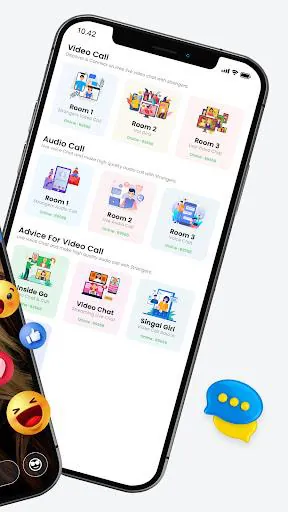
Video Call Advice and Live Chat with Video Call is a mobile app that connects users with live advisors through video calls and chat. It combines real-time video guidance, text messaging, and scheduling tools to deliver quick consultations, making remote advice and personal support straightforward and reliable for everyday tasks and decisions.
Video Call Advice and Live Chat with Video Call focuses on bringing human-led assistance to your phone. Users can request immediate help or book a future session with a specialist. The platform supports short consultations, follow-ups, and threaded chat so both parties keep context across multiple interactions.
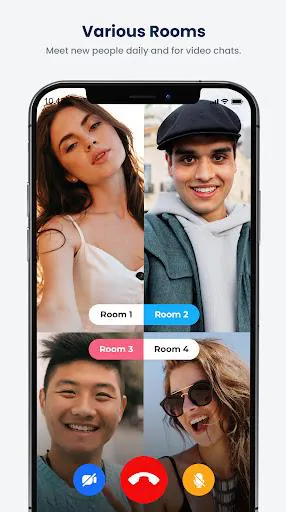
Open the app, choose a topic or category, and either connect instantly or select an available advisor. The matching algorithm factors in ratings, specialties, and language preferences. During a session you can toggle camera and microphone, switch to chat-only mode, or capture screenshots to save a moment of the conversation.
New users complete a brief profile indicating interests and time zone. Advisors list their expertise, hourly rates, and availability. Payments and credits are handled in-app, enabling transparent billing and receipt generation. After each session both sides can add notes that remain private unless the user chooses to share them for coaching or continuity.
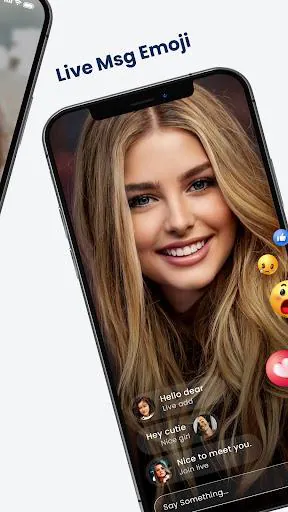
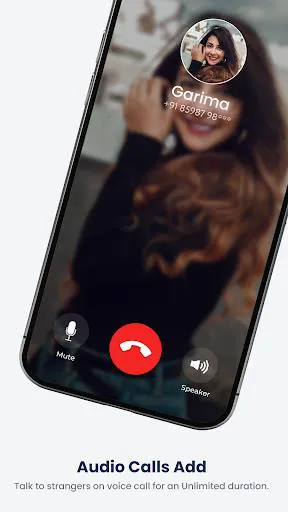
The interface favors simplicity: large call controls, a compact chat pane, and clear call status indicators. Video Call Advice and Live Chat with Video Call adapts to varying bandwidth by dropping resolution before disconnecting, prioritizing audio to keep conversations intact. Animations are minimal to conserve CPU and battery while maintaining responsiveness.
Users can customize notification preferences, auto-record behavior, and privacy defaults. The app supports dark mode, localized language packs, and accessibility options such as captioning and high-contrast UI. Advisors can set consulting rates, buffer time between sessions, and auto-approval thresholds for booking requests.
End-to-end encryption for calls and GDPR-style data controls are central to how the app stores personal information. Role-based access ensures advisors only see information necessary for a session. Optional identity verification badges help users evaluate trustworthiness before connecting.
Video Call Advice and Live Chat with Video Call appeals to users who value face-to-face guidance without travel. It’s useful for quick technical fixes, lifestyle coaching, tutoring, or mental wellness check-ins. The flexibility of instant help plus scheduled sessions makes it a practical tool for busy schedules.
Download the app, create an account, and verify your email or phone number. Browse categories to view advisor profiles and rates. Many users find the onboarding questions help the system suggest an advisor within minutes. Keep an eye on promotions or first-session discounts to test the service with minimal cost.
For anyone seeking accessible, live support from experts, Video Call Advice and Live Chat with Video Call provides a polished, secure environment designed to streamline remote consultations while preserving the human connection that makes advice actionable.
File size: 42.60 M Latest Version: 69.0
Requirements: Android Language: English
Votes: 82 Package ID: com.dartushinc.videocall
Developer: DarTush Inc.

Must Have Communication Apps for Android
Connect deeper through meaningful conversations with our communication apps. Enjoy crystal-clear calls, video chats, messaging, and file sharing. Find the perfect emojis, GIFs, and stickers to express yourself. Keep the non-stop group banter organized in one place. Block unwanted interactions at the source. Meet new people worldwide through our global community features.






LIVE A HERO
Retro Hero Mr Kim
Empire of Passion
Arcane Quest Legends
Magic Snap: Momotaro
AllStar Manga Heroes
Lunescape
ONE PIECE Thousand Storm JP
Tap Titans 2