
Category: Tools Date:2026-10-15 21:48:01
Rating: 4.1 Tags: Communication
Scan to Download
Interpreter Voice Translator is a mobile app that converts spoken words into another language in real time, combining speech recognition with text-to-speech and translation services. It’s built for travelers, business users, and language learners who want fast, hands-free communication across dozens of languages.
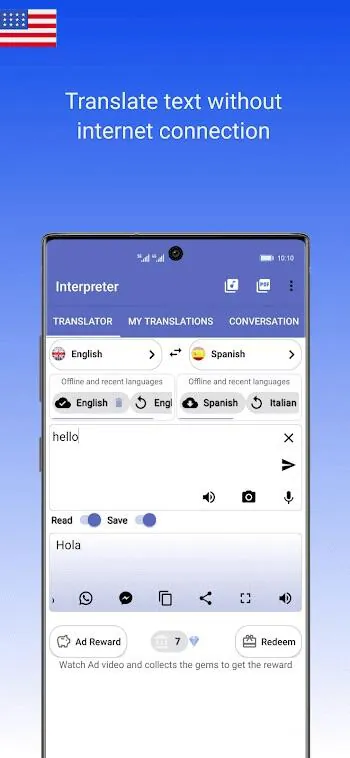
Interpreter Voice Translator presents a straightforward way to bridge language gaps without heavy dictionary lookups. The app focuses on quick voice input, clear translated output, and minimal setup. It supports multiple dialects and offers offline modules for a subset of languages, which helps when internet access is spotty or mission-critical privacy is required.
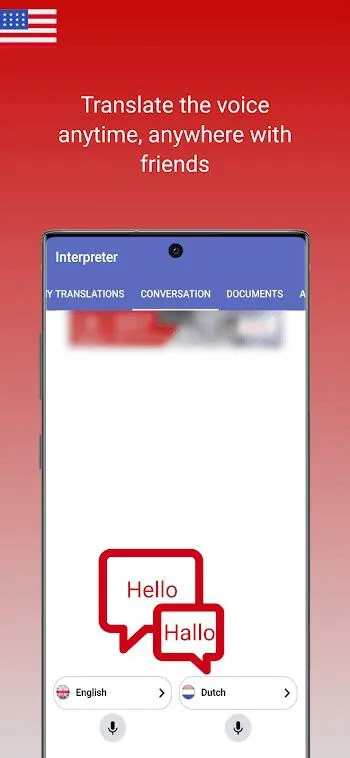
Using Interpreter Voice Translator is mostly a matter of tapping the mic and speaking. The app captures audio, applies speech recognition to convert sound into text, sends the text to a translation engine, and then plays back the result through text-to-speech. Latency depends on your device and network but is generally low for single phrases. For longer passages the app provides transcribed text so users can review or copy translations for messaging and notes.
The design prioritizes clarity: a large record button, language selection controls, and readable transcripts. Response times are optimized by using on-device processing where available, falling back to cloud services for the most accurate translations. CPU and memory footprint is light on modern phones, and battery impact is minimized by batching recognition tasks rather than continuous streaming by default.
To maximize accuracy with Interpreter Voice Translator, follow a few simple practices: use a quiet environment, speak in short sentences, and avoid overlapping speech during two-way conversations. When using specialized vocabulary—technical, medical, or legal—pair the app with a quick manual edit of the transcribed text before sending it. Also consider downloading offline language packs for frequent routes or regions to avoid data charges.
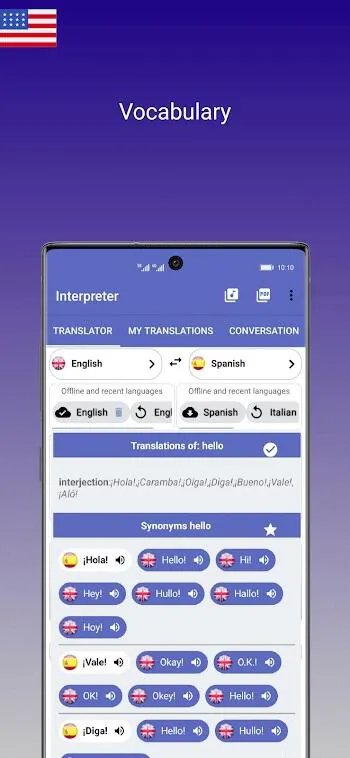
Power users will appreciate settings for voice type, playback speed, and preferred translation engines. The app can save recent translations, favorite phrases, and custom dictionaries to improve handling of names and brand terms. Notifications are minimal and limited to language pack updates or transcription availability.
Install the app from your device store, grant microphone permission, and choose source and target languages. The setup wizard walks you through a microphone test and suggests offline packs based on your location. Most users can be up and running in under five minutes, with the first translation taking just seconds after initial permissions are granted.
Interpreter Voice Translator stands out for its balance of speed, clarity, and ease of use. Travelers appreciate the offline features and concise UI. Professionals value quick, shareable transcripts that fit into workflows. Language learners use it to hear native-like pronunciations and to test conversational turns. With regular updates and a practical feature set, it covers a wide range of everyday translation needs.
Whether you need a compact translation tool for travel, a handy assistant for meetings, or a pronunciation aid, Interpreter Voice Translator delivers predictable performance and practical features without a steep learning curve.
File size: 44.90 M Latest Version: 8.8.7
Requirements: Android Language: English
Votes: 238 Package ID: it.vincenzoamoruso.theinterpreter
Developer: Interpreter voice translator

Must Have Communication Apps for Android
Connect deeper through meaningful conversations with our communication apps. Enjoy crystal-clear calls, video chats, messaging, and file sharing. Find the perfect emojis, GIFs, and stickers to express yourself. Keep the non-stop group banter organized in one place. Block unwanted interactions at the source. Meet new people worldwide through our global community features.






LIVE A HERO
Retro Hero Mr Kim
Empire of Passion
Arcane Quest Legends
Magic Snap: Momotaro
AllStar Manga Heroes
Lunescape
ONE PIECE Thousand Storm JP
Tap Titans 2










































