
Scan to Download
Google One is a subscription service that extends Google storage, backup, and support across your devices. It combines cloud space for Drive, Gmail, and Photos with automatic phone backups, family sharing, and access to live experts, making it easier to manage data and protect important files.
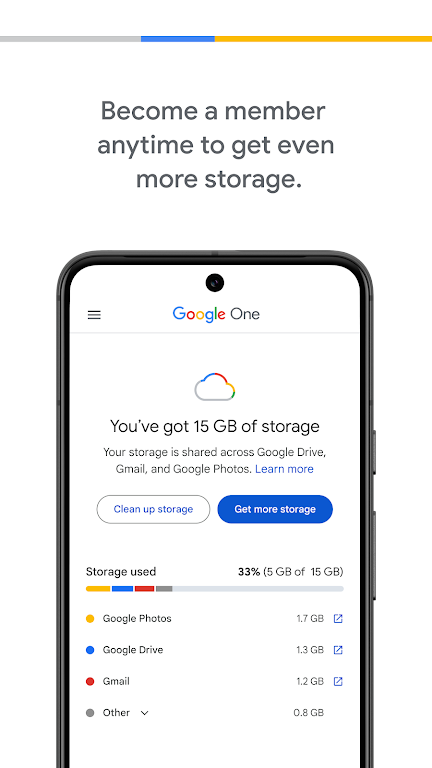
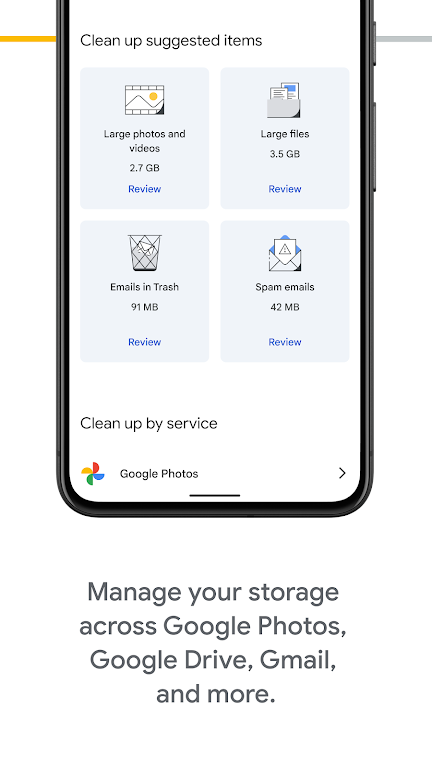
At its heart, Google One provides a simple pool of cloud storage that works across Google Drive, Gmail, and Google Photos. Plans scale from modest amounts to multiple terabytes, and all tiers include tools for managing stored items, clearing space, and viewing usage by app. The service also integrates helpful utilities like file recovery, automatic organization suggestions, and one-tap sharing links for large files.
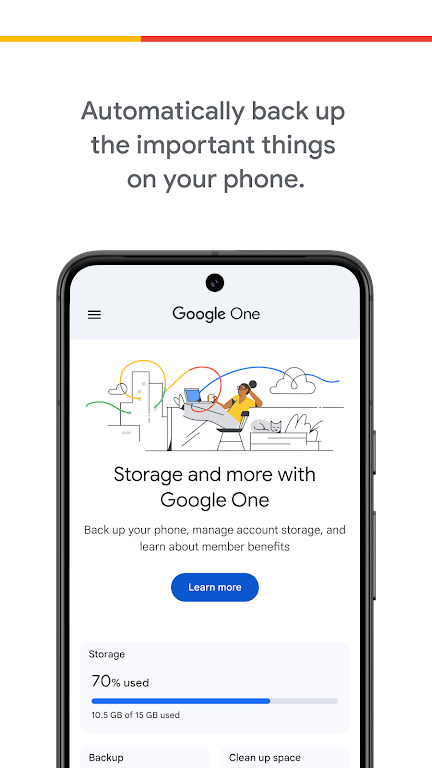
One of the most practical aspects of Google One is its device backup capability. Android and iOS users can back up photos, videos, contacts, SMS, and app data automatically. Backups run in the background and are retrievable when you switch devices or need to restore lost content. For users who travel or work across multiple devices, continuous backup reduces the risk of losing critical information.
Google One supports family plans that let up to five additional people share a storage pool without mixing accounts. Each family member keeps private files and still draws from the same quota, which simplifies household storage management. The shared plan is useful for collaborative workflows like shared photo albums, joint document spaces, or consolidated email archiving for small teams.
The app interface focuses on clarity, with a dashboard that shows storage usage by product and quick actions for freeing space. Menus guide you through backup settings, billing, and membership management. Notifications prompt users about low storage or available backups, and built-in tips help optimize storage by suggesting large or duplicate files to remove.
Security measures include encrypted transfers, standard Google account protections, and two-factor authentication compatibility. Google One subscribers also obtain access to live expert support for account and storage questions, which can be particularly helpful when troubleshooting sync problems or recovering deleted items. Privacy controls remain tied to the user’s Google Account, allowing granular permission and sharing choices for folders and files.
Google One performs consistently across modern Android phones, tablets, and web browsers. Upload and download speeds depend on network conditions, but the app handles large transfers reliably and supports background syncing to avoid interrupting other tasks. Compatibility extends to multiple platforms so you can access files on desktop, mobile, or via web apps without needing separate subscriptions.
Plans are tiered to suit different needs, from casual users who want extra space for photos to professionals requiring multiple terabytes. Monthly and annual billing options are available, and promotions occasionally include bundled perks like discounts on partner services. Because storage is shared across services, many users find the combined value preferable to purchasing storage piecemeal for individual apps.
Setting up Google One is straightforward: sign in with your Google Account, choose a plan, and enable backup features on each device. The app walks you through selecting what to back up and how to share storage with family members. After setup, the dashboard gives a clear snapshot of storage health and upcoming renewal dates.
Individuals with growing photo libraries, small families, and professionals who rely on Google Workspace tools will find Google One particularly useful. It streamlines storage management, reduces fragmented backups, and centralizes support. For anyone wanting a safer, more organized approach to cloud data, the service offers an approachable mix of features and reliability.
File size: 16.20 M Latest Version: 1.235.670697502
Requirements: Android Language: English
Votes: 191 Package ID: com.google.android.apps.subscriptions.red
Developer: Google LLC

Make your house a home with our selection of innovative apps. Discover programs to simplify cleaning, organize closets, and manage home maintenance. Take the hassle out of chores and keep your space running smoothly. Design, visualize, and renovate like a pro using our augmented reality and 3D modeling tools. Enhance security and monitor your property 24/7 with our connected home tech.






LIVE A HERO
Retro Hero Mr Kim
Empire of Passion
Arcane Quest Legends
Magic Snap: Momotaro
AllStar Manga Heroes
Lunescape
ONE PIECE Thousand Storm JP
Tap Titans 2










































