Scan to Download
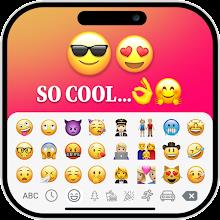
iOS Emojis For Story is a lightweight Android utility that brings iOS-style emoji sets and sticker packs to your social stories and messaging apps. It offers a fast keyboard, organized collections, and one-tap insertion to help users create expressive, polished social posts and conversations.
iOS Emojis For Story combines a familiar visual language with tools designed for quick composition. The app includes a complete emoji library modeled after iOS designs, themed sticker bundles, and an intuitive search function. A compact interface keeps frequently used symbols accessible while minimizing screen clutter.
Integration is a focus: iOS Emojis For Story works as either an add-on keyboard or a content picker that inserts graphics into social apps. Installation prompts guide permissions so you can paste emojis into status updates, captions, and chat threads without switching tools. The picker supports multiple image sizes and transparent backgrounds for stickers.
Personalization options let you tailor the experience. Create favorite lists, pin most-used emojis, and reorder sticker packs to match your posting habits. The app also offers light and dark skin options for the keyboard to match system themes, plus adjustable popup sizes for precise tapping on different screen sizes.
Designed with speed in mind, iOS Emojis For Story reduces friction during content creation. The search bar accepts keywords, emoji names, or related tags so you can find the right icon in seconds. A recent-tab records your last selections for ongoing threads or multi-part stories, cutting down repetitive scrolling.
The app is optimized for low memory use and responsive input on budget devices as well as flagship phones. iOS Emojis For Story supports Android versions commonly in use today and scales icon resolution automatically so images remain crisp across densities. Background tasks are limited to essential syncing to preserve battery life.
Privacy is handled transparently. Required permissions focus on keyboard access or file sharing depending on the integration mode, and the app documents why each permission is needed. No account is mandatory for basic use, and local storage keeps your favorites and custom packs on-device unless you choose to export them.
Whether updating a story, composing a marketing caption, or decorating a chat, iOS Emojis For Story streamlines expression. Use sticker bundles to brand seasonal campaigns, or the pinned favorites to keep team-approved icons handy for rapid replies. Creators can layer emojis and stickers over images in other editors after insertion.
Setup is guided step-by-step. After installation select your preferred input method or enable the content picker. Explore the built-in collections to discover featured packs, then mark favorites to populate the quick-access bar. Tutorials inside the app demonstrate keyboard switching and sticker resizing for common social platforms.
The app receives regular updates that expand sticker libraries and refine keyboard responsiveness. Support channels provide troubleshooting tips for installation and permissions. Feedback-driven releases often introduce seasonal packs and small UI tweaks to improve discoverability.
iOS Emojis For Story aims to bridge visual style and practical usage: delivering familiar iOS visuals with Android-friendly performance, customization, and seamless integration for storytelling and messaging workflows.
File size: 26.49 M Latest Version: 1.0.6
Requirements: Android Language: English
Votes: 228 Package ID: com.vksoft.iosemoji.ig.story
Developer: Vk.soft.Dicapp







Discover meaningful connections with our personalized dating apps. Built with modern singles in mind, our software simplifies making authentic romantic matches. Get recommended profiles based on your preferences for streamlined browsing. Showcase your personality through engaging prompts and questions. Safely video chat to pre-screen potential partners. Meet up at curated events with other relationship-minded locals.






LIVE A HERO
Retro Hero Mr Kim
Empire of Passion
Arcane Quest Legends
Magic Snap: Momotaro
AllStar Manga Heroes
Lunescape
ONE PIECE Thousand Storm JP
Tap Titans 2










































