TeleGuard protects your calls and messages with smart call blocking, spam filtering, and privacy controls tailored to modern Android users. It streamlines unwanted contact handling while offering a clear dashboard, quick action buttons, and customizable rules for keeping your phone communication clean and under your control.
TeleGuard is a utility designed to reduce interruptions by identifying nuisance calls and texts before they reach you. It combines automated filtering, user-defined rules, and a live log so you can see which numbers were blocked and why. The app strikes a balance between strict protection and easy recovery for legitimate contacts.
Once activated, TeleGuard integrates with the phone dialer and messaging system to screen incoming connections. It uses pattern recognition and a community-updated database to flag potential spam. When a call or message matches block criteria the app can automatically reject it, silence it, or send it to a quarantine folder for your review later. You choose the level of intervention and can tweak sensitivities over time.
The workflow centers on a simple dashboard that shows recent events and suggested actions. Tapping any entry reveals details and offers options such as add to blocklist, add to whitelist, or mark as safe. TeleGuard also supports scheduled profiles so you can mute unknown callers overnight or during meetings and revert to normal rules on demand.
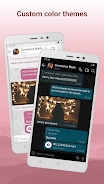
Design focuses on clarity. Menus are compact, with large buttons for common tasks and color-coded tags for blocked, suspected, and allowed items. The app is lightweight and optimized to run in the background without drawing excessive battery. Memory use is modest, and updates usually refine detection logic rather than overhaul the layout, keeping the learning curve shallow.
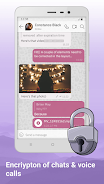
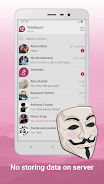
TeleGuard stores a minimal local history and offers the option to limit permissions. Caller matching is performed with a combination of on-device heuristics and optional cloud checks; you can disable any cloud-based lookups if you prefer full local processing. Data export is available for transferring your lists to a new device or for backup.
Advanced users will appreciate programmable rules and integration with third-party services for additional context on incoming numbers. The learning component of the app adapts as you mark items safe or spam.
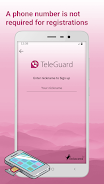
Installation takes only a few minutes. Grant call and SMS access when prompted, then choose initial protection levels from a short setup wizard. Add your trusted contacts and run an initial scan of recent logs to seed the app with context. TeleGuard includes short tooltips that explain each option so configuring custom behavior is straightforward even without prior experience.
Users pick TeleGuard for its balance of powerful filtering and simple recovery options. It reduces interruptions, preserves privacy, and gives clear control over how and when calls or messages are handled. For anyone seeking fewer distractions and better control over phone communication, the app provides practical, user-friendly tools that integrate cleanly into daily routines.
File size: 122.83 M Latest Version: 3.3.2
Requirements: Android Language: English
Votes: 252 Package ID: ch.swisscows.messenger.teleguardapp

Top Events Free Apps for Android
Discover and share the hottest events around with our intuitive apps. Find local concerts, festivals, shows, and more based on your unique interests. Create customizable calendars of upcoming events to coordinate schedules with friends. Purchase tickets seamlessly from our integrated platforms. Check real-time transit schedules to plan your trip. Access maps, directions, and parking information for any venue.






LIVE A HERO
Retro Hero Mr Kim
Empire of Passion
Arcane Quest Legends
Magic Snap: Momotaro
AllStar Manga Heroes
Lunescape
ONE PIECE Thousand Storm JP
Tap Titans 2