
Scan to Download
MediaHub: Video Downloader is a compact, user-friendly Android utility that streamlines saving videos from multiple online sources to local storage. Designed for speed and convenience, it offers batch downloads, format selection, and a built-in media player for previewing files before saving to your device.
MediaHub: Video Downloader focuses on giving users an efficient way to capture streaming media without complicated steps. The app prioritizes reliability and simplicity: a clear download queue, quick link parsing, and support for common video resolutions make it useful for casual users and power users alike.
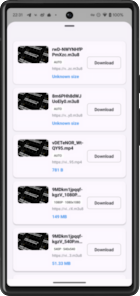
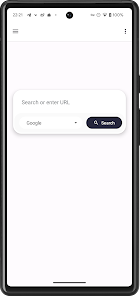
Using MediaHub: Video Downloader is straightforward. Copy a video link from your browser or app, then paste it into the MediaHub interface. The app parses available streams, lists format and resolution options, and lets you start downloads with a single tap. For frequent sources, a share-to option accelerates the workflow so downloads begin directly from the source app.
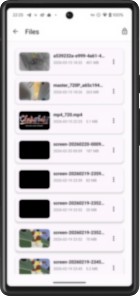
The download manager shows progress, estimated time remaining, and download speed. You can pause and resume individual tasks, reorder items in the queue, or cancel downloads. Completed files appear in an internal library with tags and filters to quickly sort by date, size, or source.
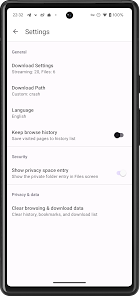
The interface is clean and optimized for mobile use. Key controls are reachable with one hand, and dark-mode support reduces battery use on OLED screens. MediaHub: Video Downloader minimizes background resource consumption and offers settings to restrict downloads to Wi-Fi or specify maximum simultaneous connections.
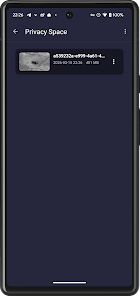
Local storage permissions are required so the app can save files and manage folders. MediaHub keeps downloaded content on-device and does not upload personal media to external servers. Built-in cache options and automatic cleanup help manage space on devices with limited storage.
Beyond basic downloads, the app offers advanced options for users who want more control. You can schedule downloads for off-peak hours, enable cellular data limits, or set a preferred default format. A simple tag editor allows renaming files in bulk and moving them to specific folders for media organization.
MediaHub: Video Downloader is suited to travelers, students, and media curators who need offline access to video content. It’s also helpful for content creators who collect clips for reference or editing. The blend of ease-of-use and configurable options makes it adaptable to different user skills.
Install the app, grant the minimal required permissions, and use the in-app tutorial to set preferences. Start with a single download to get familiar with the format options and library features. If you manage many files, enable automatic tagging to speed up organization.
For anyone wanting a fast, manageable way to save videos to a phone or tablet, MediaHub: Video Downloader balances functionality with a small learning curve. Regular updates and sensible defaults help maintain performance, while the advanced settings provide enough flexibility for power users without overwhelming beginners.
File size: 10.00 M Latest Version: 2026.03.31
Requirements: Android Language: English
Votes: 128 Package ID: com.happiest.vdownloader
Developer: WhaleStar Global

Empower learning and research with our innovative reference apps. Access dictionaries, thesauruses, encyclopedias, and more with our comprehensive databases. Get homework help, study tips, and writing guides from our academic resources. Learn new skills by browsing how-to videos and manuals. Stay up-to-date with latest news, data, and facts curated by our editors.






LIVE A HERO
Retro Hero Mr Kim
Empire of Passion
Arcane Quest Legends
Magic Snap: Momotaro
AllStar Manga Heroes
Lunescape
ONE PIECE Thousand Storm JP
Tap Titans 2










































