
Scan to Download
Vibee is a compact audio-messaging and soundboard app designed to help users create, edit, and share short audio clips for personal and social use. It combines simple recording tools with quick editing, tagging, and sharing features so users can build sound libraries and communicate with personality and ease.
Vibee streamlines the process of capturing short sounds and turning them into reusable content. Whether you're saving voice notes, sampling ambient noises, or assembling short audio clips for social posts, the app focuses on simplicity without burying tools behind complex menus.
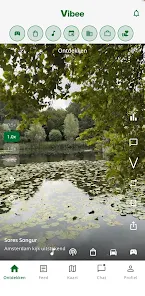
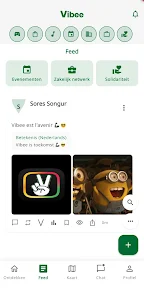
The interface is clean and focused on tasks. Large record and playback buttons reduce mistakes while compact lists and thumbnails speed navigation. Performance is generally responsive; recording and playback work smoothly on most modern devices. File import and export execute quickly, and background saving helps prevent data loss during multitasking.
Vibee is built around short interactions. Open the app, record or import a clip, make quick edits, then tag and share. For creators who publish often, that minimal loop shortens turnaround from idea to post. For professionals, the app functions as a lightweight sound library that can be referenced during editing or live sessions.
Although not a full digital audio workstation, Vibee provides practical customization options. You can rename clips, adjust preview thumbnails, and assign colors to folders for visual sorting. Playback settings allow tempo adjustments and looping behavior so clips can be adapted to different contexts without exporting new files.
Sharing is a key strength. Clips can be sent directly through messaging apps, uploaded to cloud storage, or published to social channels with a single tap. Vibee supports batch export for multiple clips at once, making it easier to hand off a set of sounds to teammates or collaborators.
People who need fast, reliable audio snippets for messaging, short-form content, or live triggers will find Vibee especially useful. Its focus on immediacy and organization reduces friction compared with heavier audio editors, while retaining the key tools required to produce clean, shareable clips.
Installation is straightforward: grant microphone access, create a free profile if desired, and begin recording. The onboarding walkthrough highlights basic trimming and sharing features so new users can be productive within minutes. Settings let you configure default formats, storage locations, and privacy controls.
Vibee balances speed and utility in a compact package. It’s a practical choice for anyone who regularly works with short audio material and wants a friendly, organized environment to capture, edit, and share sound on the go.
File size: 147.00 M Latest Version: 1.0.8
Requirements: Android Language: English
Votes: 162 Package ID: com.kurdvibe.kurdvibe
Developer: Sores Songur





Must Have Tools Apps for Android
Equip yourself with our all-in-one toolbox app for everyday tasks and projects. Instantly convert between units, calculate tips, scan documents, manage files, and more with handy productivity tools. Includes a level, compass, QR code reader, ruler, speedometer, decibel meter, and flashlight. Save frequently used tools to your customizable dashboard for one-tap access. Track billable hours, wages, budgets, and invoices. Annotate screenshots, magnify labels, and sign PDFs on the go.






LIVE A HERO
Retro Hero Mr Kim
Empire of Passion
Arcane Quest Legends
Magic Snap: Momotaro
AllStar Manga Heroes
Lunescape
ONE PIECE Thousand Storm JP
Tap Titans 2