
Scan to Download
KLEMU is a lightweight productivity app designed to simplify task organization and note capture on Android devices. It blends a minimal interface with quick-access tools for lists, reminders, and file attachments, making daily planning fast and unobtrusive while keeping data accessible across devices.
The central idea behind KLEMU is clarity: quick entry, easy categorization, and reliable reminders. Users can create tasks, jot down ideas, attach photos or documents, and pin important items to the top of a list. Built-in timers and repeat scheduling reduce friction for recurring chores while a flexible tagging system groups related notes without rigid folders.
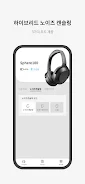
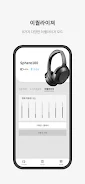
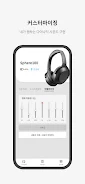
KLEMU presents a clean, distraction-free layout that emphasizes content over controls. The main screen offers a condensed view of active lists and upcoming reminders. Swipe gestures manage completion and deletion, while a persistent quick-add button captures thoughts in a tap. Visual themes and font size options let you tailor readability without cluttering the workspace.
Designed to match common mobile workflows, KLEMU supports multi-step checklists, sub-tasks, and time-based reminders. Use the smart-schedule feature to suggest reminder times based on task type and past behavior. Integration with the native calendar allows seamless syncing of deadlines, and a search bar with filters makes it simple to recover archived notes and attachments.
KLEMU includes cloud synchronization to keep your lists consistent across phones and tablets. Backups run automatically in the background and can be exported for offline storage. The sync engine focuses on minimal bandwidth use, so changes are propagated quickly without heavy data consumption.
Flexible organization tools let users adopt either a list-based or tag-centric approach. Color-coded tags, priority markers, and custom sorting help surface the most relevant tasks. For users who prefer visual cues, KLEMU supports pinned widgets for home screen access and quick glance overviews.
Lightweight performance is a highlight: KLEMU launches rapidly, runs smoothly on mid-range hardware, and handles large note collections without lag. The app is compatible with modern Android versions and adapts its layout to phones and tablets. Battery-efficient background sync and an adaptive refresh rate help conserve power during extended use.
Privacy-conscious users will appreciate KLEMU's local encryption options and clear permissions model. Data transmitted for cloud sync is encrypted in transit, and account options allow selective sync of certain lists. The privacy section in settings explains data handling in plain language and provides tools to export or delete account data.
Power users will find automation-friendly features in KLEMU, such as task templates, keyboard shortcuts for the quick-add workflow, and conditional reminders based on location triggers. An import/export tool supports common file formats and third-party migration to help consolidate information from other productivity apps.
Begin with a simple checklist: create your first list, add a few tasks, and set one reminder to see how the notification system behaves. Explore tags and the smart-schedule suggestions to reduce manual time management work. Short tutorials and a help center are available inside the app for step-by-step demos.
Many users appreciate KLEMU for its balance between simplicity and depth. The app avoids overwhelming menus while offering enough customization to fit varied routines. Its speed, battery-conscious sync, and straightforward privacy controls make it a practical choice for daily planning on Android devices.
File size: 98.35 M Latest Version: 1.2.1
Requirements: Android Language: English
Votes: 403 Package ID: com.klemu
Developer: KH Electron Co., LTD.





Must Have Home Apps for Android
Make your house a home with our suite of helpful home apps. Discover clever tools to organize closets, streamline chores, and simplify cooking. Take the stress out of cleaning and maintenance with handy checklists and schedules. Enhance security and control appliances and lighting with our smart home integrations. Design, visualize, and renovate like a pro using our 3D planning software.






LIVE A HERO
Retro Hero Mr Kim
Empire of Passion
Arcane Quest Legends
Magic Snap: Momotaro
AllStar Manga Heroes
Lunescape
ONE PIECE Thousand Storm JP
Tap Titans 2










































