
Scan to Download
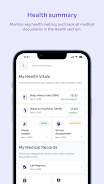
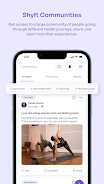
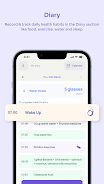
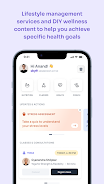
Shyft is a workforce scheduling app designed to simplify shift management for hourly teams. It centralizes schedules, swap requests, and time-off management into a single interface, reducing communication overhead and no-shows. Teams can coordinate changes in real time while managers retain control over staffing and approvals.
Built for retail, hospitality, healthcare and small businesses, Shyft focuses on practical tools that reduce administrative load. The app balances convenience for employees with controls for managers: shift swaps, open shift posting, and push notifications keep everyone aligned without lengthy email threads or spreadsheet juggling.
In practice, Shyft centers around a shared schedule that staff can view on mobile or desktop. A manager creates shifts and sets qualifications or roles. When an employee needs time off, they submit a request which shows potential conflicts before approval. Swap requests go out to eligible teammates and display who is offering and requesting the change. Managers can step in to approve or override, keeping staffing levels stable.
The app keeps the interface deliberately simple. Core screens are the calendar, a messages tab, and a requests queue. Icons and color-coding indicate confirmed, pending, or open shifts. Navigation is straightforward: a bottom bar or sidebar provides quick access to the most used sections. Performance is typically snappy on modern devices, though larger teams will benefit from good network connectivity to sync updates instantly.
Shyft supports basic customization to match workplace policies. Managers can set shift rules, required certifications, and blackout periods. Integration options include calendar sync and CSV exports for payroll systems. While it may not replace full-featured HR suites, the app plugs into common workflows and reduces manual copy-paste between platforms.
Small to midsize teams with dynamic schedules get the most value from Shyft. Businesses with frequent short-notice changes or complex shift requirements—like restaurants or clinics—will appreciate the quick swap workflows and approval tracking. Employees gain scheduling transparency; managers gain fewer phone calls and more predictable coverage.
For teams that want a focused tool to manage shifts and communication, Shyft reduces manual scheduling work and helps keep staff connected. It favors usability over an extensive feature set, making it an effective choice for organizations that need a reliable, easy-to-adopt scheduling solution.
File size: 230.54 M Latest Version: 6.0.3
Requirements: Android Language: English
Votes: 220 Package ID: com.mindhouse
Developer: Blacktail Mindhouse Pvt Ltd

Top Health Free Apps for Android
Take charge of your wellbeing with our innovative health and fitness apps. Monitor your activity, sleep, nutrition and more using our advanced tracking tools. Access personalized insights to develop healthy habits. Check symptoms, manage medications, and connect with doctors through our telehealth services. Follow customized workout plans for any fitness level with our virtual coaching.






LIVE A HERO
Retro Hero Mr Kim
Empire of Passion
Arcane Quest Legends
Magic Snap: Momotaro
AllStar Manga Heroes
Lunescape
ONE PIECE Thousand Storm JP
Tap Titans 2










































