
Category: Communication Date:2026-10-15 18:36:01
Rating: 4.1 Tags: Reference
Scan to Download
Caller Id : Phone Call Blocker is a lightweight Android utility that identifies incoming callers and stops unwanted calls before they reach you. It combines real-time number lookup, a flexible blacklist, and one-tap blocking to reduce interruptions, offering a practical toolbox for anyone tired of spam, robocalls, and unknown numbers.
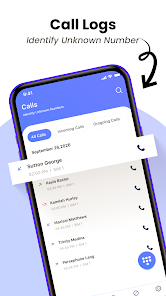
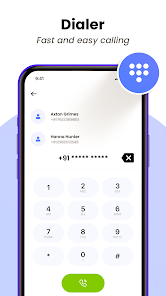
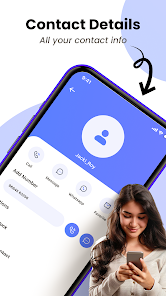
Caller Id : Phone Call Blocker focuses on practical call management rather than a lot of extra bells. The app performs a number lookup when a call arrives, displays any known identity, and gives you immediate options to accept, decline, or block. It integrates with your dialer and contacts so you can keep your regular workflow while adding stronger control over who can ring your phone.
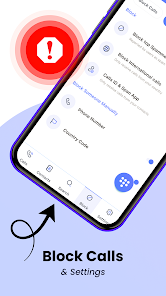
The blocking engine in Caller Id : Phone Call Blocker combines a local blacklist with cloud-assisted identification. When a call comes in, the app checks local rules first for immediate blocking. If no match is found, a fast lookup consults its online directory and returns identity data and a spam score. Administrators can tune sensitivity so legitimate unknown callers aren’t misclassified.
Users can tailor rules to their daily habits. Set quiet hours that silence unknown numbers, allow calls from contacts only, or create VIP lists for important callers. Advanced options include pattern matching for area codes or number fragments and automatic actions for repeated calls within a short period. All settings are accessible via a compact interface that doesn’t overwhelm casual users.
Performance is designed to be lightweight: the app runs background services sparingly to conserve battery and uses small, incremental database updates. The interface balances clarity and speed — large action buttons on the call screen and a clean settings area. Notifications are configurable, so you only see what matters.
Privacy is a common concern for call-management tools. Caller Id : Phone Call Blocker keeps sensitive lookups anonymous and provides an option to disable cloud queries if you prefer local-only identification. The app explains what data is sent for lookups and gives controls for logs and reports so users can decide how much information they share.
Installation is straightforward. Grant the necessary permissions for call access, contacts, and optionally network access for cloud lookups. After a brief setup wizard that walks through blocking preferences and quiet hours, the app starts protecting your phone immediately. The first few days are useful for tuning sensitivity and building a personal blacklist.
For users who want a no-nonsense way to reduce interruptions, Caller Id : Phone Call Blocker offers a pragmatic blend of identification, blocking, and customization. With a focus on efficiency and privacy controls, it is a solid utility for anyone looking to regain control over incoming calls without a steep learning curve.
File size: 38.00 M Latest Version: 1.1
Requirements: Android Language: English
Votes: 317 Package ID: me.callerid.phonecallblock.contactapp
Developer: Greencodelab

Empower learning and research with our innovative reference apps. Access dictionaries, thesauruses, encyclopedias, and more with our comprehensive databases. Get homework help, study tips, and writing guides from our academic resources. Learn new skills by browsing how-to videos and manuals. Stay up-to-date with latest news, data, and facts curated by our editors.






LIVE A HERO
Retro Hero Mr Kim
Empire of Passion
Arcane Quest Legends
Magic Snap: Momotaro
AllStar Manga Heroes
Lunescape
ONE PIECE Thousand Storm JP
Tap Titans 2