Moni Transfer is a streamlined money transfer app designed for fast domestic and international payments. It simplifies moving funds between accounts, tracking transactions, and managing transfer fees with an emphasis on clarity and speed. Ideal for freelancers and small businesses seeking a lightweight payment workflow.
The interface of Moni Transfer favors minimalism: clear icons, a short onboarding flow, and an action-oriented home screen. New users can link bank accounts within minutes and access recent transfers without sifting through multiple menus. The app balances functionality with reduced visual clutter, which helps reduce user friction during payments.
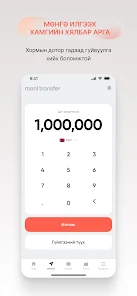
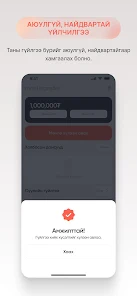
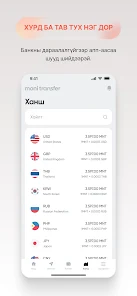
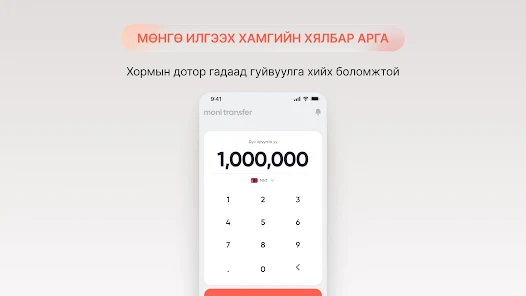
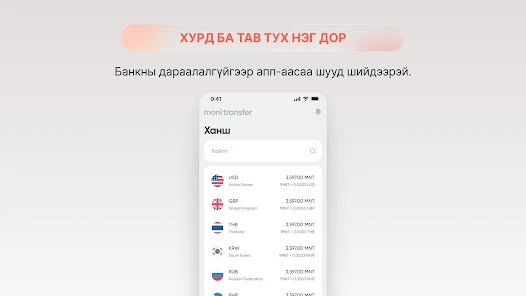
Moni Transfer uses a familiar three-step workflow: select recipient, enter amount, and confirm. Each step surfaces contextual information, such as estimated arrival time and conversion breakdown. For international transfers, the app shows an itemized cost preview that separates conversion margins from processing fees, helping users choose the most economical option.
Small teams will find the built-in bookkeeping aids handy. Moni Transfer tags transactions automatically and allows exporting detailed statements in multiple formats. There are user roles and permission settings for shared accounts, so an owner can restrict who can initiate or approve payments. Integrated notifications keep stakeholders informed without extra manual checks.
Performance is a priority: pages load quickly, and the app remains responsive even when viewing long transaction histories. The color palette and typography prioritize readability during extended use. Animations are subtle and purposeful, used mainly to confirm actions rather than as decorative flourishes.
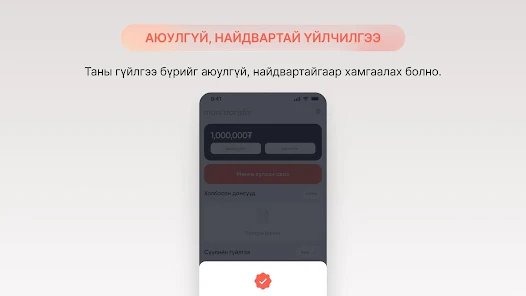
Security features include two-factor authentication, biometric sign-in where supported, and encrypted storage for sensitive data. The app also maintains an auditable log of access and approval events, which simplifies compliance tracking. Users are prompted to verify unusual transfer patterns before processing to reduce fraud risk.
These tactics make routine tasks faster and reduce the likelihood of costly mistakes.
Customer support is accessible through in-app chat, email, and an organized help center with step-by-step guides. Response times vary by issue complexity, but most routine queries are resolved within a business day. The help documentation is concise and searchable, which helps users troubleshoot without contacting support.
Many users praise Moni Transfer for its straightforward fee disclosures and predictable transfer timings. Freelancers and small businesses cite the batch transfer and reporting features as the main reasons for adoption. The mix of speed, low overhead, and practical export options makes it a useful tool for managing recurring financial operations.
Download, create an account, and follow the guided setup to link a bank. Complete the verification steps to unlock higher transfer limits. For business accounts, add teammates and configure permissions during setup to immediately start using batch features and role-based approvals.
Moni Transfer positions itself as a pragmatic choice for users who need reliable transfers without unnecessary complexity. It focuses on clarity, security, and time-saving tools that fit a range of payment needs.
File size: 96.00 M Latest Version: 1.0.9
Requirements: Android Language: English
Votes: 329 Package ID: com.omni.monitransfer
Developer: Omni Capital NBFI

Must Have Home Apps for Android
Make your house a home with our suite of helpful home apps. Discover clever tools to organize closets, streamline chores, and simplify cooking. Take the stress out of cleaning and maintenance with handy checklists and schedules. Enhance security and control appliances and lighting with our smart home integrations. Design, visualize, and renovate like a pro using our 3D planning software.






LIVE A HERO
Retro Hero Mr Kim
Empire of Passion
Arcane Quest Legends
Magic Snap: Momotaro
AllStar Manga Heroes
Lunescape
ONE PIECE Thousand Storm JP
Tap Titans 2