
Scan to Download
Grably is a streamlined Android utility designed to help users collect, organize, and act on web content and shopping deals quickly. It combines fast capture, categorized storage, and lightweight sharing into a single app that reduces friction when saving items, tracking prices, and returning to favorites across devices.
Designed for users who browse constantly and want to keep the signal without the clutter, Grably focuses on capturing snippets, product pages, and links with minimal steps. The app stores each capture in a searchable library, applies automatic tags when possible, and offers simple export and sharing options. It’s built to fit into everyday workflows rather than replace them.
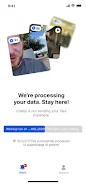
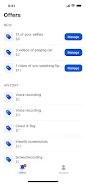
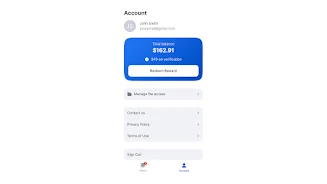
The app uses a clean, modular layout with a prominent search bar and swipe gestures for quick triage. Cards representing saved items show a preview, key metadata, and action buttons for pinning, sharing, or moving to a collection. The interface minimizes nested menus so the most common actions are always one swipe or tap away.
Grably plays well with other apps. It integrates with popular browsers through the Android share sheet and can forward captured items to note-taking or task apps. For shoppers, the app can highlight price history and coupon suggestions so you can decide immediately whether to buy, save, or pass.
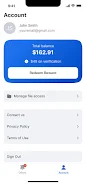
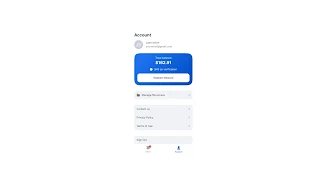
Users can create named collections, choose default save actions, and enable push notifications for price changes or collection activity. Themes and compact density settings let you optimize the view for larger screens or one-handed use. Account settings control sync frequency and data retention to balance convenience with storage costs.
Lightweight by design, Grably prioritizes local responsiveness while using background sync to keep everything current. The app avoids heavy indexing on the device; most compute work is offloaded to secure cloud services so browsing and capture remain snappy even on mid-range phones. Battery-friendly sync intervals and manual sync options are available for users who prefer tighter control.
People choose Grably because it shortens the path from discovery to action. Instead of losing links in crowded tabs or scattered notes, users keep a tidy, searchable archive that helps them make decisions faster. The combination of minimal capture overhead, reliable sync, and useful organization tools is what makes it appealing to both casual shoppers and information workers.
Installation is straightforward: download from the store, sign in or continue as a local user, and add the share target to your browser. The first-run tutorial walks through capture, creating a collection, and enabling a price alert. Experiment with default settings and adjust sync frequency based on your usage.
With its focus on speed and practical organization, Grably fits into daily routines without demanding heavy maintenance. Whether you’re saving recipes, tracking deals, or collecting research, it provides a lightweight, dependable place to keep things that matter.
File size: 65.01 M Latest Version: 1.0.3
Requirements: Android Language: English
Votes: 225 Package ID: us.grably.app
Developer: Grably




Must Have Home Apps for Android
Make your house a home with our suite of helpful home apps. Discover clever tools to organize closets, streamline chores, and simplify cooking. Take the stress out of cleaning and maintenance with handy checklists and schedules. Enhance security and control appliances and lighting with our smart home integrations. Design, visualize, and renovate like a pro using our 3D planning software.






LIVE A HERO
Retro Hero Mr Kim
Empire of Passion
Arcane Quest Legends
Magic Snap: Momotaro
AllStar Manga Heroes
Lunescape
ONE PIECE Thousand Storm JP
Tap Titans 2










































