
Scan to Download
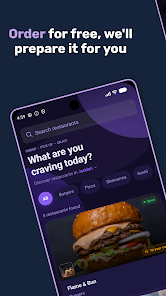
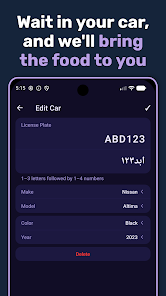
Dashpik - Food Pickup streamlines restaurant order pickup for customers and staff, offering fast scheduling, clear pickup instructions, and real-time status updates. The app centralizes orders, reduces wait times, and provides contactless collection options to make grabbing meals quicker and more convenient for everyone.
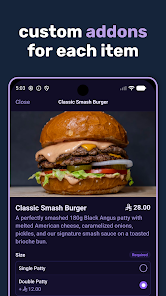
Built to reduce friction between dining and departure, Dashpik - Food Pickup focuses on critical capabilities that restaurants and diners appreciate. Key features include order queuing with estimated readiness times, an intuitive pickup checklist, and automated notifications so customers know exactly when to arrive. The system supports multi-order handling and priority flags for special requests or allergies.
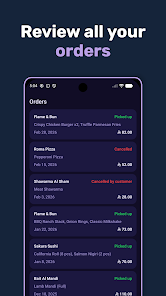
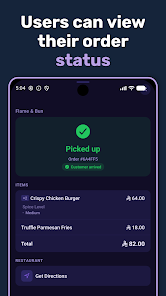
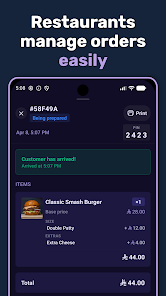
Dashpik organizes the pickup journey into clear steps. After placing an order, the customer receives a confirmation and an estimated preparation window. Kitchen staff update an order’s status as it moves toward completion, triggering a live status change for the customer. When the order is ready, a notification prompts the customer to collect, and staff can mark the order as picked up to close the loop.
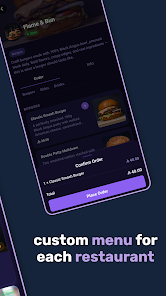
The interface is designed for speed and clarity. For customers, the main screen displays active orders, ETA markers, and simple actions like call, message, or directions. For staff, a compact dashboard organizes incoming pickups by time slot and cooking station, with quick access to modify items or reassign orders. Controls are intended to minimize taps and avoid miscommunication during busy service periods.
Dashpik connects to common point-of-sale systems and kitchen display units to ensure order details remain consistent across devices. It supports Android devices across a wide range of screen sizes and works well on tablets used in fast-casual counters. API endpoints enable third-party tools and loyalty programs to exchange data, so businesses can add Dashpik into an existing tech stack without major changes.
Reliable performance is essential when customers expect their food quickly. The app uses lightweight data exchanges to update order states in real time while keeping battery and bandwidth use low. Offline caching helps staff view orders if connectivity dips briefly, and retry logic reduces the chance of lost updates. These measures are aimed at steady operation during peak hours.
Customer and order data are handled with straightforward safeguards. Sensitive payment information is not stored in the pickup module; instead, the app references secure tokens managed by integrated payment processors. Access controls limit which staff members can change order statuses, and audit logs provide a record of key actions to help resolve disputes or errors.
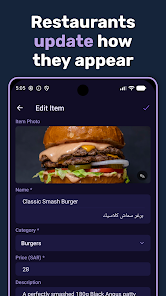
Operators can tailor the pickup experience to match their workflow. Custom pickup windows, preparation buffers, and batching rules allow teams to smooth kitchen load. Messaging templates make it easy to send ETA updates or pickup reminders with minimal typing. Dashboards provide simple analytics on average wait time, peak pickup periods, and no-show rates to support data-driven adjustments.
Setting up Dashpik - Food Pickup begins with a quick onboarding flow that guides managers through menu mapping, staff roles, and notification preferences. Recommended steps include setting realistic preparation windows, testing notifications on multiple devices, and training staff on the status update process. A short pilot period during off-peak hours helps refine timing and signage.
For restaurants aiming to tighten pickup operations and reduce customer wait time, Dashpik - Food Pickup offers a practical toolkit. It brings order visibility, dependable notifications, and simple integrations together to make the pickup experience faster and more predictable for both staff and guests.
File size: 44.00 M Latest Version: 1.3.2
Requirements: Android Language: English
Votes: 485 Package ID: com.dashpik.app
Developer: Eyad Al
Best Free Food Apps for Your Android Phone
Discover the joy of cooking with our revolutionary food apps. Find and save recipes for every taste and diet with our intuitive recipe managers. Meal plan for the week ahead using our meal calendar planners. Streamline grocery shopping with synced shopping lists. Develop skills in the kitchen through step-by-step video tutorials. Enhance flavor with our database of spices and aromatics. Learn fun food facts and wine pairings.






LIVE A HERO
Retro Hero Mr Kim
Empire of Passion
Arcane Quest Legends
Magic Snap: Momotaro
AllStar Manga Heroes
Lunescape
ONE PIECE Thousand Storm JP
Tap Titans 2










































