
Scan to Download
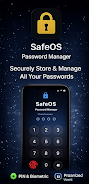
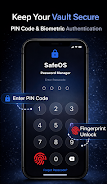
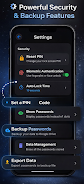
SafeOS is an Android utility designed to simplify device security and privacy management. It centralizes system protection, app permissions, and secure backup in one interface, letting users monitor threats, schedule scans, and control data access without diving into complex settings or multiple apps.
At its core, SafeOS acts as a compact security dashboard for Android smartphones and tablets. It brings together malware scanning, permission auditing, and encrypted backups into a single workflow so users can understand and act on potential risks quickly. The app focuses on making defensive actions accessible rather than overwhelming the user with jargon.
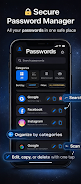
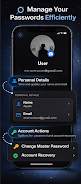
SafeOS presents a clean, minimalist interface with clear status indicators and color-coded risk levels. The main screen summarizes protection status, recent alerts, and quick actions. Each tool opens into a focused panel: the Permission Auditor lists apps and rights, the backup module guides the user through encryption options, and the scanner reports findings with recommended next steps.
Installation is straightforward: grant the necessary accessibility and storage permissions to enable monitoring and backups. The first run prompts a guided tour that explains key controls and recommended settings. New users are encouraged to run an initial scan and review high-risk permissions; both tasks usually take only a few minutes.
Most power comes from SafeOS’ customization. Users can set scanning schedules, change sensitivity levels for heuristics, and whitelist trusted apps. Backup settings allow selection of encryption strength and retention policies. Notifications are configurable, so alerts for low-priority events can be muted while critical warnings still appear.
Designed for everyday devices, SafeOS reduces background load through incremental scanning and deferred tasks when the device is idle or charging. Memory footprint remains modest, and developers provide clear indicators when a scheduled task is about to run. This balance helps keep responsiveness high even on mid-range phones.
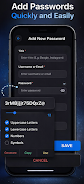
SafeOS suits a variety of users: commuters who need secure backups, professionals protecting sensitive communications, and parents monitoring app permissions for family devices. The sandbox feature is useful when running unfamiliar apps or testing downloads from less-known sources. Regularly scheduled backups also ease migration between devices.
Beyond detection, SafeOS emphasizes transparency. Each alert links to an explanation of why a behavior is suspicious, and the app logs changes to permissions and backups so users can audit past actions. This audit trail helps build confidence and supports troubleshooting when necessary.
SafeOS combines approachable design with practical security controls, making it a solid option for users who want tangible protection without steep learning curves. It integrates well with daily use and offers adjustable depth for those who prefer more granular control. For people seeking an all-in-one security and privacy companion on Android, it provides a balanced feature set and sensible defaults.
File size: 22.35 M Latest Version: 1.7.4
Requirements: Android Language: English
Votes: 307 Package ID: com.safeos.passwordmanager
Developer: DevAyush

Top Events Free Apps for Android
Discover and share the hottest events around with our intuitive apps. Find local concerts, festivals, shows, and more based on your unique interests. Create customizable calendars of upcoming events to coordinate schedules with friends. Purchase tickets seamlessly from our integrated platforms. Check real-time transit schedules to plan your trip. Access maps, directions, and parking information for any venue.






LIVE A HERO
Retro Hero Mr Kim
Empire of Passion
Arcane Quest Legends
Magic Snap: Momotaro
AllStar Manga Heroes
Lunescape
ONE PIECE Thousand Storm JP
Tap Titans 2










































