Scan to Download
EV Charge Map: Station Finder is a focused utility for electric vehicle drivers that locates nearby charging stations, shows live status where available, and helps plan efficient routes to reduce range uncertainty. Designed for everyday commutes and longer trips alike, the app combines a clear interactive map, robust search and filtering, and practical tools for saving routes, marking favorites, and estimating charge time so drivers can make timely decisions without distraction.
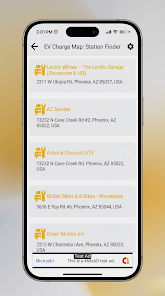
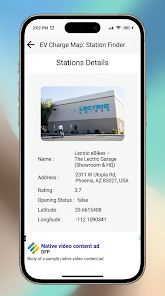
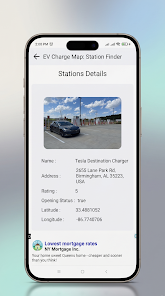
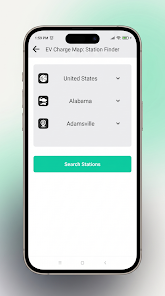
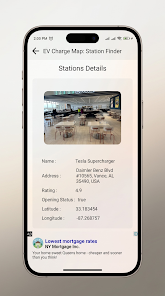
The main view centers on an interactive map with familiar gestures: pinch to zoom, drag to pan, and tap a pin to reveal a concise station card. Station cards display connector types, maximum power, payment options, operator details, and brief user notes or photos where contributors have added context. The search field accepts addresses and points of interest and offers predictive suggestions as you type. Filter controls on the main screen let you narrow results by connector, charging speed, network operator, and accessibility features; filters can be saved as defaults so your preferred results appear immediately. Long press or a single tap marks favorites and a streamlined route editor lets you insert charging stops into an active navigation route without leaving the map, making mid-trip adjustments fast and intuitive.
When you create an account and sync a vehicle profile, EV Charge Map: Station Finder adapts route planning to your vehicle's typical range and your preferred charging speeds. Over time the app learns from saved routes, recent stops, and favorites to present suggestions that better match your driving patterns. This progression-like personalization does not lock features behind paywalls; instead it prioritizes likely stops and suggests charging windows during longer journeys to minimize detours. Reservation options and scheduled reminders are available from account settings as optional conveniences for repeat trips.
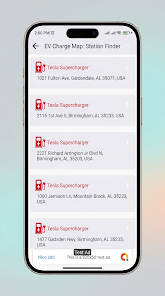
The visual design emphasizes legibility with distinct icons for fast chargers, destination chargers, and lower-power units, plus numerical badges to indicate power output at a glance. Map layers include standard and satellite imagery and a simplified ranked list view when you prefer a sorted selection over spatial browsing. Color choices and contrast were selected to remain readable in varied lighting conditions while minimizing distraction. The UI scales cleanly across phone sizes and automotive displays, and region-based level structure (local, corridor, long-distance) helps the app present appropriate stations for different trip profiles.
Controls are intentionally lightweight: straightforward search, filter presets, and a single-tap favorite system reduce friction. Customization extends to saved filter sets, preferred connector types, notification preferences, and how charge time is estimated (for example, target state-of-charge versus minutes). Replay value comes from the app getting more useful the more you use it—saved routes, recurring journey templates, and history-based suggestions make planning familiar trips faster and more reliable. Photos and brief user comments add situational context that often prevents unnecessary detours.
Accessibility options include scalable text sizes, simple iconography, and high-contrast themes to support drivers with visual needs. Offline mode caches map tiles and station metadata for chosen regions so you can continue searching and planning when cellular coverage drops; cached pages retain connector details, payment notes, and images available at the time of caching and synchronize updates back to your account when connectivity returns. Background GPS and map rendering are tuned to balance responsiveness with battery conservation, and you can reduce location polling in settings for longer trips.
Beyond locating chargers, the app offers practical features such as a favorites list, calendar integration for scheduling charging around appointments, and push notifications for reservation changes or sudden station outages. The planning tools include simple challenge-style prompts—like suggesting an optimized set of stops to minimize total charge time or avoid low-power corridors—which help drivers confront route complexity without adding cognitive load. The app merges live operator feeds when available with community reports to deliver an up-to-date picture of station availability and reliability.
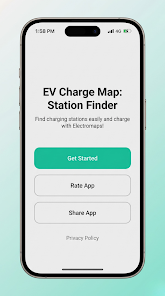
Installation is quick: install, grant location permission for nearby search, and optionally create an account to sync favorites and route history across devices. New users can immediately find nearby chargers and add stops to a route, while signing in unlocks personalized routing and reservation features. EV Charge Map: Station Finder delivers ongoing value by reducing uncertainty, saving time on the road, and improving recommendations as you use it, making public charging more predictable for daily commutes and longer journeys.
File size: 27.00 M Latest Version: 1.0
Requirements: Android Language: English
Votes: 400 Package ID: com.appserras.evchargingmap
Developer: VisionsDevs

Top Events Free Apps for Android
Discover and share the hottest events around with our intuitive apps. Find local concerts, festivals, shows, and more based on your unique interests. Create customizable calendars of upcoming events to coordinate schedules with friends. Purchase tickets seamlessly from our integrated platforms. Check real-time transit schedules to plan your trip. Access maps, directions, and parking information for any venue.






LIVE A HERO
Retro Hero Mr Kim
Empire of Passion
Arcane Quest Legends
Magic Snap: Momotaro
AllStar Manga Heroes
Lunescape
ONE PIECE Thousand Storm JP
Tap Titans 2