Offline Maps is a compact navigation app that provides downloadable maps, turn-by-turn directions, and search tools without requiring an internet connection. Designed for travelers, commuters, and field workers, Offline Maps helps you plan routes, save data, and access location details reliably when cellular service is limited.
At its heart, Offline Maps focuses on giving you reliable map access when you're disconnected. The app offers vector-based maps that stay sharp at different zoom levels, offline search for streets and points of interest, and voice-guided navigation for driving, walking, and cycling. It also supports route planning with waypoints and estimated travel times.
The app stores map tiles and routing data locally. When you select an area to download, Offline Maps compresses the map content and routing graphs to minimize storage while keeping search indexes available. During navigation the app calculates routes on-device, so you don’t depend on external servers for basic guidance. Periodic updates allow you to refresh map data when you have Wi-Fi.
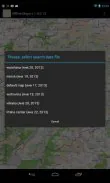
Managing space is straightforward. You can view downloaded packs, check their sizes, and remove or update them individually. Offline Maps shows estimated storage needs before a download and suggests smaller region packs if your device has limited free space. For users with SD cards, the app can store map data externally to free internal memory.
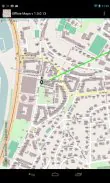
The interface emphasizes clarity: an uncluttered map view, easy access to downloads, and a search bar that works online or offline. Directions appear as a list and on the map with clear turn markers. Settings let you customize units, voice guidance language, and map rendering style (standard, terrain, or satellite overlays where available).
Offline Maps integrates with basic navigation intents from other apps so you can open a saved location from a message or calendar event. It supports importing and exporting GPX/KML files for route sharing between devices and with desktop mapping tools. For users who need live updates, the app can blend online features like traffic or live transit when connected, then switch back to offline mode seamlessly.
Designed for Android devices across a wide range of hardware, Offline Maps is optimized to run on mid-range phones without draining battery excessively. Vector tiles keep downloads small and rendering efficient, while background processes for routing are lightweight. The app also includes battery-saving options that reduce GPS polling frequency when high accuracy is not required.
Privacy is a key consideration. Most core features run locally, meaning location queries and routing calculations do not need to leave your device. When connected, the app only transmits minimal telemetry if you opt in, and there are clear options to disable analytics, personalized suggestions, and cloud backups of bookmarks.
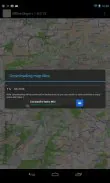
Getting started is quick: install the app, pick a region you’ll visit, and download the map pack. Offline Maps displays progress and required space, then you're ready to navigate without a cellular connection. Whether you’re exploring remote areas or trying to conserve data on a daily commute, Offline Maps delivers dependable navigation and practical controls for offline travel.
File size: 6.20 M Latest Version: 1.0.0.25
Requirements: Android Language: English
Votes: 384 Package ID: com.beholder.offlinemaps
Developer: Ivash



Top Free Business Necessary Apps for Android
Streamline operations and maximize productivity with our innovative business apps. Manage contacts, schedule meetings, and route calls seamlessly. Collaborate on documents and projects in real-time. Track inventory, finances, and analytics to inform smart decisions. Build customized proposals, invoices, and contracts to win clients. Stay on top of emails, tasks, and passwords for efficient work.






LIVE A HERO
Retro Hero Mr Kim
Empire of Passion
Arcane Quest Legends
Magic Snap: Momotaro
AllStar Manga Heroes
Lunescape
ONE PIECE Thousand Storm JP
Tap Titans 2