
Scan to Download
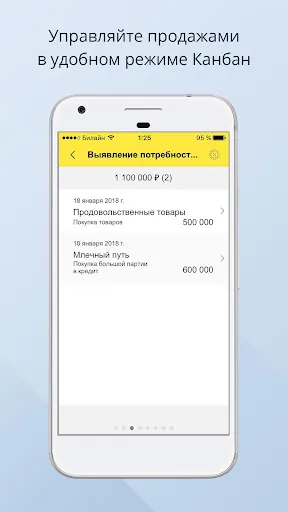
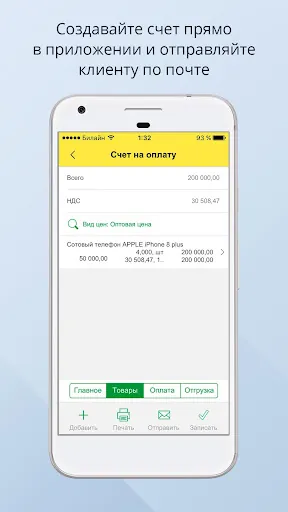
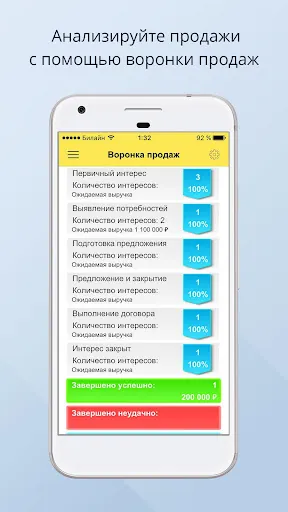
iCRM лиды, задачи, продажи is a compact CRM app designed to centralize leads, manage tasks and track sales pipelines on mobile. It streamlines contact follow-ups, schedules activities and visualizes deals, offering tools for teams and freelancers who need quick access to customer history and sales performance.
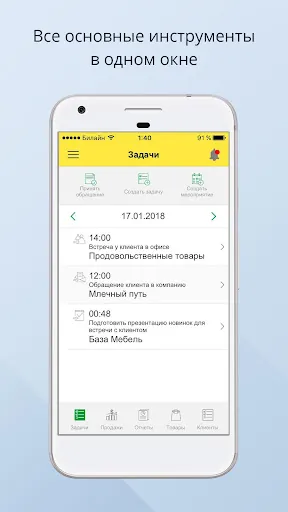
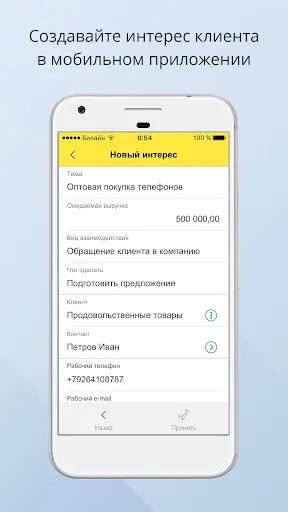
At its core, iCRM лиды, задачи, продажи turns scattered customer data into an organized workflow. Users can import leads, assign tasks, and move opportunities through configurable stages. The app emphasizes speed: create a contact, add notes, schedule a callback, and see that event linked to the relevant deal in seconds.
The interface favors clarity over clutter. Lists and cards display essential information without overwhelming the screen. Performance is tuned for mobile usage: screens load fast, and background sync keeps local data aligned with the server. Navigation uses a simple bottom menu and contextual action buttons for common operations like calling a lead or adding a note.
Integration options focus on common productivity tools: calendar sync, basic email linking and CSV export/import. Data handling includes activity logs and exportable reports, enabling managers to analyze conversion rates and follow-up cadence. Security measures follow typical app-level safeguards, with password protection and optional account-based controls for teams.
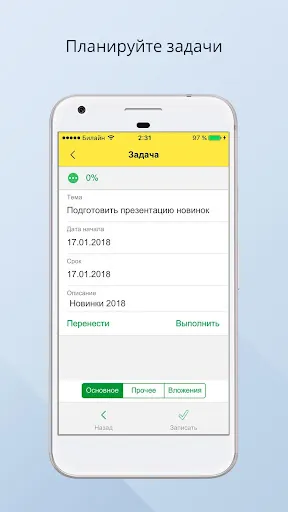
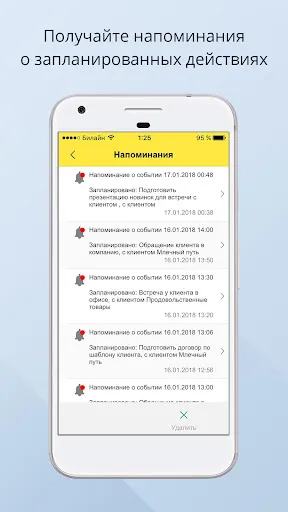
A typical workflow in iCRM лиды, задачи, продажи starts with a new lead entry. Assign a responsible agent, set an initial task (e.g., call within 24 hours), and move the lead through pipeline stages based on responses. As tasks complete, the system updates the deal record and flags opportunities needing attention. The result is a repeatable process that reduces missed follow-ups.
While not a heavyweight enterprise suite, the app provides enough customization to match basic sales processes: rename pipeline stages, set default task priorities and choose notification preferences. These settings help teams keep consistent procedures without a steep learning curve.
These small habits make iCRM лиды, задачи, продажи a more effective tool for steady revenue growth and reliable customer follow-up.
Small teams, solo salespeople and service providers will find the app especially useful. It removes friction from routine sales activities and keeps customer interactions traceable. For organizations that need advanced automation or deep third-party integrations, this app serves well as a lightweight mobile-first CRM that complements desktop platforms.
Installation is straightforward: download the app, sign up with an email, and import leads if available. Spend a short session customizing pipeline stages and notification settings. Within a few hours you can be logging calls and tracking conversion progress. Regularly export reports to keep backups and to analyze trends outside the app.
iCRM лиды, задачи, продажи provides a practical balance between simplicity and essential CRM features. With a focus on leads, tasks and sales visibility, it helps professionals maintain consistent follow-up routines and clearer sales forecasting without extensive setup or training.
File size: 73.70 M Latest Version: 3.0.46
Requirements: Android Language: English
Votes: 88 Package ID: com.rarus.icrm
Developer: 1C-Rarus Ltd.

Empower learning and research with our innovative reference apps. Access dictionaries, thesauruses, encyclopedias, and more with our comprehensive databases. Get homework help, study tips, and writing guides from our academic resources. Learn new skills by browsing how-to videos and manuals. Stay up-to-date with latest news, data, and facts curated by our editors.






LIVE A HERO
Retro Hero Mr Kim
Empire of Passion
Arcane Quest Legends
Magic Snap: Momotaro
AllStar Manga Heroes
Lunescape
ONE PIECE Thousand Storm JP
Tap Titans 2










































