360 Dash Cam is a mobile dash camera solution that records high-resolution video, manages files, and triggers incident detection automatically. Designed for everyday drivers and rideshare professionals, it combines straightforward controls, cloud backup options, and efficient storage management to keep footage organized and accessible when you need it most.
This app turns an Android device into a capable dash camera with continuous loop recording, event tagging, and optional cloud synchronization. It prioritizes reliable capture and easy playback, letting users review trips, save important clips, and export evidence-ready video without a complicated setup. The experience emphasizes usability over feature bloat.
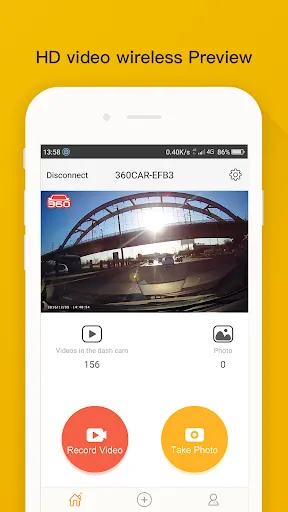
The interface favors large buttons and clear labels so drivers can operate the app safely when stopped. Real-time preview, status indicators for recording and storage, and quick-access buttons for saving or sharing clips reduce friction. Performance is smooth on mid- to high-end devices; the app manages CPU and battery use to balance continuous recording with device longevity.
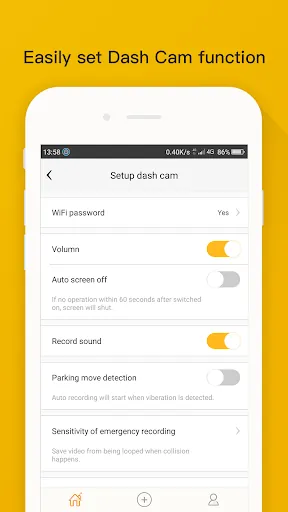
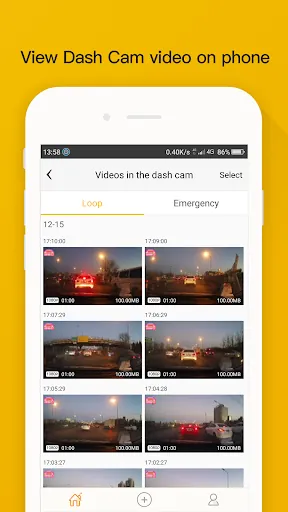
Files are typically saved in short segments to reduce corruption risk and improve playback. Users can set recording quality and segment length to match storage constraints. The app provides an internal browser for browsing clips by date, location, or event type, and exporting is as simple as choosing a clip and selecting a share destination.
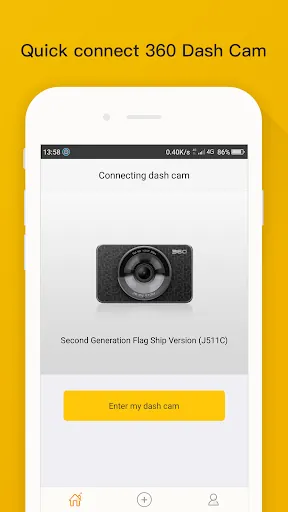
Setting up 360 Dash Cam is straightforward: mount your phone securely, grant camera and storage permissions, enable GPS if you need telemetry, and adjust recording quality. For best results, plug into a constant power source and configure auto-start so recordings begin as soon as the vehicle moves. Regularly check storage thresholds to avoid surprises.
The app supports on-device playback and quick sharing through social or messaging apps. It can export videos in common formats compatible with desktop players and editing tools. For those who require official records, the combination of GPS overlay and time-stamped video offers an efficient way to present evidence in insurance or fleet management scenarios.
Privacy controls let users limit cloud access or disable uploads entirely. Local encryption and password-protected archives are recommended when storing sensitive footage. If multiple drivers use the same device, set clear rules about data retention and sharing to avoid unintended exposures.
Drivers appreciate 360 Dash Cam for its balance of essential dash-cam capabilities and ease of use. It’s suited to commuters, delivery drivers, and rideshare operators who need dependable recording without distracting setup. Frequent updates and responsive support improve stability and introduce useful tweaks over time.
Whether you want a simple way to document trips or a more feature-rich system with cloud options and telemetry, the app covers core needs while remaining approachable for nontechnical users.
File size: 78.60 M Latest Version: 4.9.9.0
Requirements: Android Language: English
Votes: 358 Package ID: com.qihoo.dr
Developer: 奇虎360

Top Events Free Apps for Android
Discover and share the hottest events around with our intuitive apps. Find local concerts, festivals, shows, and more based on your unique interests. Create customizable calendars of upcoming events to coordinate schedules with friends. Purchase tickets seamlessly from our integrated platforms. Check real-time transit schedules to plan your trip. Access maps, directions, and parking information for any venue.






LIVE A HERO
Retro Hero Mr Kim
Empire of Passion
Arcane Quest Legends
Magic Snap: Momotaro
AllStar Manga Heroes
Lunescape
ONE PIECE Thousand Storm JP
Tap Titans 2