Scan to Download
Beat Jam - Music Maker Pad brings a portable studio to your phone, letting you sketch beats, layer samples and arrange full tracks wherever inspiration strikes. Designed for quick idea capture and deeper sketching sessions alike, Beat Jam - Music Maker Pad blends approachable controls with a high-quality audio engine so beginners can experiment and experienced producers can shape polished loops and short tracks on the go.
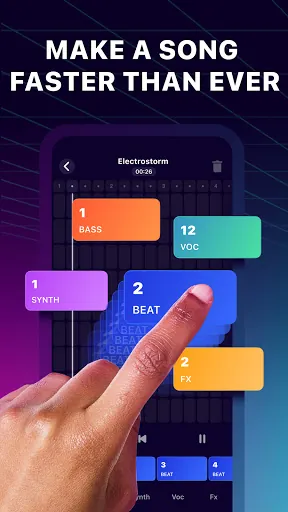
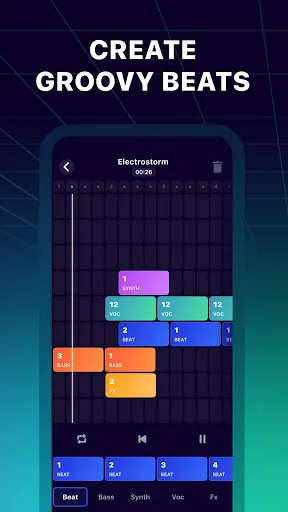
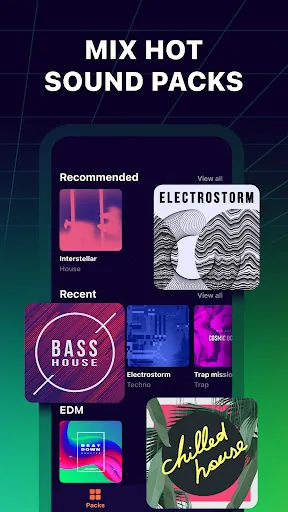
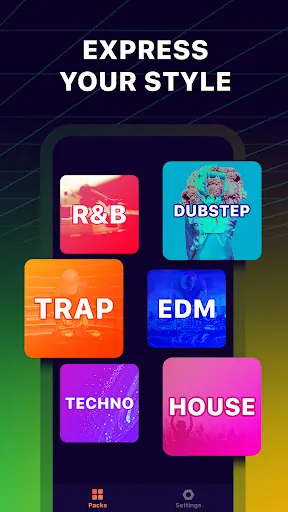
The app includes trend-driven sound packs that span hip-hop, dubstep, techno, beatbox and ambient pads, all arranged into ready-to-use loops and stems. Its audio engine emphasizes clear transient response and consistent levels, helping percussive elements cut through while atmospheric layers remain smooth. A compact mixer lets you balance levels, apply basic low-latency effects and route loops into an arrangement timeline for building longer pieces. The built-in sample browser supports quick slicing and drag-to-arrange workflows, and template projects help you start a beat in seconds.
Interaction is touch-first: trigger pads with single taps, use multi-touch to play overlapping loops, and drag to adjust volume and panning directly on channel strips. Tempo and swing controls are available for rhythmic feel, and a simple arrangement view lets you chain scenes or loops to compose longer sections. Sample editing tools provide trimming, loop points and one-touch reverse or pitch-shift adjustments so you can reshape sounds without leaving the app. The interface is streamlined to reduce friction between idea and result, with undo, redo and a clear project list to manage sessions.
Rather than linear levels, progression in Beat Jam - Music Maker Pad comes from expanding your toolkit and refining technique. The app ships with a core collection of packs and presets, and you can build a personal library of favorite loops and saved pad presets. Customization includes remapping pads, assigning per-pad effects, saving mixer snapshots and creating project templates for different workflows. As you explore the packs and experiment with arrangement ideas you naturally gain new creative options that increase replay value and help you develop a personal sound.
Visual feedback is intentionally clear: pads are color-coded by type, waveform previews show loop content, and meters provide real-time level information to help you balance mixes at a glance. Accessibility options include adjustable pad sizes and a simplified mode that reduces interface complexity for newcomers. The contrast and font sizes are tuned for readability on a range of screen sizes, and controls are laid out to work well with one-handed operation on phones while scaling up smoothly on larger devices.
Beat Jam - Music Maker Pad is designed to be effective offline with its built-in sample library and local project saving, so you can work without a persistent network connection. Recording and export options let you capture sessions and share short clips to social platforms or send project files for backup. The app keeps sharing tools straightforward, focusing on creating stems or mixdown clips that are easy to publish or hand off to collaborators for further work.
To keep practice engaging, the app includes timed beat prompts and creative exercises that nudge you to build within constraints, like making a four-bar loop using only percussion or remixing a preset with a new tempo. These guided tasks are optional but useful for developing speed and musical decision-making. Replay value is also supported by remix-friendly templates, randomize functions for pad assignments and an ever-present opportunity to refine projects into new variations.
Beat Jam - Music Maker Pad is not intended to replace a full desktop digital audio workstation; advanced multitrack mixing, deep plugin hosting and certain studio-grade editing tools remain the domain of desktop DAWs. New users will encounter a modest learning curve when moving from tapping pads to constructing arranged tracks, and very old or low-memory devices may experience performance limits when many layers and effects are active. For mobile-first composition, quick sketches and social-ready clips, however, this app offers a balanced, practical toolkit that lets creators of varied skill levels make and share beats efficiently.
File size: 151.80 M Latest Version: 1.9.0
Requirements: Android Language: English
Votes: 192 Package ID: beat.maker.studio.make.your.own.music.song.creator
Developer: Gismart

Must Have Tools Apps for Android
Equip yourself with our all-in-one toolbox app for everyday tasks and projects. Instantly convert between units, calculate tips, scan documents, manage files, and more with handy productivity tools. Includes a level, compass, QR code reader, ruler, speedometer, decibel meter, and flashlight. Save frequently used tools to your customizable dashboard for one-tap access. Track billable hours, wages, budgets, and invoices. Annotate screenshots, magnify labels, and sign PDFs on the go.






LIVE A HERO
Retro Hero Mr Kim
Empire of Passion
Arcane Quest Legends
Magic Snap: Momotaro
AllStar Manga Heroes
Lunescape
ONE PIECE Thousand Storm JP
Tap Titans 2