Category: Productivity Date:2026-04-16 10:24:01
Rating: 4.5 Tags: Communication
Scan to Download
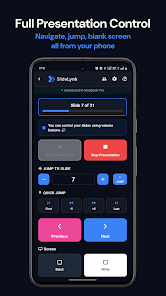
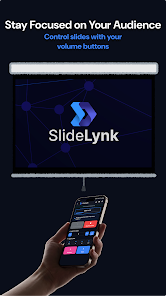
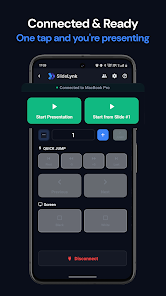
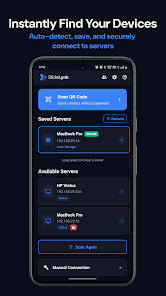
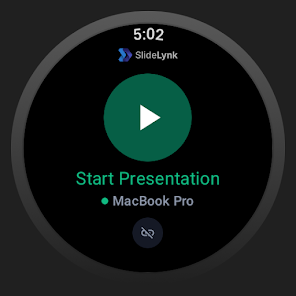
SlideLynk: Presentation Remote turns your phone — and compatible Wear OS smartwatches — into a wireless presenter that controls PowerPoint and Keynote over your local WiFi. It removes the need for dongles, Bluetooth pairing or line-of-sight so you can walk the room while advancing slides, starting or stopping a presentation, blanking the screen for emphasis, or jumping to a specific slide instantly. Teachers, students and business presenters will appreciate quick connection options (QR, auto-discovery, manual IP or mobile hotspot) and a focused, easy-to-use interface that keeps audience attention on your content.
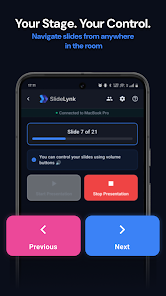
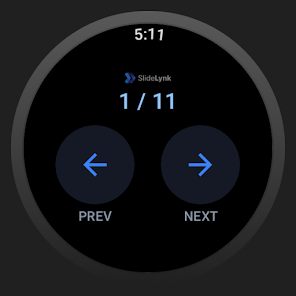
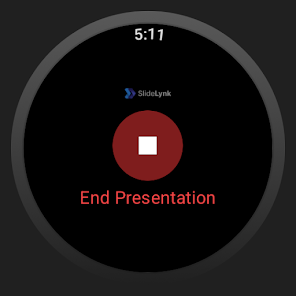
⭐ Control slides remotely from your phone or Wear OS smartwatch with next/previous buttons, start/stop commands and a live slide counter.
⭐ Jump instantly to any slide number, blank or white the screen for audience focus and track progress with a slide progress bar.
⭐ Multiple connection methods: one-tap QR pairing, auto-discovery on the network, manual IP for restricted environments and mobile hotspot support.
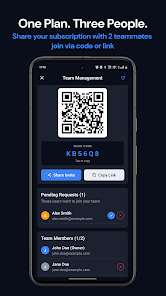
⭐ Saved servers, password sync and optional team sharing make it easy to manage multiple presentation hosts.
⭐ SlideLynk: Presentation Remote includes a free desktop app for Windows, macOS and Linux so you can present from any major platform.
✅ Simple, fast setup lets you connect in seconds and begin presenting without technical hassle.
✅ SlideLynk: Presentation Remote keeps all communication on your local network, ensuring presentation data is not sent to external servers.
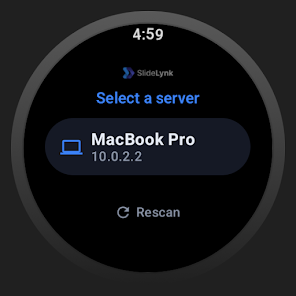
✅ Wear OS smartwatch control provides wrist-based navigation with haptic feedback and real-time slide numbers for hands-free operation.
✅ A clean, distraction-free interface with light and dark themes and screen-awake behavior keeps presentations smooth and professional.
❎ Full functionality requires the companion desktop app to be installed on the presenting computer.
❎ Some advanced features such as jump-to-slide, screen blanking and team sharing require a Pro subscription.
❎ Smartwatch control requires Wear OS 3+ devices, so older watches may not support all watch features.
File size: 50.00 M Latest Version: 1.1.0
Requirements: Android Language: English
Votes: 151 Package ID: com.slidelynk.mobile
Developer: SlideLynk

Must Have Communication Apps for Android
Connect deeper through meaningful conversations with our communication apps. Enjoy crystal-clear calls, video chats, messaging, and file sharing. Find the perfect emojis, GIFs, and stickers to express yourself. Keep the non-stop group banter organized in one place. Block unwanted interactions at the source. Meet new people worldwide through our global community features.






LIVE A HERO
Retro Hero Mr Kim
Empire of Passion
Arcane Quest Legends
Magic Snap: Momotaro
AllStar Manga Heroes
Lunescape
ONE PIECE Thousand Storm JP
Tap Titans 2