
Scan to Download
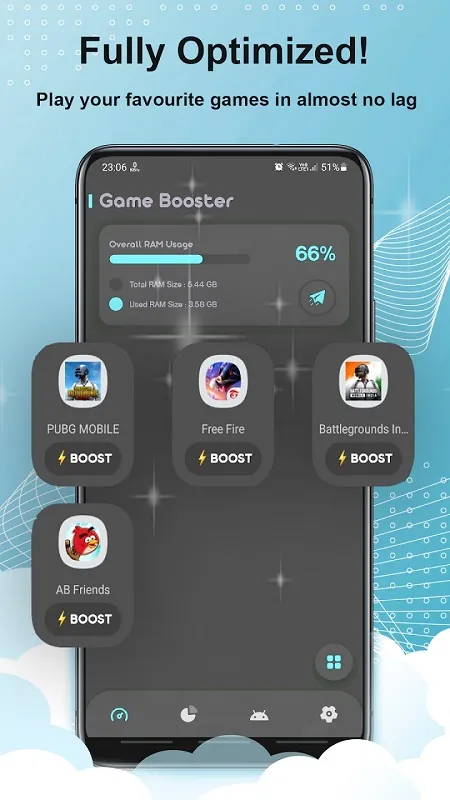
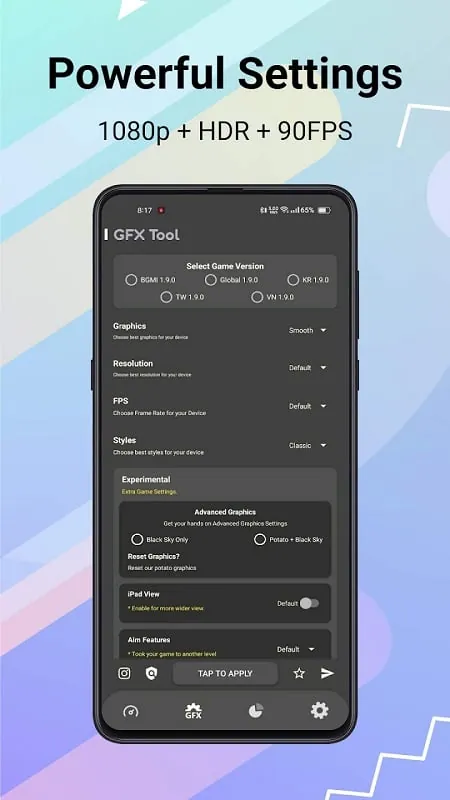
GFX Tool Pro is a powerful app designed for mobile gamers to optimize the performance and graphics of their favorite games, enhancing the overall gaming experience. Whether you're playing a high-end action game or a resource-demanding shooter, GFX Tool Pro allows you to tweak settings such as resolution, frame rate, and graphics quality, ensuring smoother gameplay and better visuals. By offering a wide range of customization options, this app allows users to achieve the perfect balance between high performance and stunning graphics, making it an essential tool for serious mobile gamers looking to get the most out of their devices.
- Resolution Control: Adjust the game’s resolution to optimize performance or enhance visuals, depending on your device’s capabilities.
- Graphics Quality Settings: Customize the graphics quality settings (smooth, balanced, HD) to strike the perfect balance between performance and visual appeal.
- Frame Rate Control: Set the frame rate to a preferred value (60fps, 90fps, etc.) to ensure smoother and more fluid gameplay during intense action scenes.
- Anti-Aliasing Options: Enable or disable anti-aliasing to reduce visual artifacts or improve overall graphics, depending on your performance needs.
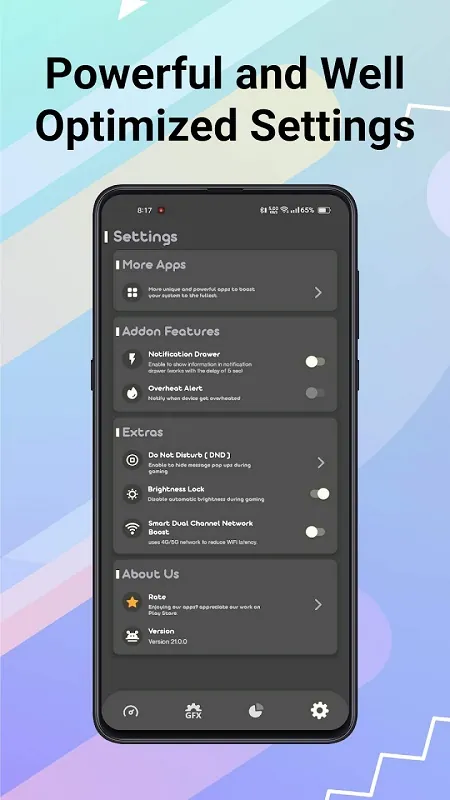
- No Ads and Customization: Enjoy an ad-free experience with extra features and advanced customization options, giving you full control over your gaming setup.
- Test Different Settings: Experiment with different resolution and graphics settings to find the perfect balance of smooth performance and great visuals for your device.
- Boost FPS for Competitive Edge: Set your frame rate to the highest setting your device can handle to get a competitive advantage in fast-paced games, ensuring no lag during crucial moments.
- Use Low Graphics for Performance: If you notice lag or stuttering, try lowering the graphics quality for better frame rates and smoother gameplay.
- Disable Anti-Aliasing: For devices with lower specs, turning off anti-aliasing can significantly improve game performance without sacrificing too much in visual quality.
- Monitor Device Temperature: GFX Tool Pro provides options to adjust settings, but be mindful of your device's temperature. Excessive heat can lead to throttling, so keep an eye on performance while playing.
GFX Tool Pro is an indispensable app for mobile gamers who want to take full control over their gaming experience, whether for smoother performance or stunning graphics. With its ability to adjust key settings like resolution, frame rate, and quality, it ensures that your games run at their best, even on lower-end devices. Whether you’re aiming for higher FPS in fast-paced shooters or sharper visuals in strategy games, GFX Tool Pro offers the flexibility and optimization tools to make every gaming session smoother and more enjoyable. For any serious mobile gamer, this app is a must-have to maximize performance and visuals.
File size: 9.00 M Latest Version: 30.5.0
Requirements: Android Language: English
Votes: 80 Package ID: com.cornerdesk.gfx.lite
Developer: CornerDesk Inc.

Must Have Tools Apps for Android
Equip yourself with our all-in-one toolbox app for everyday tasks and projects. Instantly convert between units, calculate tips, scan documents, manage files, and more with handy productivity tools. Includes a level, compass, QR code reader, ruler, speedometer, decibel meter, and flashlight. Save frequently used tools to your customizable dashboard for one-tap access. Track billable hours, wages, budgets, and invoices. Annotate screenshots, magnify labels, and sign PDFs on the go.






LIVE A HERO
Retro Hero Mr Kim
Empire of Passion
Arcane Quest Legends
Magic Snap: Momotaro
AllStar Manga Heroes
Lunescape
ONE PIECE Thousand Storm JP
Tap Titans 2