Scan to Download
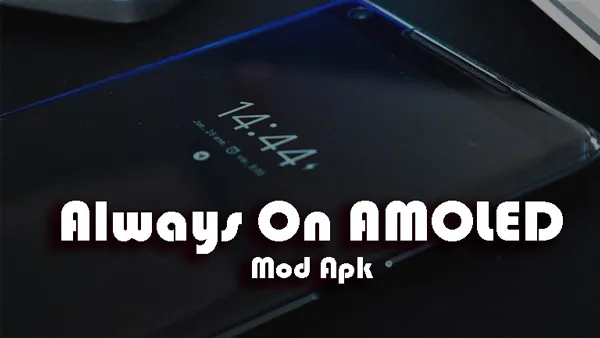
Always On AMOLED is a feature-rich app designed to keep your phone’s screen on and display important information even when your device is in standby mode. With customizable features and a sleek interface, Always On AMOLED enhances your smartphone experience by showing the time, date, battery status, notifications, and more on the lock screen without draining too much battery. This app is ideal for users who want quick access to vital information without having to unlock their phone every time. Whether you prefer a minimalist design or want to display colorful widgets, Always On AMOLED allows for endless customization while maintaining efficiency.
- Always-On Display: Keeps key information, like the time, date, and notifications, visible on your lock screen even when your phone is in standby mode, without the need to unlock it.
- Customizable Themes: Choose from various themes, colors, and font styles to personalize your lock screen and make it match your unique preferences.
- Battery Friendly: The app uses minimal resources to display the information, making sure it doesn’t significantly drain your phone’s battery, even when running in the background.
- Notifications Display: Stay updated with incoming notifications, including missed calls, messages, and app alerts, all shown on the lock screen for easy access.
- Dynamic Widgets: Display dynamic widgets such as weather, music controls, or calendar events, adding more functionality to your always-on screen.
- Choose What to Display: Customize which elements appear on your always-on screen, like time, date, notifications, or battery status, to avoid clutter and focus on the essentials.
- Experiment with Themes: Try different themes and styles to see which combination works best for your aesthetic while keeping the display clear and readable.
- Adjust Brightness: For optimal battery performance, adjust the brightness of the always-on display to a lower setting or use adaptive brightness based on ambient light.
- Use Night Mode: Enable the night mode to reduce screen brightness and avoid any potential eye strain during nighttime use, especially if you prefer checking your phone before bed.
- Disable Unnecessary Features: If you're looking to save even more battery, disable widgets or notifications that you don’t need to keep active on the always-on display.
Always On AMOLED is the perfect app for users who want to enhance their phone's usability by keeping essential information always visible. With its customizable themes, battery-friendly design, and ability to display notifications and widgets, the app makes checking your phone's status more convenient than ever. Whether you want a minimalistic display or something with more vibrant features, Always On AMOLED offers the flexibility to suit your needs while preserving battery life. If you want quick access to key information without unlocking your phone, Always On AMOLED is a must-have tool to optimize your smartphone experience.
File size: 17.60 M Latest Version: 3.1.0
Requirements: Android Language: English
Votes: 242 Package ID: com.tomer.alwayson
Developer: Tomer Rosenfeld


Top Events Free Apps for Android
Discover and share the hottest events around with our intuitive apps. Find local concerts, festivals, shows, and more based on your unique interests. Create customizable calendars of upcoming events to coordinate schedules with friends. Purchase tickets seamlessly from our integrated platforms. Check real-time transit schedules to plan your trip. Access maps, directions, and parking information for any venue.






LIVE A HERO
Retro Hero Mr Kim
Empire of Passion
Arcane Quest Legends
Magic Snap: Momotaro
AllStar Manga Heroes
Lunescape
ONE PIECE Thousand Storm JP
Tap Titans 2