Scan to Download
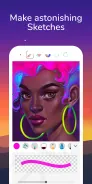
Pro Create & Paint is a professional-grade mobile painting app that combines powerful brushes, layer-based editing, and a streamlined interface for quick digital sketching and refined artwork. Designed for artists on the go, it supports pressure-sensitive pens, custom palettes, and export options suited to both hobbyists and professionals.
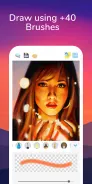
At the heart of the experience are robust tools that make painting and illustration efficient on Android devices. The toolkit includes a variety of brush engines—pixel, watercolor, airbrush, ink and texture brushes—each with adjustable dynamics like opacity, flow, and jitter. A vector-like smoothing mode helps create clean lines while maintaining the natural feel of hand drawing. The app also supports customizable brush presets so you can switch between workflows without rebuilding tool settings.
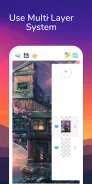
The user interface emphasizes clarity and speed. A minimalist top bar keeps common actions within reach, while contextual side panels reveal advanced controls only when needed. Layers are presented as a thumbnail strip for rapid reordering and visibility toggling. Gestures—pinch-to-zoom, two-finger pan, and double-tap to undo—allow uninterrupted drawing so artists can focus on composition and detail rather than menu navigation.
Brush customization is a standout element. You can import textures, modify tip shapes, and assign pressure/tilt responses for stylus-compatible devices. The app also includes a set of non-destructive effects such as blur, sharpen, blend modes and adjustment layers for hue, saturation and curves. These features let you refine color balance and depth without altering original pixels, which is particularly useful when iterating on concept art or client revisions.
The layered editing system supports grouping, mask creation, and per-layer opacity. Layer masks and clipping groups make compositing fast and reversible. File management covers common export formats including PNG, JPG and PSD with preserved layers for desktop editing. The built-in file browser supports project autosave and version history so recovering earlier states is simple. Cloud sync options are available for backing up work and transferring files between devices.
Pro Create & Paint is optimized to run smoothly across a range of hardware. Multi-core rendering and GPU acceleration reduce lag during brush strokes, while memory-conscious caching keeps large canvases responsive. The app is compatible with many popular styluses and tablets that support Android stylus APIs and pressure sensitivity. Settings allow you to balance performance and quality by adjusting canvas resolution and brush sample rates.
Color tools include a versatile picker, gradient editor, and palette manager. You can create and save custom palettes, import swatches from images, and lock colors for consistent application across a composition. The gradient generator supports linear, radial and noise-based gradients for smoother backgrounds or atmospheric effects. A color history timeline tracks recent swatches so revisiting an earlier choice is straightforward.
Export features make sharing work easy. Exports can include flattened images or layered PSDs for further editing in desktop applications. Social sharing integrates with common platforms to post progress snapshots. For teams, project export as packaged files preserves layers and assets so collaborators receive a complete, editable bundle.
Getting started with Pro Create & Paint requires only a short familiarization period. Begin by creating a new canvas at a moderate resolution, select a basic brush and explore pressure sensitivity with simple strokes. Use layer groups to separate sketches, linework and color, and save a custom brush set once you find a comfortable configuration. The app offers tutorials and sample projects to accelerate learning.
Pro Create & Paint provides a balanced mix of intuitive design and powerful features, making it a capable tool for sketching, illustration, and finished artwork on Android devices.
File size: 6.10 M Latest Version: 9
Requirements: Android Language: English
Votes: 267 Package ID: com.epsypone.procreateandpaint
Developer: Epsypone



Must Have Tools Apps for Android
Equip yourself with our all-in-one toolbox app for everyday tasks and projects. Instantly convert between units, calculate tips, scan documents, manage files, and more with handy productivity tools. Includes a level, compass, QR code reader, ruler, speedometer, decibel meter, and flashlight. Save frequently used tools to your customizable dashboard for one-tap access. Track billable hours, wages, budgets, and invoices. Annotate screenshots, magnify labels, and sign PDFs on the go.






LIVE A HERO
Retro Hero Mr Kim
Empire of Passion
Arcane Quest Legends
Magic Snap: Momotaro
AllStar Manga Heroes
Lunescape
ONE PIECE Thousand Storm JP
Tap Titans 2