Scan to Download
STB Emulator brings a flexible set-top box experience to Android devices, letting users connect to standard IPTV portals, manage channel lists, and customize playback settings. The app focuses on configurable profiles, smooth streaming, and compatibility across phones, tablets, and Android TV boxes for a native living-room interface.
STB Emulator provides a toolbox tailored to IPTV workflows: support for portal logins, M3U playlist import, and electronic program guide (EPG) integration. It includes profile management so multiple sources and user preferences can be saved independently. Advanced playback options let you choose buffering behavior, hardware acceleration, and subtitle rendering to match device capabilities.
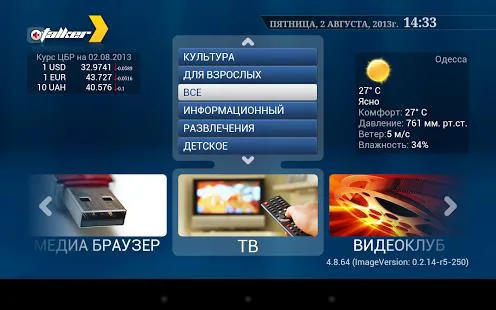
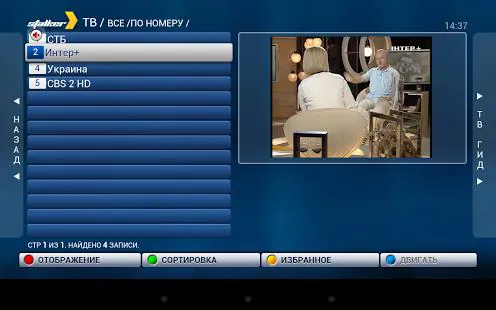
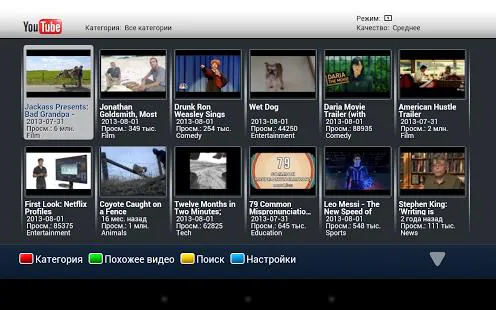
The interface mimics traditional set-top boxes, with a program grid, channel list, and quick-access menus designed for remote control or touch. On Android TV and Fire TV devices the layout scales to large screens while phone and tablet modes adapt for touch input. Menu customization allows rearranging shortcuts, adjusting font sizes, and toggling dark mode for better visibility.
STB Emulator operates by connecting your device to an IPTV portal or loading a playlist file. Once a portal URL and credentials are added, the app retrieves channel metadata and EPG entries. Streams are then handled by the built-in player which negotiates codecs and resolution, applying buffering and decoding settings you specify to reduce stutter and startup delay.
Personalization is extensive: assign channel groups, create favorites, rename channels, and hide or lock unwanted items. Theme choices and layout tweaks let you tailor the on-screen guide. For households, a PIN-protected parental control restricts access to selected content categories. Users can also map remote buttons to preferred actions for quicker channel surfing.
The playback module supports pause, rewind, and fast-forward with configurable step sizes. Time-shifting is available when a source supplies it, enabling short-term rewind of live programming. Where supported by the device and portal, you can use recording or catch-up features to save segments locally or access previously aired content through the EPG.
Designed to run across a wide range of Android hardware, STB Emulator performs best on devices with modern chipsets and sufficient RAM. The app makes use of hardware acceleration where available and adjusts decoding methods to reduce battery drain on mobile devices. Network performance improvements include adaptive buffering and optional DNS settings for more reliable streaming on unstable connections.
Account and portal information are stored locally and can be protected by device-level locks or app-level PINs. The app does not supply content; it connects to user-provided services and playlists, so content rights and legality depend on those external sources. Administrators can remove or edit stored profiles at any time.
STB Emulator is suited for users who prefer a traditional set-top interface on modern Android hardware. It is particularly useful for people managing multiple IPTV sources, setting up devices for shared use in living rooms, or anyone wanting flexible playback controls and cataloging tools without relying on vendor-locked ecosystems.
Install the app, open the configuration menu, and add a new profile. Enter your portal details or import a playlist file, then allow the app to download channel and EPG data. Tweak playback and interface settings to match your device and personal preferences, then save the profile for instant access next time.
STB Emulator balances configurability and familiarity, delivering a set-top experience that adapts to different devices and user workflows while offering the performance tuning and organizational features expected from a professional IPTV front-end.
File size: 10.90 M Latest Version: 0.8.03
Requirements: Android Language: English
Votes: 178 Package ID: com.vasilchmax
Developer: Maxim Vasilchuk
Make your house a home with our selection of innovative apps. Discover programs to simplify cleaning, organize closets, and manage home maintenance. Take the hassle out of chores and keep your space running smoothly. Design, visualize, and renovate like a pro using our augmented reality and 3D modeling tools. Enhance security and monitor your property 24/7 with our connected home tech.






LIVE A HERO
Retro Hero Mr Kim
Empire of Passion
Arcane Quest Legends
Magic Snap: Momotaro
AllStar Manga Heroes
Lunescape
ONE PIECE Thousand Storm JP
Tap Titans 2