
Scan to Download
NAVER Dictionary is a free, feature-rich English reference app that brings multiple authoritative dictionaries, learner resources, and millions of native and user-recorded pronunciations to your Android device. NAVER Dictionary helps learners, teachers and travelers find clear definitions, example sentences and accent variations quickly while keeping searches organized with an automatic wordbook and simple favorites system. The interface is designed for quick lookups and deeper study sessions, so casual lookups and sustained vocabulary building are both supported.
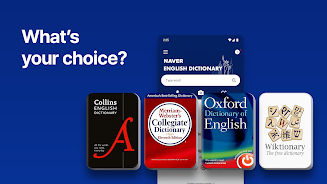
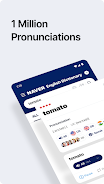
The app includes major monolingual and learner dictionaries in one place, combining entries from well-known sources to cover common through advanced vocabulary. Each entry links definitions to example sentences that show real usage, and phonetic transcriptions help you visualize pronunciation. A massive audio library offers native pronunciations across American, British, Australian and other accents, plus user-submitted clips contributed through the community feature Accentia. The result is a broad reference that covers single-word lookups, multiword expressions and contextual usage notes useful for reading, writing, listening and speaking practice.
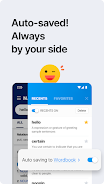
Instead of a rigid leveling system, NAVER Dictionary supports natural progression by offering different dictionaries tuned to various proficiency stages: learner-oriented definitions and examples for beginning to intermediate users and fuller, more technical entries for advanced learners. Progression comes from repeated exposure and organized review: RECENTS tracks recent lookups so you can revisit words you encountered in reading or conversation, while FAVORITES lets you curate a focused study list. Over time, this combination creates a lightweight study workflow—capture new vocabulary in RECENTS, move selected items to FAVORITES for targeted review, and listen to multiple pronunciations to reinforce listening comprehension and spoken production.
Search is central to the experience: type or paste a word to see consolidated entries from several dictionaries in one view, tap example sentences to expand context, and tap audio icons to play pronunciation samples. The interface keeps controls simple and visible so you can switch dictionary sources, compare definitions, or jump between examples without losing your place. For hands-free lookups, voice input and on-screen suggestions speed common queries. The app layout emphasizes readability, with clearly separated sections for definition, examples, and audio so users can focus on the information they need.
NAVER Dictionary offers practical customization without clutter: you can mark items as favorites, scan your RECENTS for revision, and browse entries from different source dictionaries to choose the level of detail you prefer. The visual design favors high-contrast text, legible fonts and straightforward spacing to make long example lists easy to scan. Accessibility features include clear phonetic displays and prominent audio controls so users with different needs can access pronunciation information. The clean layout and predictable navigation reduce cognitive load and make the app approachable for international learners.
The app encourages repeated use through everyday practical tasks rather than gamified rewards: hearing variant pronunciations for the same word, comparing examples from multiple dictionaries, and actively curating a personal wordbook all provide reasons to return. Regular interaction—listening to accents, reviewing favorites and checking examples—supports gradual improvement in vocabulary and listening comprehension. Because entries are useful across many contexts, from classroom study to travel preparation, NAVER Dictionary maintains long-term usefulness as a daily reference tool.
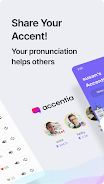
A notable strength is the community pronunciation feature Accentia, where users share regional recordings that expand accent exposure beyond studio-produced audio. These user clips add valuable real-world variety but can vary in recording quality and consistency. Coverage between dictionaries is uneven for rare or highly technical words, so some entries may have fewer examples or audio samples. The app handles these trade-offs by presenting multiple sources so you can often find alternate examples or pronunciations when a single source is limited.
NAVER Dictionary is free to use and well suited to students, educators, writers and travelers who need reliable English references and real-world spoken examples. While it focuses on English reference content rather than multilingual translation, its combination of authoritative dictionaries, learner-friendly explanations and an extensive audio library makes it a practical companion for daily learning and reference. The app is designed to be intuitive for new users while offering depth for advanced learners who want to compare dictionary entries and listen to regional pronunciations.
File size: 25.53 M Latest Version: 2.9.3
Requirements: Android Language: English
Votes: 122 Package ID: com.nhn.android.naverdic


Best Free Books Apps for Your Android Phone
Discover your next great read with our innovative book apps. Access millions of ebooks, audiobooks, and comics on any device. Get personalized recommendations from our advanced algorithms so you always have your next great story lined up. Track your reading habits and browse curated lists for inspiration. Join online book clubs to connect with fellow bibliophiles. Listen to samples and download seamlessly with our integrated stores.






LIVE A HERO
Retro Hero Mr Kim
Empire of Passion
Arcane Quest Legends
Magic Snap: Momotaro
AllStar Manga Heroes
Lunescape
ONE PIECE Thousand Storm JP
Tap Titans 2










































