
Scan to Download
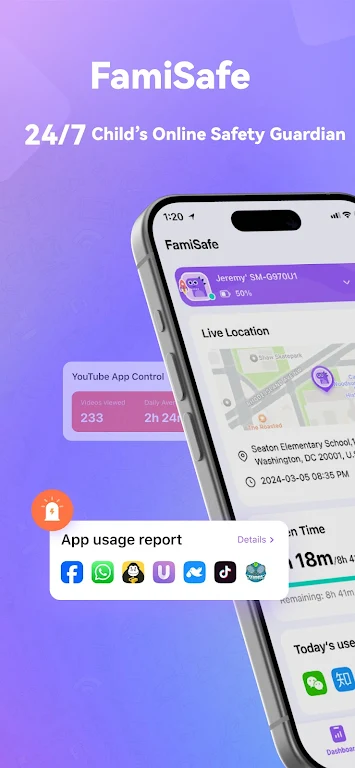
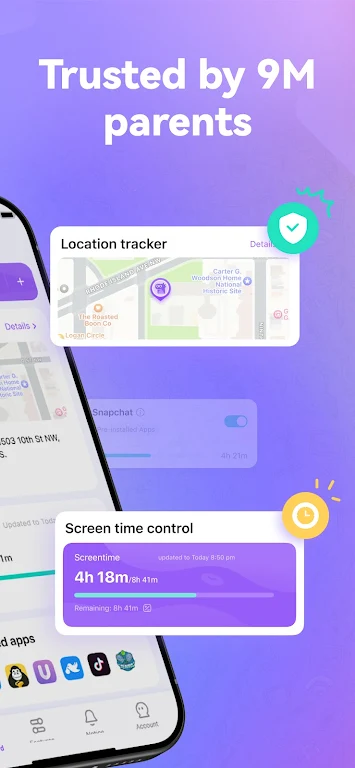
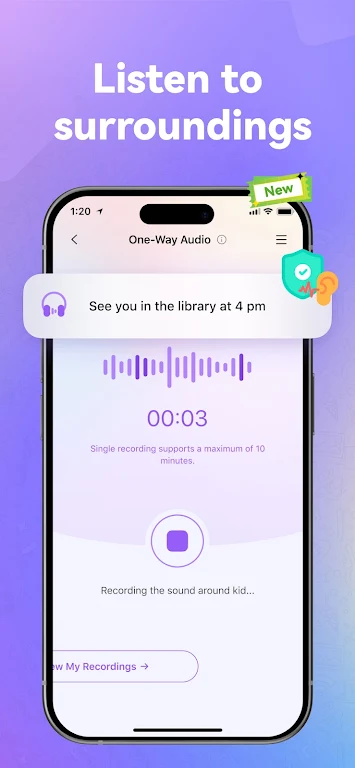
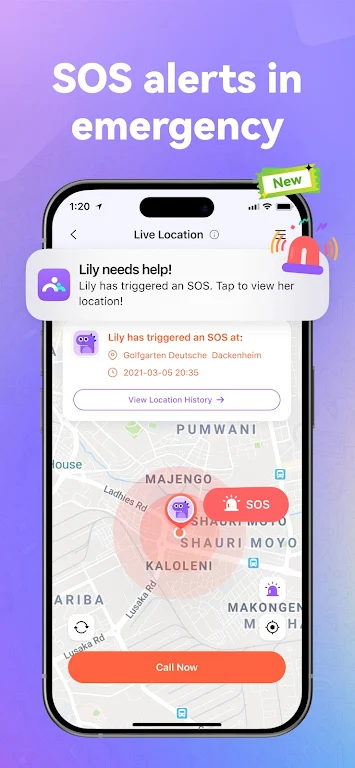
FamiSafe: AI Parental Control helps parents manage screen time, detect risky content, and monitor location with intelligent automation. This app combines AI-driven insights, flexible schedules, and easy reporting to give caregivers visibility and control without constant micromanagement. It balances safety with respect for privacy.
FamiSafe: AI Parental Control is designed for busy families that need practical, adaptable tools to keep kids safe online and offline. The app uses machine learning to flag potential issues, while offering manual controls for calls, apps, and screen limits. It’s built to fit into everyday routines rather than demand constant oversight.
The setup is straightforward: install a parent app and a child profile on the target device, then connect them with a secure code. Parents choose which features to activate and select sensitivity levels for AI monitoring. From there, the app runs in the background, sending alerts when the AI detects concerning patterns or when a schedule comes into effect.
FamiSafe: AI Parental Control focuses on behavior cues rather than spying on private conversations. It highlights items like potential cyberbullying, explicit material, or sudden drastic increases in screen time. Parents receive contextual alerts and suggested actions, allowing them to decide whether to intervene and how.
The interface emphasizes clarity. Dashboards show key metrics such as daily screen hours, most-used apps, and recent alerts. Navigation is simple: tabs for monitoring, location, and settings keep common tasks one or two taps away. Performance is light on battery because much of the processing is optimized or handled through cloud services.
Start with gentle limits and ramp up as needed. Use the reporting features to guide conversations rather than as a punishment tool. Schedule screen-free family time and use app-blocking during homework windows. If the AI flags content, review the context first and discuss concerns with your child before taking restrictive action.
Installing FamiSafe: AI Parental Control takes only a few minutes. Download the parent app, create an account, and follow the guided pairing process. Permissions are essential: grant location, notification, and accessibility access where requested so features work reliably. The app includes step-by-step prompts if additional configuration is needed.
Regular updates refine the AI models and expand compatibility with new apps and platforms. In-app help and a knowledge base cover troubleshooting scenarios, and responsive support is available for account or pairing issues. Keep the app updated to benefit from the latest improvements.
For families balancing independence and safety, FamiSafe: AI Parental Control provides a modern toolkit. It combines automated detection, flexible controls, and clear reporting to help caregivers focus on guidance rather than constant surveillance.
File size: 75.90 M Latest Version: 8.0.3.9967
Requirements: Android Language: English
Votes: 431 Package ID: com.wondershare.famisafe
Developer: Shenzhen Wondershare Software Co., Ltd.

Must Have Home Apps for Android
Make your house a home with our suite of helpful home apps. Discover clever tools to organize closets, streamline chores, and simplify cooking. Take the stress out of cleaning and maintenance with handy checklists and schedules. Enhance security and control appliances and lighting with our smart home integrations. Design, visualize, and renovate like a pro using our 3D planning software.






LIVE A HERO
Retro Hero Mr Kim
Empire of Passion
Arcane Quest Legends
Magic Snap: Momotaro
AllStar Manga Heroes
Lunescape
ONE PIECE Thousand Storm JP
Tap Titans 2










































