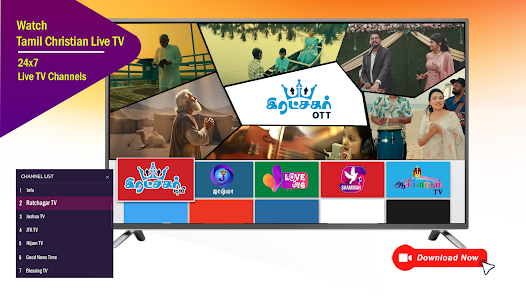
Ratchagar OTT delivers a compact, regional-focused streaming platform that combines live channels, curated films, and serials with offline downloads and multilingual subtitles. Designed for easy browsing and smart recommendations, Ratchagar OTT targets users who want a lightweight player, flexible streaming quality, and cross-device playback without cluttered menus.
Ratchagar OTT focuses on delivering on-demand video and live TV in a concise app footprint. The experience emphasizes fast content discovery, adaptive streaming to match network conditions, and straightforward account controls. Whether you seek quick episodes, full-length movies, or scheduled broadcasts, the app organizes material into clear categories for faster selection.
Content is grouped into genre-driven sections and topical collections. Personalized recommendations appear on the home view based on your watch history and saved items. A prominent search bar and filters allow rapid narrowing by language, length, release year, or popularity, helping users find new releases or all-time favorites without wading through unrelated suggestions.
The interface favors legibility and minimalism. Large thumbnails, brief descriptions, and play buttons reduce friction. Playback controls include play/pause, seek, subtitle toggles, and quality selection. For users on metered plans, a data saver mode restricts resolution, while high-definition streams remain available for strong Wi-Fi or premium accounts.
Ratchagar OTT supports multiple user profiles under a single account so families can keep separate watch histories and recommendations. Parental controls allow PIN-protected sections, making it simple to block mature content. Account management screens provide subscription details, payment methods, and device lists for signed-in sessions.
The app is optimized for modest hardware, which reduces stuttering on older phones. Background buffering keeps playback stable during temporary network drops. Ratchagar OTT is tested across Android phones, tablets, and common smart TV casting devices. Regular updates target bug fixes and incremental performance improvements.
Audiences often mention the focused content lineup and uncluttered interface as main draws. The combination of live channels with a compact on-demand collection makes the app suitable for users who prioritize local programming and quick access. The responsiveness on lower-end devices and practical features like downloads and subtitle options add to the appeal.
Installing Ratchagar OTT is straightforward: download from the official store, grant basic permissions (storage access for downloads), then create or sign in to an account. Initial setup guides you through profile creation and content preferences to tailor suggestions. Subscription tiers and one-time purchase options appear within account settings for access to premium catalogs.
Regular content refreshes and seasonal collections keep the catalog current. If you value a no-nonsense streaming app with regional focus, efficient playback, and practical offline tools, Ratchagar OTT is designed to be a resilient, user-friendly choice for everyday viewing.
File size: 21.00 M Latest Version: 1.0.310326TV
Requirements: Android Language: English
Votes: 339 Package ID: com.ratchagar.ott
Developer: Phoenix Creations



Must Have Home Apps for Android
Make your house a home with our suite of helpful home apps. Discover clever tools to organize closets, streamline chores, and simplify cooking. Take the stress out of cleaning and maintenance with handy checklists and schedules. Enhance security and control appliances and lighting with our smart home integrations. Design, visualize, and renovate like a pro using our 3D planning software.






LIVE A HERO
Retro Hero Mr Kim
Empire of Passion
Arcane Quest Legends
Magic Snap: Momotaro
AllStar Manga Heroes
Lunescape
ONE PIECE Thousand Storm JP
Tap Titans 2