
Scan to Download
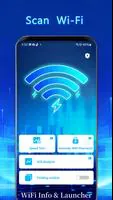
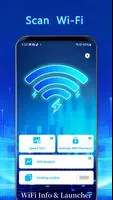
WiFi Info & Launcher puts essential wireless diagnostics and a lightweight app launcher together in one compact Android utility. WiFi Info & Launcher gives a clear, technical snapshot of the network you are connected to while also letting you organize frequently used apps into custom groups and shortcuts for faster access. Designed for people who troubleshoot home or small-office networks and for users who want to streamline daily navigation on their phone, WiFi Info & Launcher balances useful metrics with a tidy, adaptable interface.
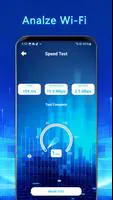
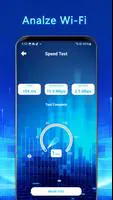
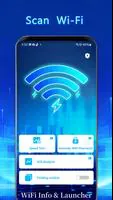
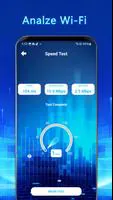
The app displays core connection details such as SSID and BSSID, identifies the current frequency band and channel, and reports real-time signal strength in dBm so you can see how your environment affects connectivity. Estimated download and upload speeds are shown alongside these metrics to give practical context about perceived performance. The launcher component allows creation of named app groups and shortcuts, helping you replace cluttered app drawers with a focused set of tools and workflows. Together these functions make it straightforward to both spot network issues and reach the apps you need to address them.
Information in WiFi Info & Launcher is presented on a single dashboard where tapping a connection card expands more technical details. Creating a shortcut or app group is done through an in-app editor that supports simple drag-and-drop placement and long-press actions to edit or remove entries, so setup feels familiar to most Android users. The monitoring view updates signal strength and speed estimates continuously while the app is in the foreground, and you can refresh data on demand if you want a quick manual check. No specialized technical language is required to navigate the controls, but the data readouts are explicit enough for advanced users to use for basic troubleshooting.
WiFi Info & Launcher offers configurable layouts and visual themes so you can prioritize information that matters most to you. Choose compact list views when you want minimal on-screen clutter or expanded card views to see more technical detail at a glance. Theme options adjust contrasts and icon sizes to improve readability in different lighting conditions, and customizable group names let you tailor the launcher to your daily routines. The visual approach emphasizes clarity: clear fonts, distinct separators for connection metrics, and an uncluttered launcher grid to reduce cognitive load during quick interactions.
There is a small initial setup step to create your preferred app groups and layout, but once configured the app becomes a utility you return to regularly. Progression is informal: as you refine which shortcuts you need and which metrics you want visible, the launcher becomes more efficient and the diagnostics view more meaningful because you understand the typical values for your environment. Frequent use rewards you with faster access to your workflows and with an improved ability to notice deviations in signal quality or channel congestion over time.
The interface focuses on readable measurements and simple navigation pathways to improve accessibility. Text sizes, color contrast, and clear labels make it easier to interpret dBm values, channel numbers and speed estimates. Since the app reads Wi-Fi state information from the device, core diagnostics function offline and do not require an external server connection; the displayed information reflects the device’s current network status and local measurements. Controls are touch-friendly and compatible with common Android accessibility features such as screen readers and magnification.
WiFi Info & Launcher is intended as a user-focused diagnostic and productivity tool rather than a replacement for professional network analysis suites. It does not perform packet-level capture or provide deep protocol inspection; for those tasks you should use specialized software and hardware. Some users may spend a short amount of time refining app groups and layout preferences before the launcher feels tailored to their workflow. Monitoring while the app is active has a modest battery cost typical of any foreground utility that updates live measurements; background scanning beyond the device’s normal Wi-Fi reporting is not part of its core design.
Everyday users who want faster access to frequently used apps, home network hobbyists who need a reliable view of signal strength and channel information, and small-office administrators who wish to quickly identify obvious configuration issues will find value in WiFi Info & Launcher. It blends practical metrics with simple organizational tools so you can both react to wireless problems and reduce phone clutter without learning complex networking tools.
File size: 66.10 M Latest Version: 1.0
Requirements: Android Language: English
Votes: 240 Package ID: com.wifiinfo.launcher.zxiert
Developer: RUITA LIMITED



Must Have Home Apps for Android
Make your house a home with our suite of helpful home apps. Discover clever tools to organize closets, streamline chores, and simplify cooking. Take the stress out of cleaning and maintenance with handy checklists and schedules. Enhance security and control appliances and lighting with our smart home integrations. Design, visualize, and renovate like a pro using our 3D planning software.






LIVE A HERO
Retro Hero Mr Kim
Empire of Passion
Arcane Quest Legends
Magic Snap: Momotaro
AllStar Manga Heroes
Lunescape
ONE PIECE Thousand Storm JP
Tap Titans 2










































