Scan to Download
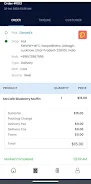
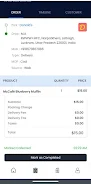
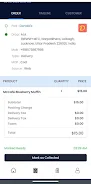
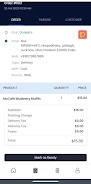
Knockee Merchant brings a compact, powerful toolkit for small businesses to manage sales, inventory, and customer relationships from a single Android device. It streamlines order processing, digital payments, and reporting, offering fast setup and intuitive screens that suit busy shopkeepers and mobile vendors.
Designed for merchants who need speed and clarity, Knockee Merchant focuses on practical workflows rather than feature overload. The interface prioritizes the core tasks you perform every day: ringing up sales, tracking stock, issuing receipts and reconciling transactions. Cross-device synchronization keeps data aligned across terminals and mobile phones.
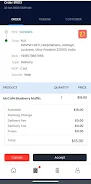
Starting a transaction is a two-step process: select items and choose the payment method. The app calculates taxes automatically and applies any promotional rules you configure. Once payment is accepted, records are saved locally and synced to the cloud when connectivity is available, enabling offline-first operation that suits markets with intermittent internet.
Knockee Merchant keeps latency low by minimizing animation and focusing on clear input fields. Buttons are large for quick tapping, and color-coded totals reduce mistakes during busy hours. Performance remains steady even on mid-range Android devices, and the app provides options to clear cache and optimize database size for prolonged use.
Daily and weekly summaries are available in compact charts and downloadable CSV files. Business owners can slice sales by product, category, or staff member to identify trends. The reporting module also supports export routines that integrate with basic accounting tools, simplifying end-of-day reconciliation.
Data stored on the device is encrypted and synced through secured channels. Role-based access control helps limit cashier privileges while preserving owner-level oversight. Regular backups and a simple restore procedure reduce the risk of data loss during device changes.
Merchants can configure tax settings, receipt templates and product categories without technical expertise. The app supports basic integrations with popular third-party payment gateways and label printers. Where integrations aren’t available, the CSV export option enables manual import into other systems.
Feedback tools inside the app allow merchants to request reviews and contact customer support from the settings screen. Help articles and step-by-step guides are accessible within the app, and setup wizards walk new users through company profile, taxes and payment setup.
Small retailers and market traders appreciate its balance of functionality and simplicity. Knockee Merchant reduces daily administrative overhead, accelerates checkout times and offers dependable reporting—advantages that matter when margins are tight and time is limited.
Installation takes just a few minutes from the Android store. After account creation, follow the guided setup to input products, configure taxes and connect a payment option. Regular updates bring stability improvements and new features without disrupting existing settings.
Whether you run a single outlet or a fleet of mobile stalls, Knockee Merchant provides a focused, efficient toolkit to manage core retail operations on Android devices.
File size: 47.00 M Latest Version: 1.0.1
Requirements: Android Language: English
Votes: 323 Package ID: com.merchant.knockee
Developer: KNOCK TECHNOLOGY LTD

Top Free Business Necessary Apps for Android
Streamline operations and maximize productivity with our innovative business apps. Manage contacts, schedule meetings, and route calls seamlessly. Collaborate on documents and projects in real-time. Track inventory, finances, and analytics to inform smart decisions. Build customized proposals, invoices, and contracts to win clients. Stay on top of emails, tasks, and passwords for efficient work.






LIVE A HERO
Retro Hero Mr Kim
Empire of Passion
Arcane Quest Legends
Magic Snap: Momotaro
AllStar Manga Heroes
Lunescape
ONE PIECE Thousand Storm JP
Tap Titans 2