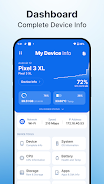
My Device Info provides a fast, easy-to-read snapshot of your Android device, revealing hardware specifications, operating system details, sensors, and real-time performance metrics in a compact interface designed for everyday users and advanced troubleshooters alike for diagnostics and optimization across apps and connectivity.
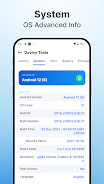
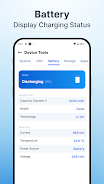
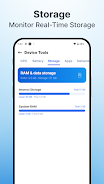
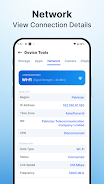
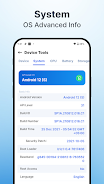
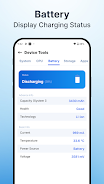
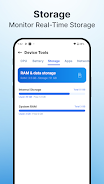
My Device Info packs essential tools into a straightforward layout so you can quickly assess the state of your phone or tablet. The app lists processor model and speed, core count, memory allocation, storage partitions and free space, battery capacity and health, display characteristics, and current Android build. It also shows network connections, Wi-Fi and Bluetooth identifiers, and camera modules. Each entry is presented with clear labels, units, and helpful context to minimize guessing when you need to compare specifications or report an issue.
Beyond static specifications, My Device Info tracks live metrics that matter during troubleshooting or performance tuning. CPU and GPU frequencies are visible alongside per-core utilization, while RAM usage and swap activity update in real time. Storage I/O statistics allow you to detect slowdowns, and temperature readings for the chipset and battery help identify thermal throttling. Sensor listings include accelerometer, gyroscope, magnetometer, proximity, light sensor, and more, with raw values available for developers and curious users.
The interface prioritizes clarity and speed. Tabs and expandable sections let you dive into a system area without losing context, and search functionality surfaces specific hardware or software items instantly. My Device Info groups related entries together so workflows such as identifying the modem firmware or checking camera sensors become intuitive. Color accents highlight abnormal readings—such as unusually high temperatures or low battery health—so users can act quickly.
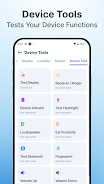
Useful utilities are included to streamline common maintenance tasks. A brief benchmark option measures storage read/write speed and renders a snapshot of CPU performance. Export features let you save a full system report to a file or share it via email or messaging for support requests. The permissions viewer explains which apps have access to hardware like the microphone, camera, and location services. For troubleshooting, there are quick tests for sensors, network pings to check connectivity, and a log viewer to capture intermittent problems.
Designed to run with minimal overhead, My Device Info uses lightweight polling and only requests permissions necessary for accurate reporting. It supports a broad range of Android versions and hardware configurations, from entry-level phones to flagship devices. The app remains usable offline for most features, and network-dependent checks require explicit consent. Compatibility notes are provided in-app so you can verify whether advanced metrics—such as certain thermal sensors or chipset-specific details—are available for your model.
Technicians, developers, and everyday users can all benefit from the app. Use My Device Info to confirm warranty details before sending a device for service, to compare hardware between models when shopping, or to validate system behavior after an update. Developers can copy exact sensor names and resolutions for testing, while IT staff can collect device reports to inventory fleets or troubleshoot connectivity problems remotely.
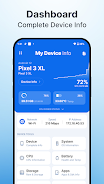
Getting started is simple: install the app, grant the minimum requested permissions, and open the dashboard to view a summarized device profile. Tap any section to expand full details, run quick tests when necessary, and export a report if you need to share findings. Regular checks with My Device Info help you spot deteriorating battery health, storage bottlenecks, or runaway apps before they affect daily use.
Keeping My Device Info installed gives you instant access to the technical facts behind your device’s behavior. It saves time when diagnosing problems, provides reliable data for selling or buying used phones, and offers transparency for those who want to understand what their hardware and software are doing at a glance.
File size: 20.00 M Latest Version: 1.3
Requirements: Android Language: English
Votes: 459 Package ID: com.cpu.deviceinfo.system
Developer: GiggleGenius

Must Have Tools Apps for Android
Equip yourself with our all-in-one toolbox app for everyday tasks and projects. Instantly convert between units, calculate tips, scan documents, manage files, and more with handy productivity tools. Includes a level, compass, QR code reader, ruler, speedometer, decibel meter, and flashlight. Save frequently used tools to your customizable dashboard for one-tap access. Track billable hours, wages, budgets, and invoices. Annotate screenshots, magnify labels, and sign PDFs on the go.






LIVE A HERO
Retro Hero Mr Kim
Empire of Passion
Arcane Quest Legends
Magic Snap: Momotaro
AllStar Manga Heroes
Lunescape
ONE PIECE Thousand Storm JP
Tap Titans 2