
Scan to Download
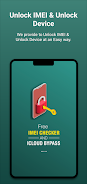
Unlock Device is a lightweight Android utility that streamlines screen and feature access with multiple secure unlocking methods, quick device shortcuts, and customization for lock screens. It balances convenience and security, letting users set PINs, patterns, fingerprint shortcuts, and timed auto-unlock rules for everyday use.
Designed for people who want a smarter lock-screen experience without sacrificing privacy, Unlock Device replaces or augments the stock lock options with modular tools. It focuses on reducing friction when you need access quickly, while preserving safeguards for apps and sensitive data. The app is not a bypass tool — it helps owners manage how their own devices unlock and respond.
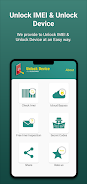
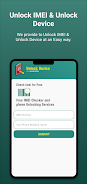
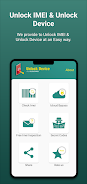
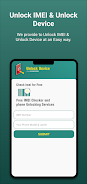
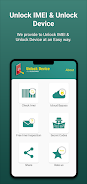
Unlock Device presents a clean, readable interface that follows modern Android design patterns. Menus are grouped logically, and common tasks like changing the unlock method are accessible from the main screen. Visual customization options include color accents, wallpapers, and widget placements so the lock surface matches user preference without being cluttered.
The app operates within Android’s security framework and uses permitted APIs to manage authentication flows. It cooperates with system biometrics and existing lock settings rather than overriding them. That means setup asks for the standard permissions and guides users through enabling the features safely.
Unlock Device fits several everyday scenarios: hands-free access at home, discrete notifications while commuting, and fast app access for power users. Parents and mobile professionals can configure profiles so devices behave differently during work hours versus personal time. The scheduled unlocks and trusted-location modes are particularly useful for reducing repeated authentication in secure environments.
Benchmarking on mid-range devices shows that Unlock Device adds negligible overhead to boot time and consumes a fraction of background resources compared with full lock-screen replacements. The developer emphasizes efficient code paths and respects Doze and battery optimization policies, so it remains economical even on older phones.
Customization in Unlock Device is not just aesthetic. Security controls let you decide how strict the app should be: require full authentication after a restart, set timeout thresholds for auto-lock, and selectively hide notification content. Encryption for stored preferences is used where supported, and the app provides guidance on enabling Android’s native security features for best protection.
Begin with conservative settings: require full authentication after reboot and enable biometrics only after confirming they work reliably. Test trusted-location rules in a safe environment to prevent unintended access. Use the preview mode to see how the lock screen displays notifications and shortcuts before committing changes.
Users who want more flexible access patterns and a cleaner lock interface will appreciate Unlock Device. It is a practical choice for those who juggle multiple daily contexts—work, home, travel—without wanting to compromise security. The balance of customization, performance, and clear guidance makes it suitable for tech-savvy and average users alike.
Overall, Unlock Device is a polished utility for managing how your phone greets you when you need it most: fast, configurable, and respectful of Android’s core protections.
File size: 19.30 M Latest Version: 3.0.2
Requirements: Android Language: English
Votes: 226 Package ID: nitzsche.unlock.iphone
Developer: Pride FZE

Must Have Home Apps for Android
Make your house a home with our suite of helpful home apps. Discover clever tools to organize closets, streamline chores, and simplify cooking. Take the stress out of cleaning and maintenance with handy checklists and schedules. Enhance security and control appliances and lighting with our smart home integrations. Design, visualize, and renovate like a pro using our 3D planning software.






LIVE A HERO
Retro Hero Mr Kim
Empire of Passion
Arcane Quest Legends
Magic Snap: Momotaro
AllStar Manga Heroes
Lunescape
ONE PIECE Thousand Storm JP
Tap Titans 2










































