
Scan to Download
ProterSystem is a comprehensive Android utility that combines security, performance tuning and system maintenance into a single dashboard. It scans for threats, optimizes background processes, cleans storage and offers privacy tools with one-tap controls, making device upkeep faster and more approachable for everyday users and power users alike.
ProterSystem delivers a toolkit focused on practical device care. Core functions include malware detection, deep file cleanup, app management, and CPU memory optimization. The malware engine runs both quick and full scans, identifying suspicious packages and risky permissions. A dedicated cleaner removes cache, residuals and large unused files to recover storage, while an app locker and permission auditor protect sensitive data.
Security features blend automated scans with user-driven controls. Real-time monitoring watches for unusual app behavior and network requests, while a privacy scanner highlights apps that access camera, location or contacts excessively. The built‑in app locker adds a second authentication step for selected apps and folders. When needed, quarantine and restore options let you isolate questionable files without immediate deletion.
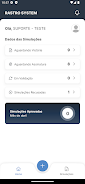
The interface is designed for clarity: a single-pane dashboard summarizes health score, battery status, and active protections. One-tap optimization performs recommended actions, but every item can be adjusted manually. Widgets provide quick access to scan, boost and battery modes from the home screen. Settings are organized into sections so you can tailor notifications, scan frequency and update preferences.
Establishing a reliable routine is easy with ProterSystem. Start with an initial full scan and follow the recommended clean-up. Set scheduled scans to run overnight and enable automatic cleaning for cache and temp files. Use the app manager to review seldom-used apps and freeze or uninstall them. The notifications are configurable so routine maintenance stays helpful without becoming intrusive.
Beyond freeing storage, ProterSystem optimizes background activity to reduce CPU load and extend battery life. It identifies high-energy apps and suggests battery-saving profiles such as Performance, Balanced and Power Saver. Each profile adjusts CPU throttling, sync intervals and visual effects. Battery history charts help you spot sudden drains and correlate them with specific apps or system events.
ProterSystem is built to run efficiently across a wide range of Android versions and hardware profiles. The app emphasizes low memory overhead and minimal background services, reducing the very drain it seeks to prevent. Regular updates improve compatibility, and optional cloud-based signature updates keep the malware database current without large downloads on-device.
For users who like deeper control, ProterSystem includes advanced features: a traffic monitor for real-time data usage, a startup manager to control which apps launch at boot, and a file shredder for secure deletion. Power users can create custom optimization routines that chain actions—scan, clean, freeze apps—and then assign them to a single shortcut or automation event.
Getting started is straightforward. Install the app, grant the necessary permissions, and allow an initial full scan. The onboarding flow guides you through setting up privacy guards and choosing a default battery profile. If you prefer minimal setup, choose the recommended settings and run a one-tap optimize to apply best-practice adjustments instantly.
ProterSystem includes an in-app help center with troubleshooting guides, FAQs and a contact form for technical support. Updates deliver both interface improvements and security patches; critical signature updates for threat detection can be pushed more frequently to respond to emerging risks. For enterprise use, a lightweight management interface helps deploy and configure multiple devices remotely.
Users seeking a single, consolidated app to protect, clean and tune their device will find ProterSystem particularly valuable. It balances automated convenience with granular controls, making it suitable for those who want set-and-forget maintenance as well as people who prefer to review and approve each change. The app’s conservative resource footprint ensures it improves device responsiveness rather than compromising it.
Summary: ProterSystem combines intuitive design with robust tools to keep Android devices secure and efficient. With scheduled maintenance, privacy controls and optimization profiles, it provides a practical workflow for daily device health while remaining lightweight and configurable for different user needs.
File size: 70.48 M Latest Version: 1.0.3
Requirements: Android Language: English
Votes: 212 Package ID: br.com.rs.consultant
Developer: RastroSystem

Must Have Home Apps for Android
Make your house a home with our suite of helpful home apps. Discover clever tools to organize closets, streamline chores, and simplify cooking. Take the stress out of cleaning and maintenance with handy checklists and schedules. Enhance security and control appliances and lighting with our smart home integrations. Design, visualize, and renovate like a pro using our 3D planning software.






LIVE A HERO
Retro Hero Mr Kim
Empire of Passion
Arcane Quest Legends
Magic Snap: Momotaro
AllStar Manga Heroes
Lunescape
ONE PIECE Thousand Storm JP
Tap Titans 2










































