Scan to Download
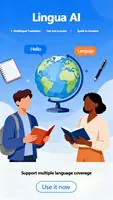
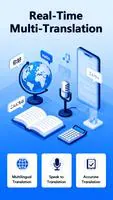
Lingua AI is an educational language-learning assistant built to help learners of all levels practice speaking, reading and grammar with targeted, measurable exercises. This Android app blends adaptive lesson planning, real-time pronunciation feedback, and contextual grammar correction into a single mobile workflow so that travelers, students and professionals can focus study time on the skills that matter most.
The app uses an adaptive lesson engine to shape each session around your current strengths and gaps: short diagnostic checks detect persistent errors, then the system selects exercises that reinforce weak points while avoiding unnecessary repetition. Speech recognition provides immediate, itemized feedback on pronunciation, including rhythm, stress and vowel quality, and contextual grammar suggestions explain why an alternative phrasing works. Vocabulary practice uses spaced repetition to keep retention high and pairs words with example sentences so learners see how terms function in real contexts.
Controls are intentionally simple and tactile. A learning queue presents the next suggested activity and a single tap launches practice; in speaking drills you record and replay your response, compare it to native samples, and receive a breakdown of pronunciation scores. Swipe gestures allow quick navigation between lesson stages and a dedicated practice button starts a timed micro-session. Visual indicators show mastery levels and progress so users always know what to practice next.
Progression follows an incremental structure with placement checks, tiered skills and milestone reports. After an initial assessment the app creates a roadmap that groups content into levels and subskills such as basic phrases, functional grammar, and domain vocabulary. Competency per skill is tracked through mastery badges and progress graphs, and lessons automatically scale in difficulty as accuracy improves. Regular review reminders help maintain streaks without overwhelming the schedule.
Conversation mode simulates spoken dialogs with branching responses so users practice realistic turns in a controlled environment. Each scenario includes varied prompts and follow-up questions, creating replay value through alternative branches and adjustable difficulty. Repetition is meaningful because the adaptive engine changes prompts based on past mistakes, so returning to the same scenario reinforces different targets and keeps practice engaging over time.
The visual design is clean and focused, with high-contrast text, large touch targets and clear icons to keep the interface usable on smaller screens. Audio features include adjustable playback speed and captioned prompts for learners with hearing needs. Text size and color themes are adjustable for readability, and the app minimizes clutter so learners with limited dexterity can navigate sessions easily.
Users can tailor lesson length, preferred dialects and topic sets such as business, travel or academic vocabulary, and teachers can prepare shared lesson packs for assigned practice. Custom word lists allow learners to prioritize terminology relevant to work or study, and the system integrates user-recorded audio for side-by-side comparison with native speaker samples.
Offline mode caches selected lessons, audio samples and exercise state so learners can continue short practice bursts without a constant internet connection. Cached content synchronizes automatically when connectivity returns, and media files are optimized to limit data use on metered networks. The app also provides controls for download quality to balance storage and fidelity.
Challenge features are designed to nudge steady improvement rather than create stress. Timed drills and short daily goals encourage consistency, while the spaced repetition scheduler spaces review to maximize retention. Users can opt into gentle notifications that remind them to practice and can adjust the intensity of challenges to match personal schedules and learning tempo.
Installation is straightforward: after download create a profile, select a target language and complete the quick placement check to receive a recommended plan. Initial settings include preferred study time per day and target topics so the app delivers a sample week of lessons immediately. Lingua AI keeps settings transparent, so learners can refine pacing, focus areas and notification preferences as they progress.
Beginners gain clear structure and bite-sized practice that prevents overwhelm, intermediate learners receive targeted corrections to polish grammar and pronunciation, and professionals can build role-specific vocabulary with teacher-assigned packs. Lingua AI is positioned as a practical, education-focused companion that prioritizes measurable progress and flexible practice for long-term language development.
File size: 61.19 M Latest Version: 1.0.1
Requirements: Android Language: English
Votes: 461 Package ID: com.lingua.ai.translate.model
Developer: Shining Ambergris


Top Events Free Apps for Android
Discover and share the hottest events around with our intuitive apps. Find local concerts, festivals, shows, and more based on your unique interests. Create customizable calendars of upcoming events to coordinate schedules with friends. Purchase tickets seamlessly from our integrated platforms. Check real-time transit schedules to plan your trip. Access maps, directions, and parking information for any venue.






LIVE A HERO
Retro Hero Mr Kim
Empire of Passion
Arcane Quest Legends
Magic Snap: Momotaro
AllStar Manga Heroes
Lunescape
ONE PIECE Thousand Storm JP
Tap Titans 2